ARMC/2 Card Remote Recovery Application (RRA), Continued
Step Description
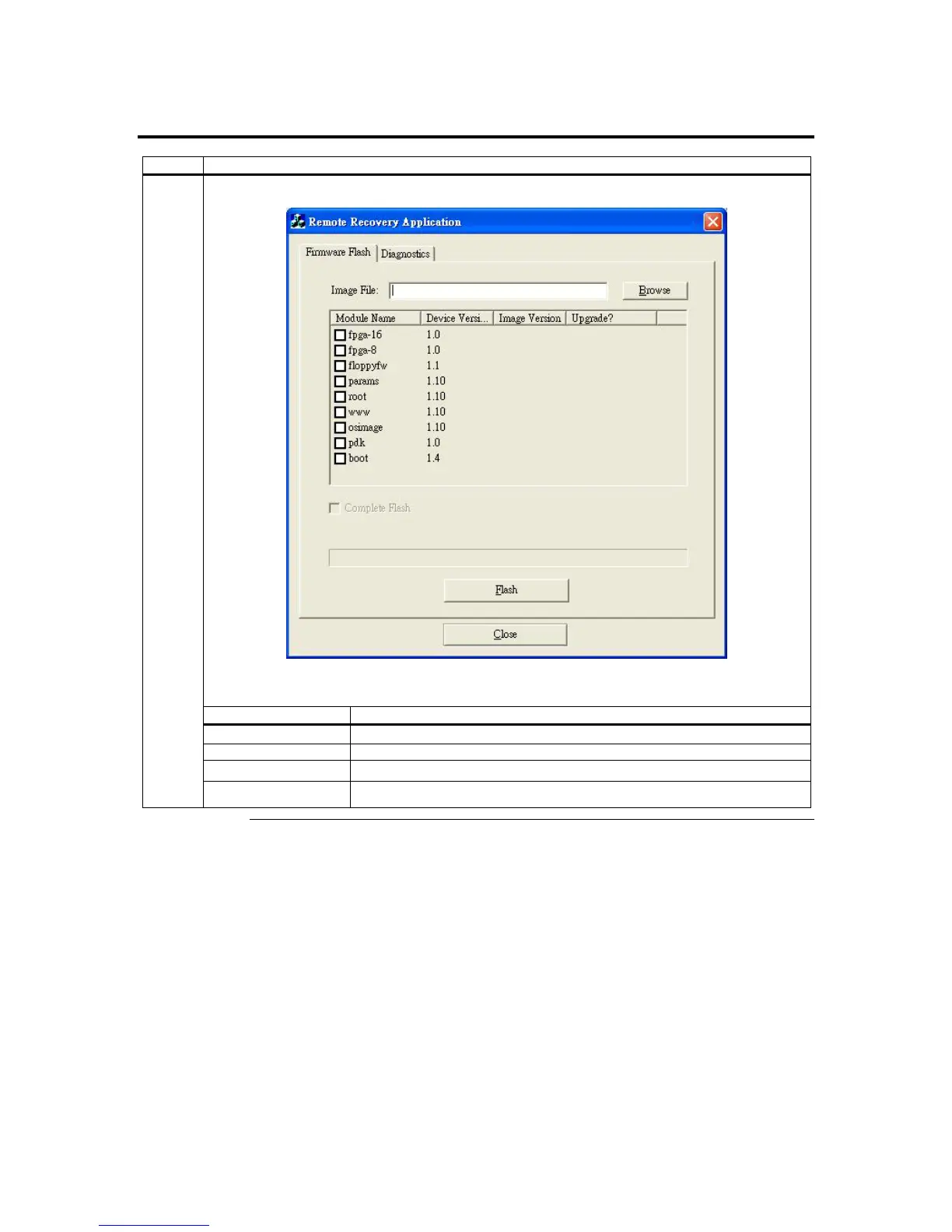
The Firmware Flash screen appears.
The Flash Related Operation buttons are explained in the table below:
Button Description
Browse Button Left click the Browse button to get flash firmware.
Complete Flash Left click the Complete Flash selection to flash firmware completely.
Flash Button Left click the Flash button to flash firmware.
3
Close Close the operating screen
Cont’d
ARMC/2 User’s Guide
128



 To Next Page