ARMC/2 Card Remote Recovery Application (RRA), Continued
Step Description
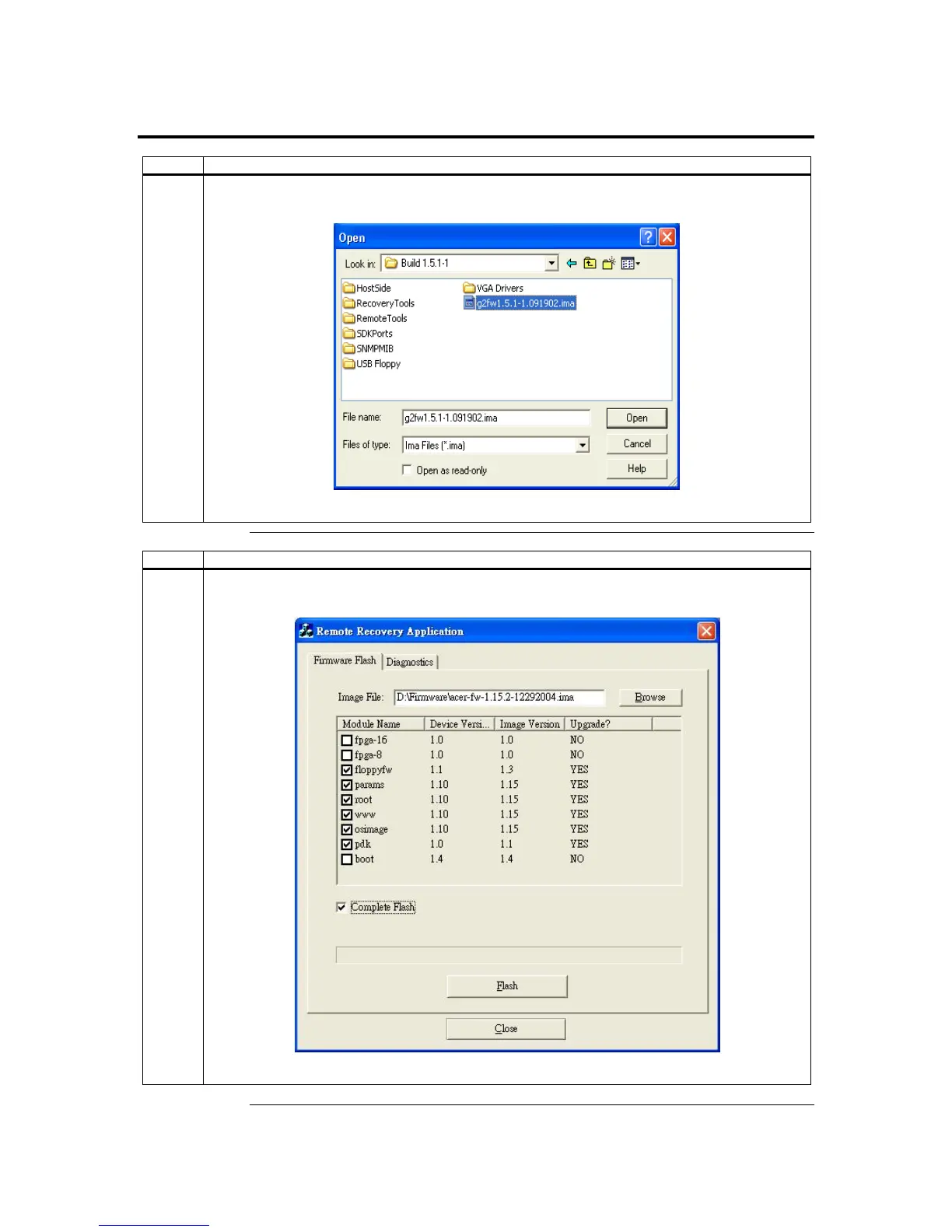
4 When you left click the Browse button, the open firmware file (.ima) screen appears.
Left click the Open button to select the image.
Step Description
5 Complete Flash
Left click the Complete Flash selection to flash firmware completely.
Appendix D : Troubleshooting
129


 To Next Page
 Loading...