Step 6 Install the Acer ARMC/2 Windows Software Components, Continued
Step Description
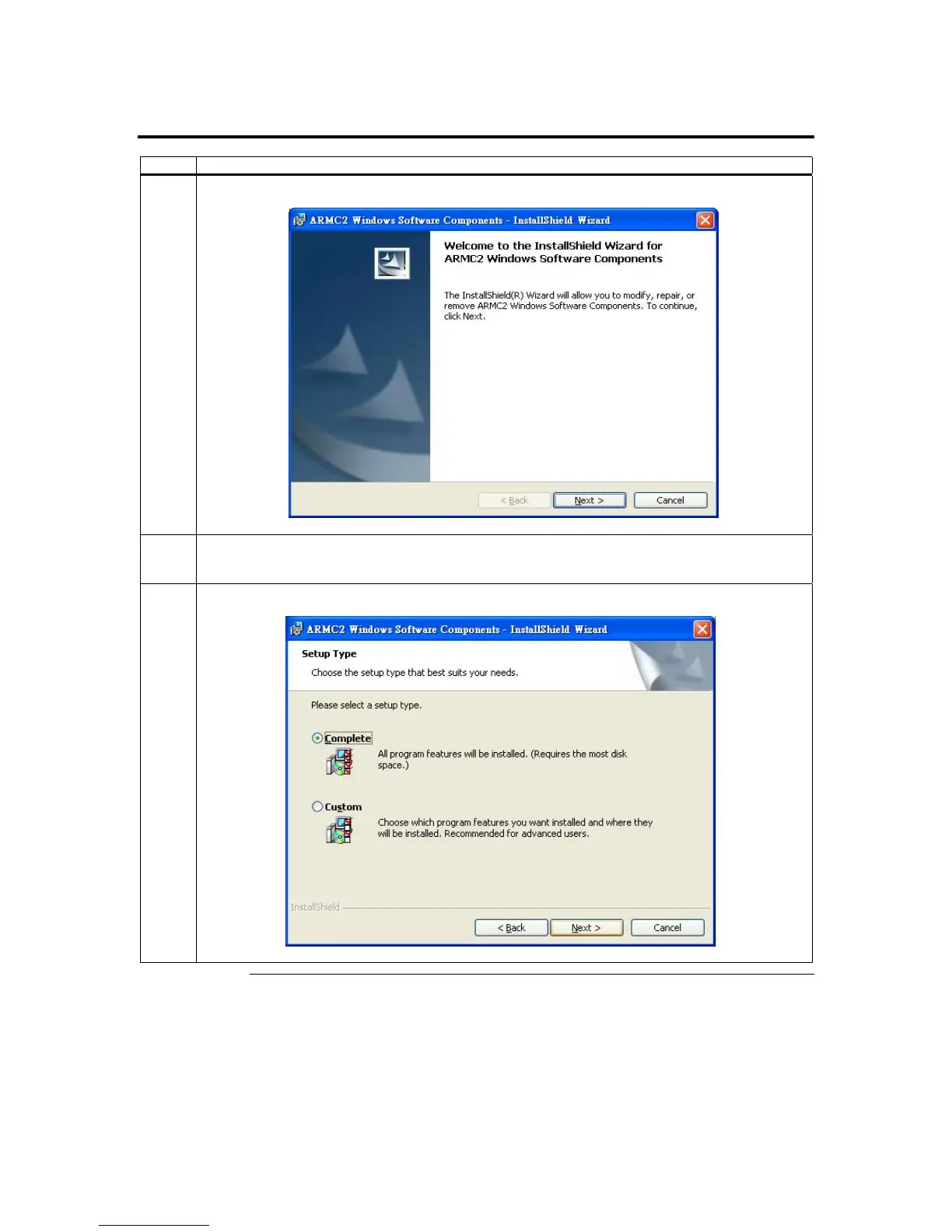
3 The Acer ARMC/2 Windows Host Component setup window opens. Left click the Next button.
4 Skip this step unless the Customer Information window opens. Enter your name and your
organization’s name in the appropriate fields. Select the option for Install this application for and
left click the Next button.
5 The Setup Type window opens. Select the Complete setup option. Left click the Next button.
Cont’d
Chapter Two : Installing Your ARMC/2 Card
17



 To Next Page