Step 8 Connect to the ARMC/2 from a Client System, Continued
Step Description
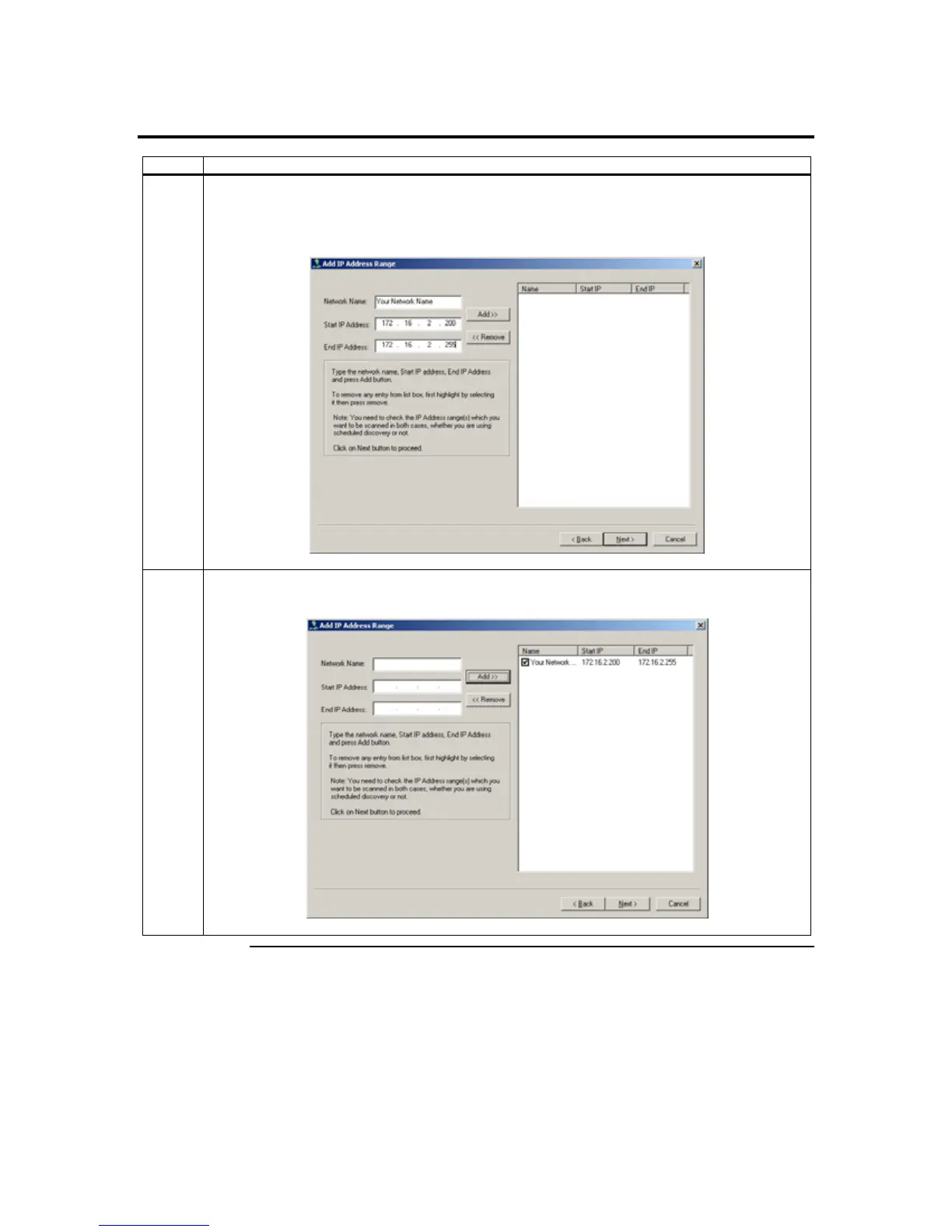
3 Type in your Network Name. In this example, Your Network Name is the Network Name. Next,
you must enter a range of IP addresses that you want to search. In this example, the ARMC/2
card’s IP address is between 172.16.2.200 to 172.16.2.255. Left click the Add>> button when
finished.
4 The name and IP range of the ARMC/2 will display in the right field. Place a check in the box next
to the range of IP addresses. Left click on the Next button.
Cont’d
ARMC/2 User’s Guide
24



 To Next Page