Locating Your ARMC/2 Card, Continued
Step Description
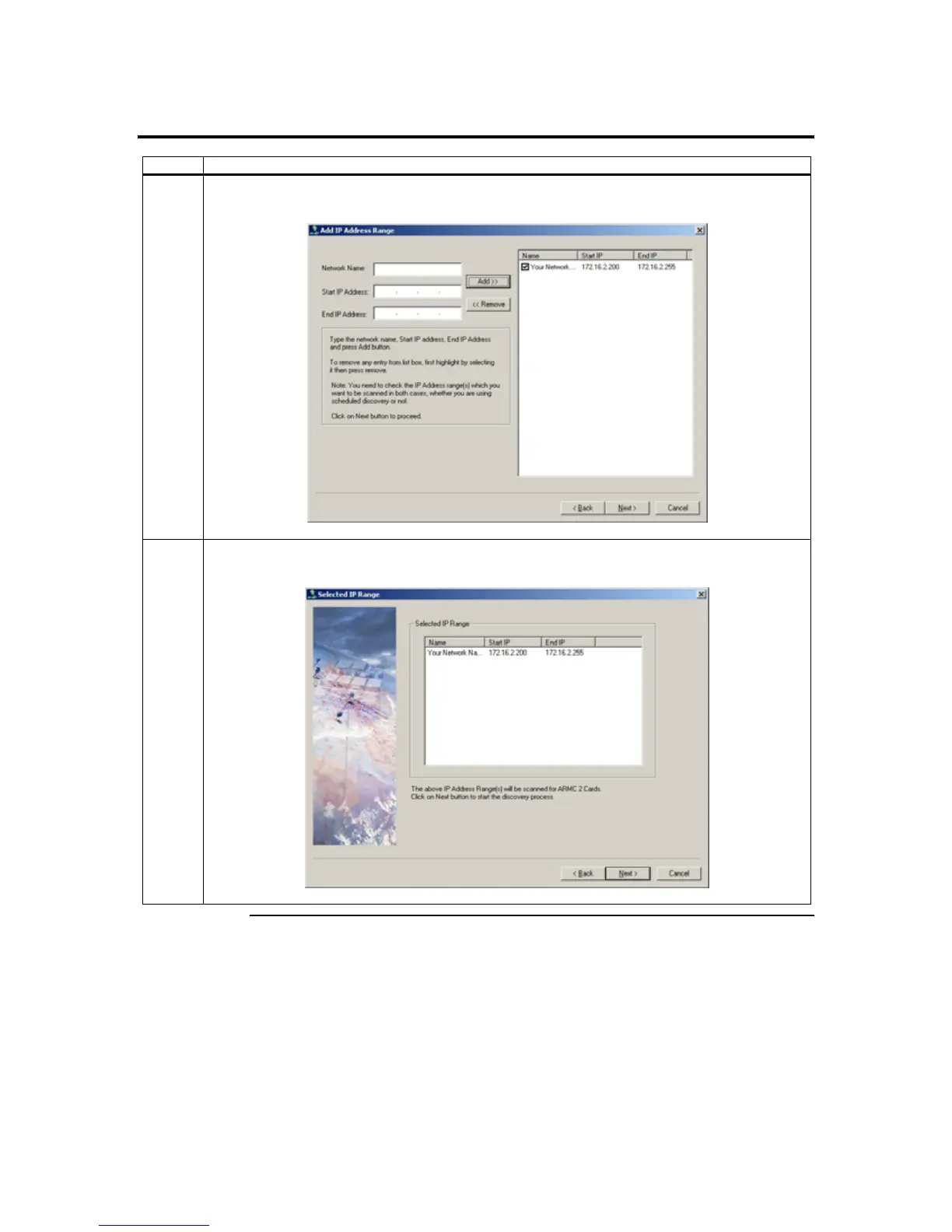
4 The name and IP range of the ARMC/2 will display in the right field. Place a check in the box next
to the range of IP addresses. Left click on the Next button.
5 The name and IP range of the ARMC/2 will display in the Selected IP Range window. Left click on
the Next button.
Cont’d
Chapter Three : Locating Your ARMC/2 Card
33



 To Next Page