Upgrade Firmware, Continued
Updating Your ARMC/2’s Firmware, Continued
Step Description
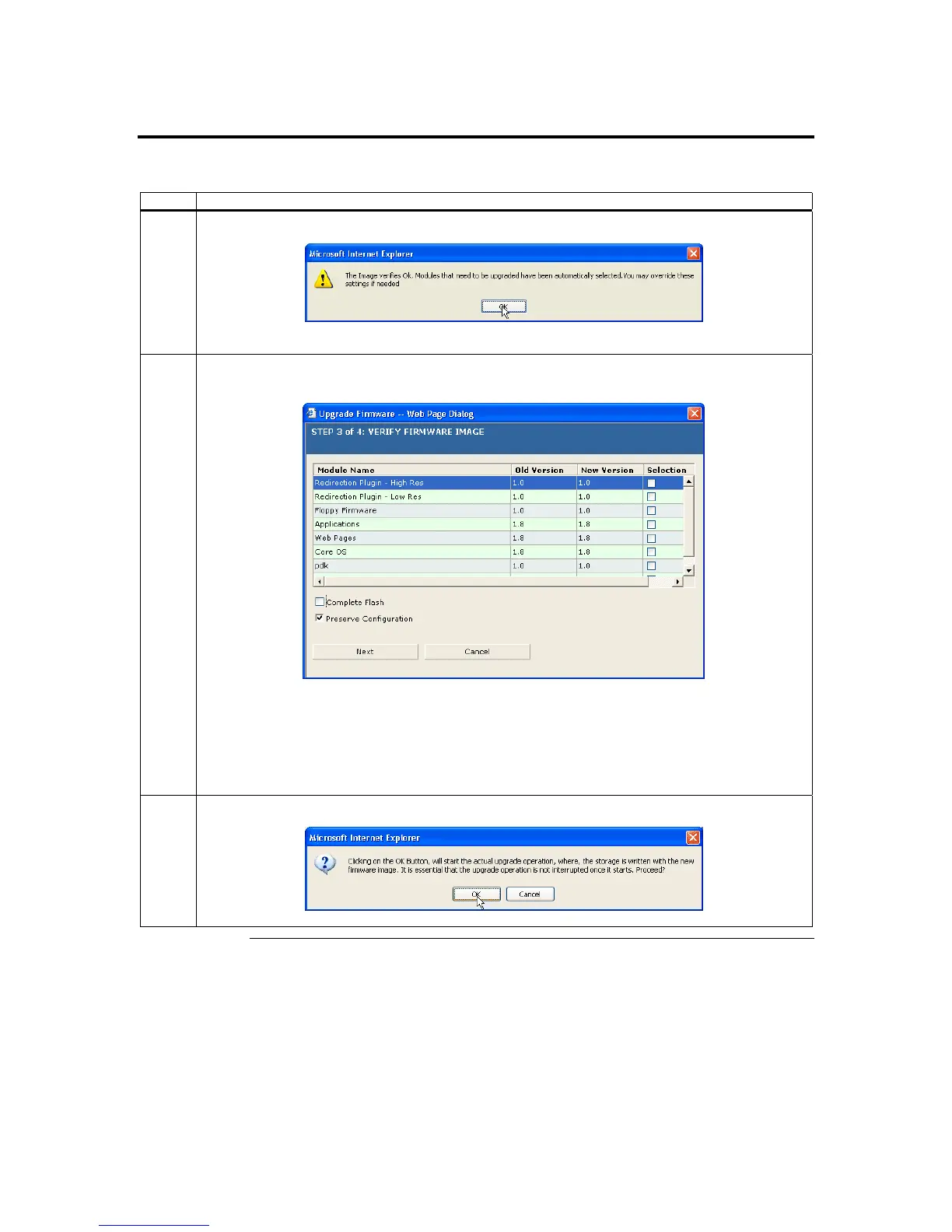
7 Once it verifies the image, the following dialog box appears:
Left click the OK button.
8 If the dialog box prompted that an update is necessary, left click the Flash button. If the wizard
determined that no flash is necessary, you can left click the Cancel button.
Note: Even if you choose to cancel the firmware flash operation, the
ARMC/2 must be reset. This
means that you must close the Internet browser and log back onto the ARMC/2 before you can
perform any other types of operations.
Note: You can place a check next to Preserve Config if you want to flash the firmware but retain your
original configuration.
9 Left click the OK button.
Cont’d
Chapter Four : Using Your ARMC/2
79



 To Next Page