ADT-HC4500 Flame/Plasma Cutting Machine CNC System
- 46 -
1.2.5.1.7 Selecting point
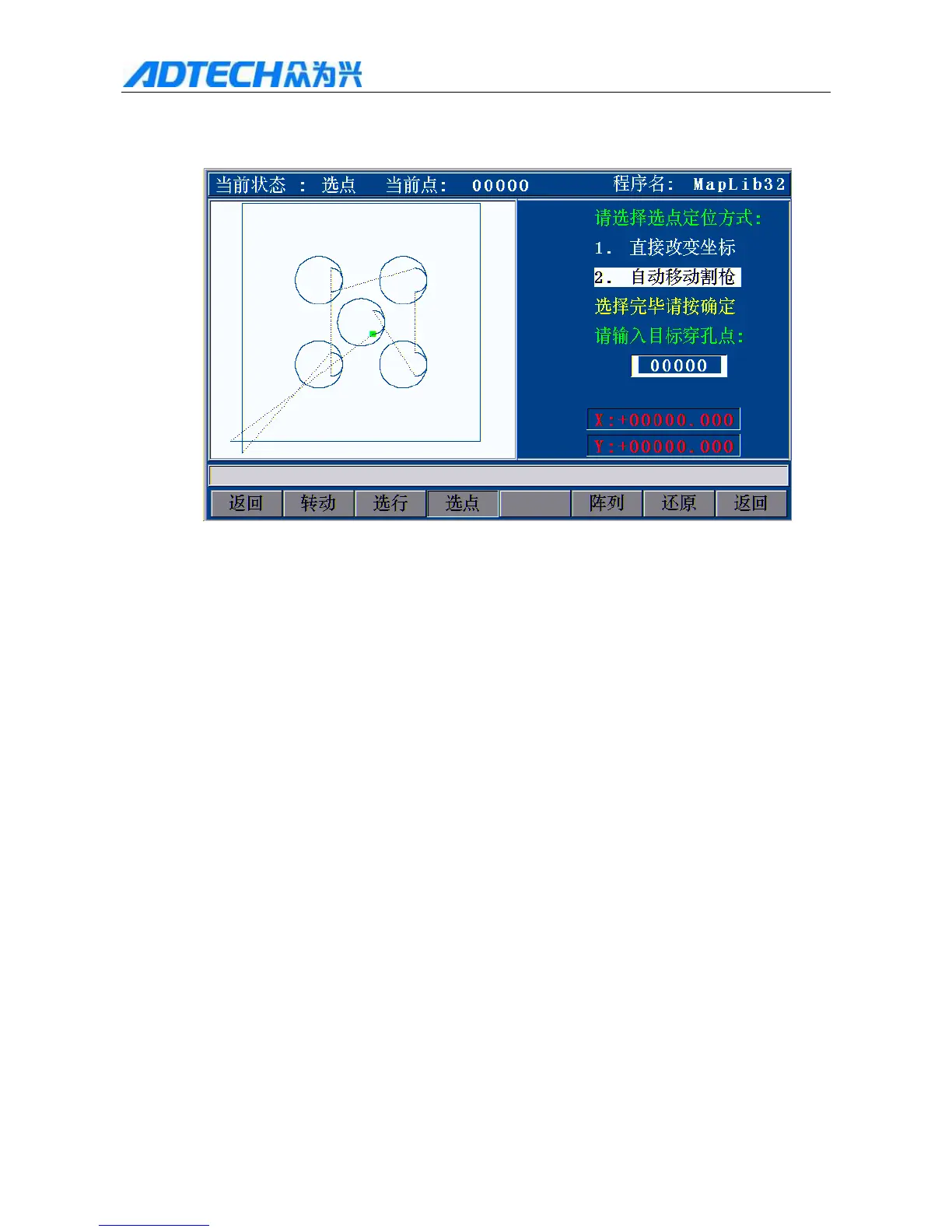
In the processing interface shown in Fig. 3.1.2.5.1, press [F3] (Select point) to enter point selecting.
Current state: Select point / Current point: / Program name
Please select the point selecting mode
1. 1Change coordinates directly
2. Move torch automatically
Press [OK] after selecting
Please enter the target perforating point:
Return / Turn / Select line / Select point / Array / Restore /
Return
Fig. 3.1.2.5.2.7 Select Point
Press [Y+][Y-] to change the mode of selecting perforating point.
Changing coordinates directly indicates that the torch doesn’t move, and the coordinates change to the
perforating point coordinates directly;
Moving torch automatically indicates that the torch moves to the perforating point from current position.
As shown in the figure after selecting the perforating mode, select the position of any M07 perforating point
to process during the graphics processing, enter the perforating point and press [OK]; for fine adjustment,
press [X+][X-] to select next perforating point.



 To Next Page