5–6 SelectSet Avantra Series Control Panel and Operating Guide
Cleaning Avantra 30 Intake Filters
Check both the Electronics Enclosure Intake filter and the Drum Intake
filter every day to make sure they are not blocked.
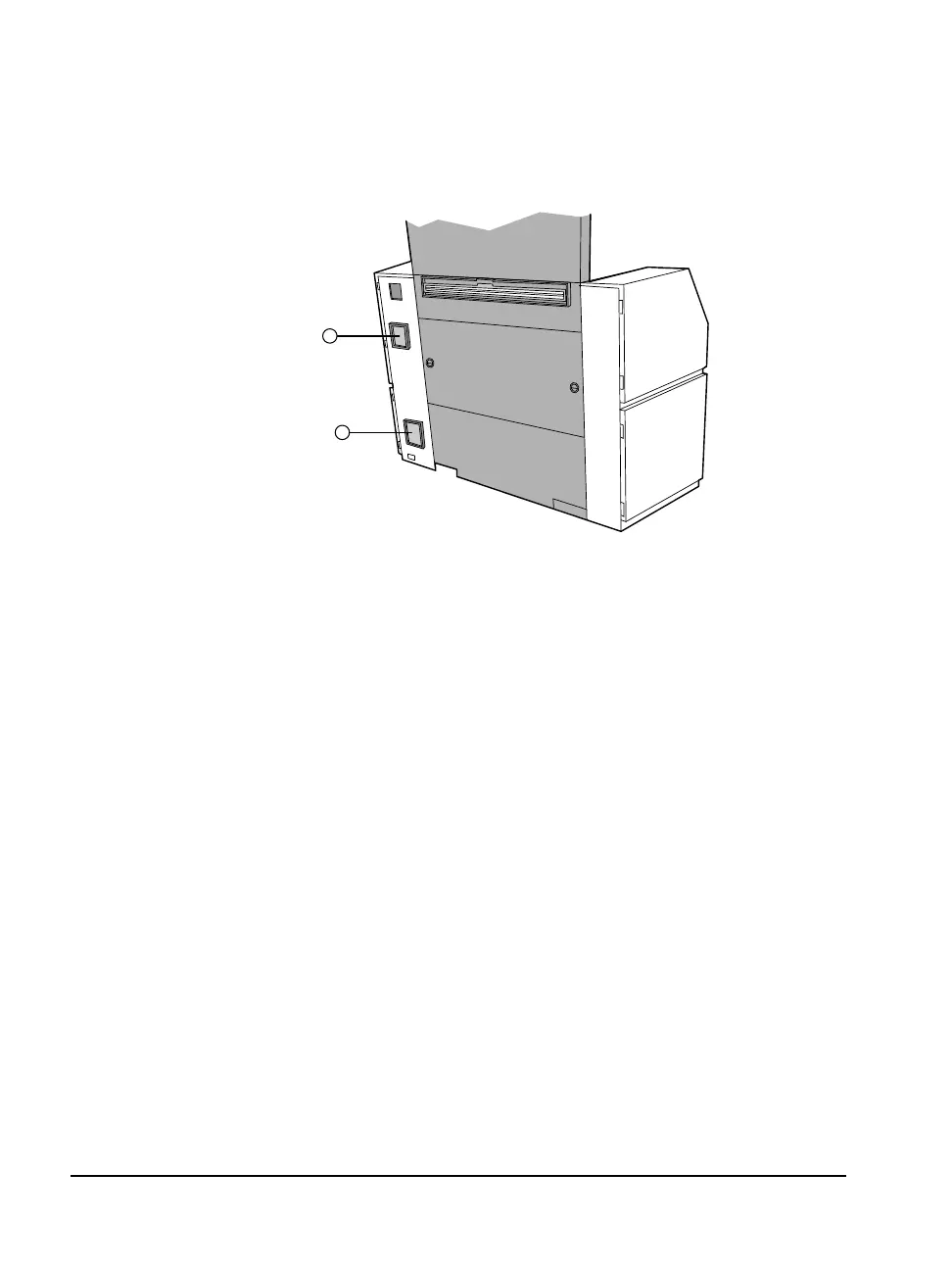
Figure 5.4 Rear view of the Avantra 30 imagesetter.
➀—Electronics enclosure filter. ➁—Drum intake filter.
n Clean the Electronics Enclosure Intake filter. The filter is approx-
imately 1/4 in. (6 mm) thick and made of black plastic foam.
Interval: Weekly.
Method: Shut down the imagesetter. Open the right side bottom
door. Reach inside and to the left and loosen the thumbscrew that
retains the right side top door. Swing the right side top door open.
See Figure 5.5.
1
2



 To Next Page