Using the Imagesetter Control Panel 2–27
Run and Pause Screen Status Icons
This section describes status icons that appear in the Run screen and
the Pause screen.
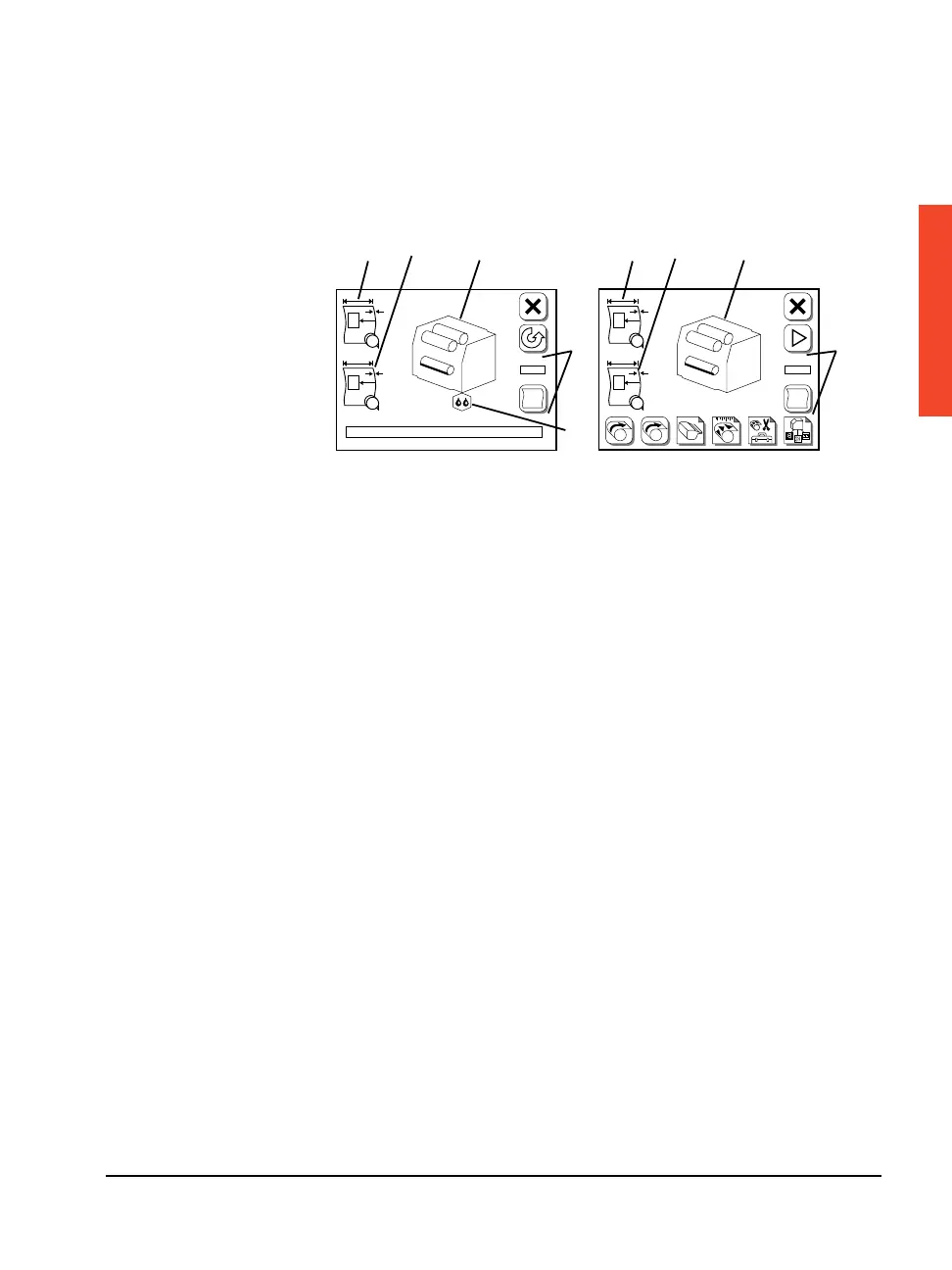
Figure 2.12 The Run Screen (left) and the Pause Screen (right).
➀—Media status, supply A. ➁—Media status, supply B.
➂—Engine status. ➃—Job status. ➄—Humidifier status.
Viewing Media Status
When you press Unload to rewind media out of the drum and back
into the supply cassette:
n The supply rollers shift and grip the leading edge of the media
from the alternate supply cassette.
n The control panel display changes to show this condition.
F
#1
PL
#2
A
B
F
#1
PL
#2
A
B
A B
#
➀
➁
➂
➃
➁
➂
➃
➀
➄



 To Next Page