RIP and Avantra User Tools A–9
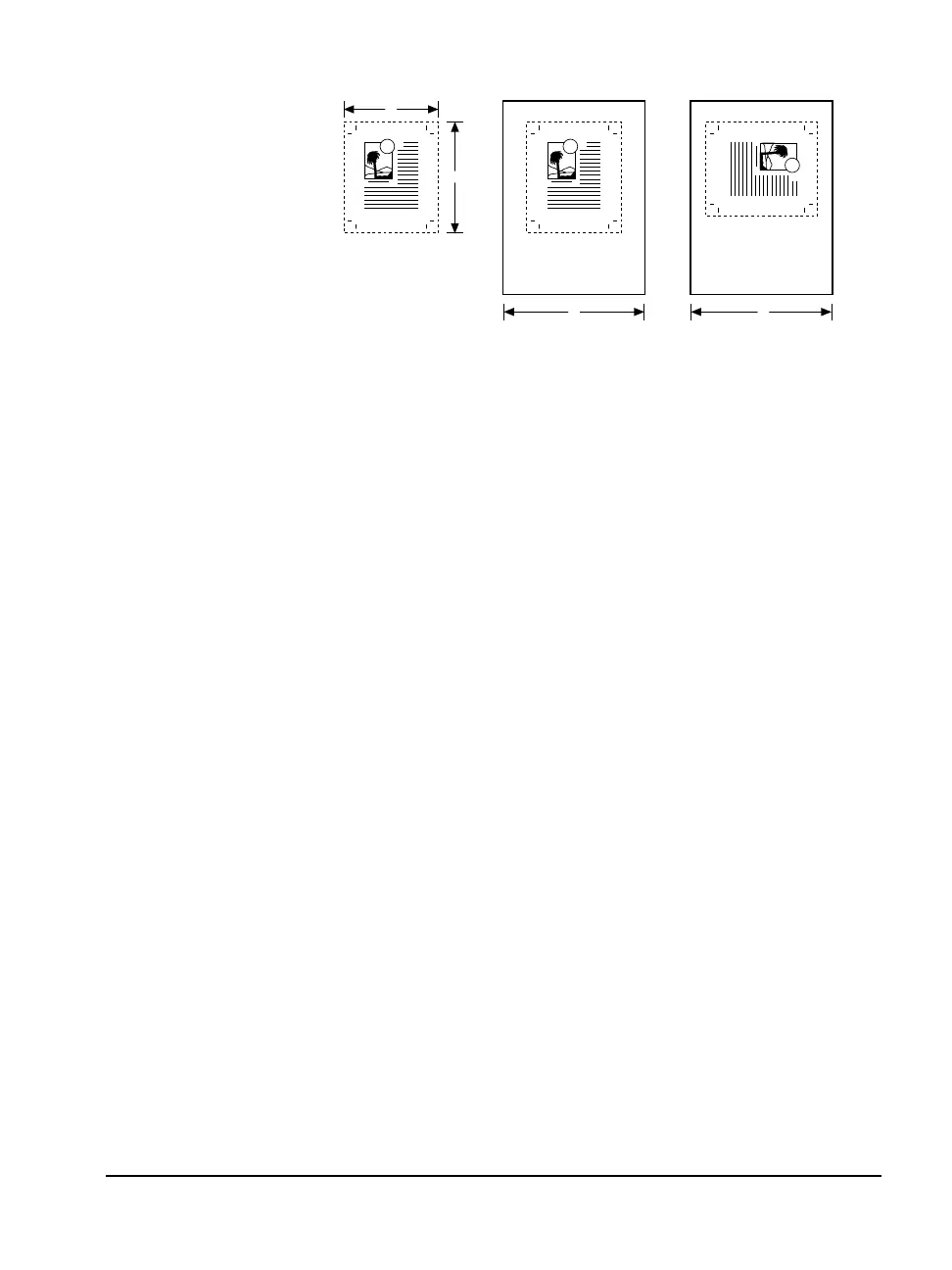
Figure A.1 Media optimization.
A. Hypothetical image. ➀—Width, 8" (203 mm). ➁—Depth, 10" (254 mm).
B. As imaged media with media optimization off. ➂—16" (406 mm)
C. As imaged with optimization on. ➂—16" (406 mm)
Changing the Media Savings Percentage
To change the media savings percentage in the SET_M_O.ON tool:
1. Open the SET_M_O.ON PostScript file using any text editor that
can open PostScript files.
2. Scroll down to the following line of code:
0 % <== EDIT this number to change the media savings percentage.
3. Enter a different number at the beginning of this line. The sample
above shows 0 in this position. Enter any number from 0 to 100.
4. Save the file and exit the text editor.
B. C.A.
T
➀
➁
T
➂
T
➂



 To Next Page