Single Tenant Door Phone
AKUVOX SMART INTERCOM www.akuvox.com
18. Logs
18.1. Call Logs
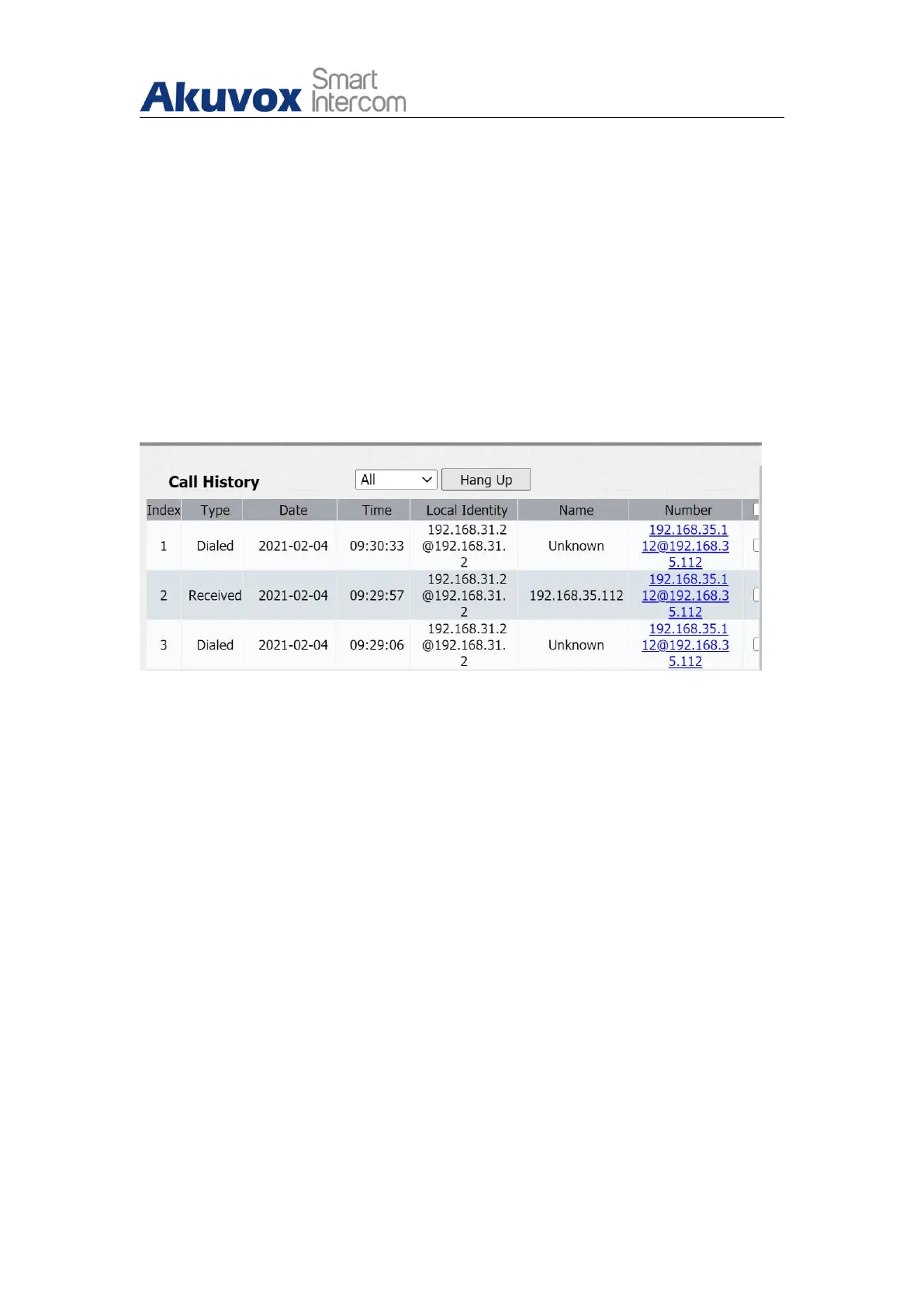
If you want to check on the calls inclusive of the dial-out calls , received calls
and missed calls in a certain period of time, you can check and search the
call log on the device web Phone > Call Log interface.
Parameter Set-up:
Call History: select call history among four options: “All”, “Dialed”
“ Received” “ Missed” for the specific type of call log to be displayed.
Hangup: to hangup the call from web.
Index: the order of the call logs.
Date: the date for the call log.
Time:the time for the call log.
Name/Number: the name and number for the contact.


 To Next Page
 Loading...









