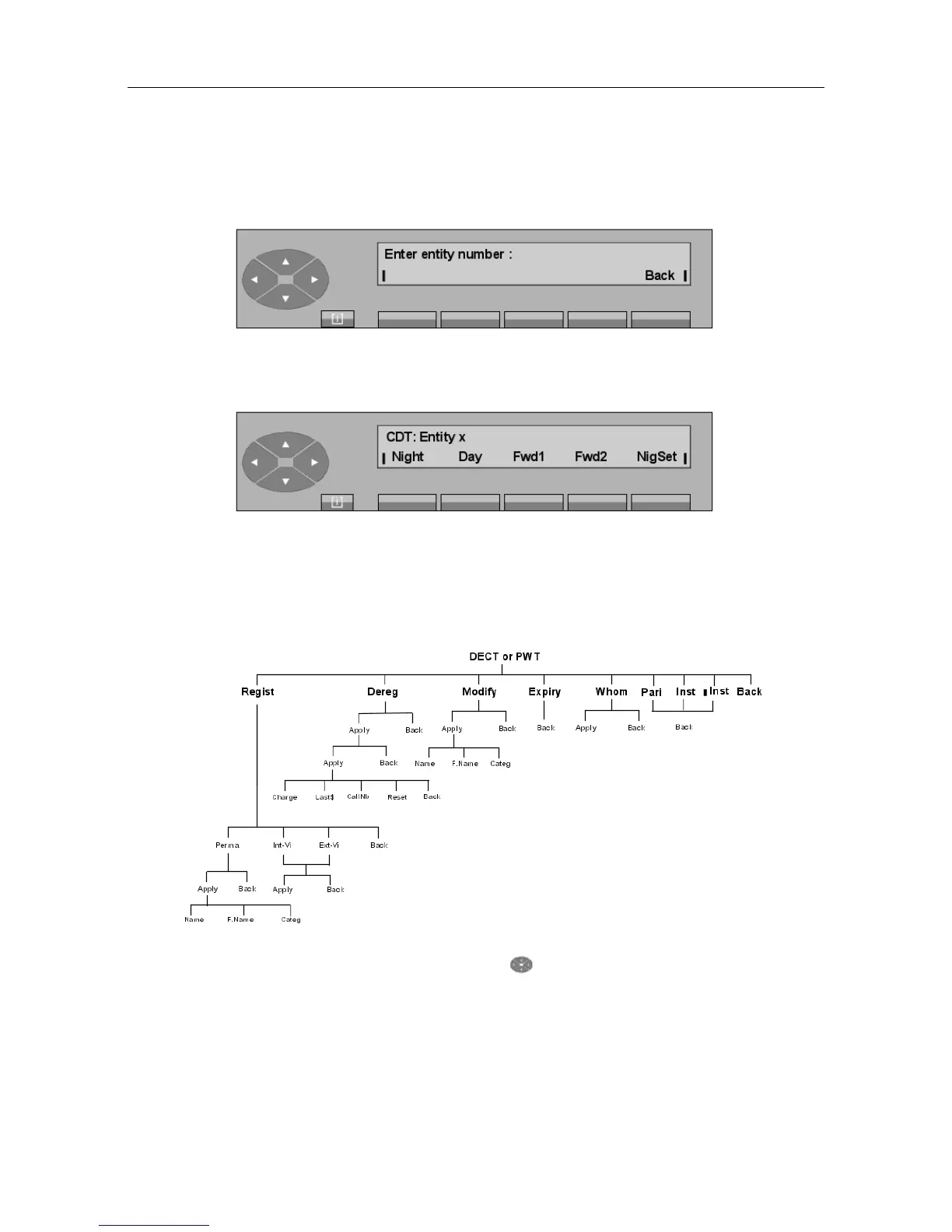
- Pressing the Entity key displays:
The attendant completes the entity number and confirms this choice by pressing the Apply
key. The screen displays:
The rest of this screen is the same as the one described for the Consol key.
6.11 DECT or PWT wireless set
- Block diagram
Pressing the SERVICE key, then the key, and then the DECT (or PWT) key
displays:
"() ') % !
6-21














 To Next Page