SysDir Used to modify the different speed dialing numbers in the system direct-
ory (see the Alcatel 4035 attendant set - Management from the attendant
set 2 - Modifying Speed Dialing numbers).
Thresh Allows the other members of the attendant group to define the number of
calls waiting before overflow (see the Alcatel 4035 attendant set - Man-
agement from the attendant set 2 - Overflow between attendant groups
(Mutual Assistance)).
RouTab This is used to manage the routing tables (see the Alcatel 4035 attendant
set - Management from the attendant set 2 - Routing tables).
DECT/PWT This is used to manage the presence of DECT/PWT sets (see the Alcatel
4035 attendant set - Management from the attendant set 2 - DECT or
PWT wireless set).
5.3 Choice of language
The system administrator selects the display language from the languages available within the
system. The chosen label must correspond to a language programmed by the administrator in
order for the attendant to have access to it.
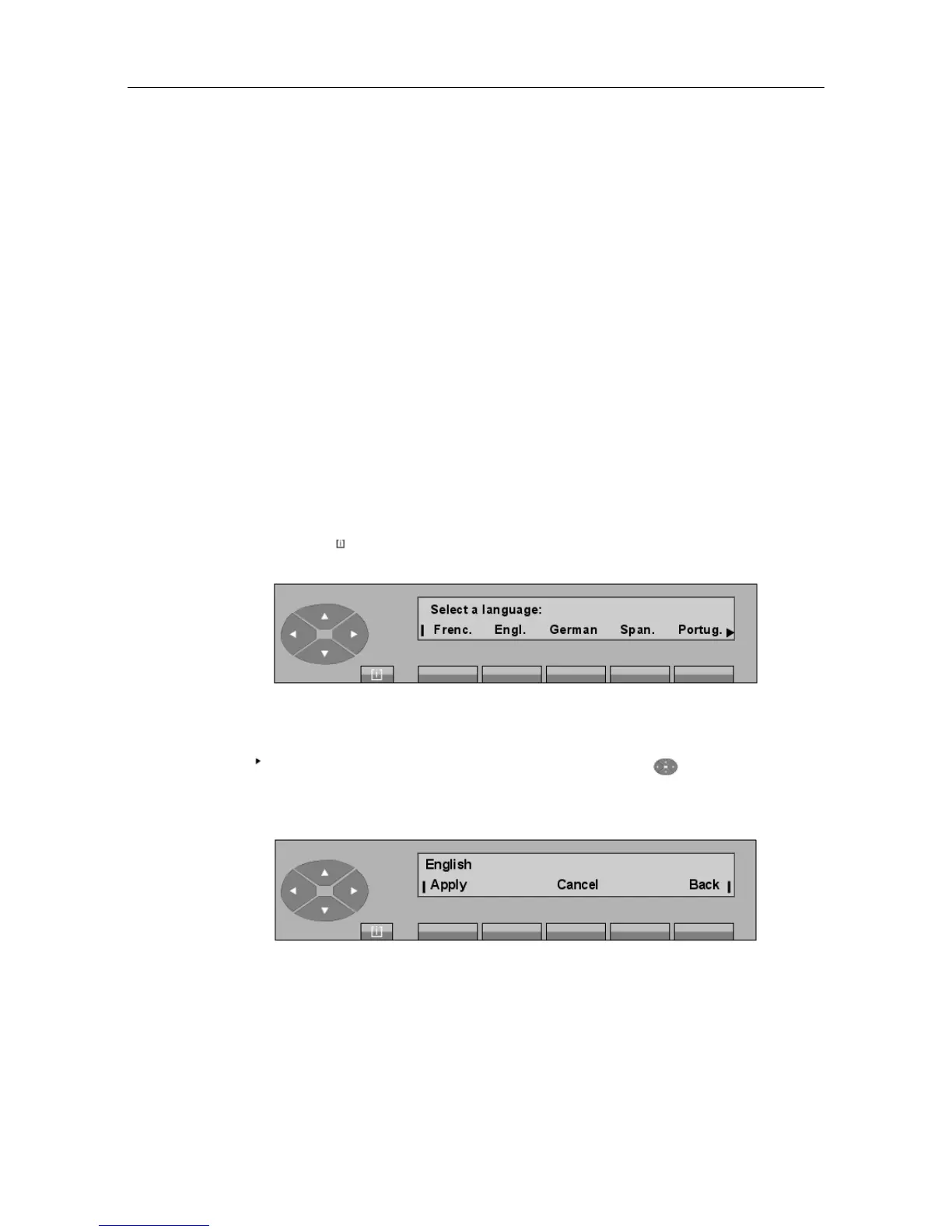
After pressing the MENU fixed key and then the Lang key, the screen displays languages
from which to choose; for example:
Select the language you wish to use on the set from the available options.
If the symbol is shown on the right of the display, pressing the key provides access
to additional languages.
After pressing the key corresponding to the chosen language, the screen displays:
The attendant confirms this choice by pressing the Apply key and the screen becomes:
"() ') % !
5-5














 To Next Page