3.1.4.2 Single line set/multiline set (with no free resource)
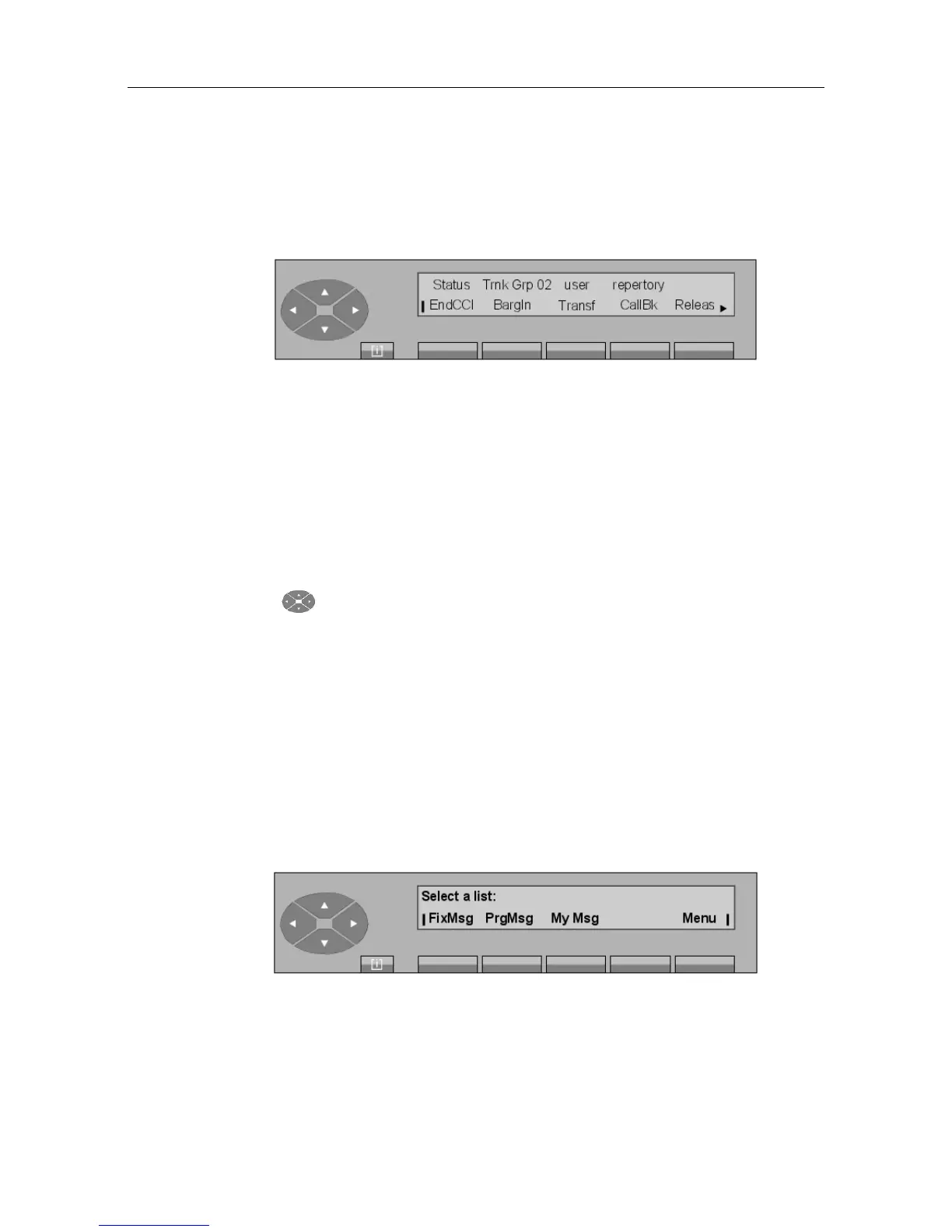
When dialing is complete, the screen displays (example):
The Status field indicates whether the set is internally (BsyInt) or externally (BusyEx) busy.
EndCCI To cancel the consultation call and return to conversation with the first
user.
BargIn To barge in (intrude) on the conversation.
Transf To transfer the current call (transfer on selection). The attendant remains
in routing supervision and the CampOn function is active.
CallBk To store a call-back request.
Releas To release the current call and return to the idle position.
When the key is pressed, the Text, Display, and Entity labels appear.
The routing procedure after the timer is the same as described for routing on a free set.
3.2 Text messages
This function allows the attendant to leave a text message for the user; this may be:
- A message preprogrammed by the system administrator.
- A partial message to be completed by the attendant.
- A message to be entirely created by the attendant.
The flashing message LED informs the recipient that a message has arrived. At this point, the
attendant set is not notified that this message has been read by the user.
Pressing the Text key in the selection screen displays the following screen:
Figure 3.13: Outgoing message screen
! &$
3-5














 To Next Page