Text To leave a text message for the called party (see the Alcatel 4035 attend-
ant set - Attendant set operation 2 - Text messages). The LED on the
called set indicates that a message has arrived.
Note 1:
The attendant set is not notified that this message has been read (the user must
open the set's mailbox to read it).
Releas To release the current call and return to the idle position.
Press the key to display the Disply and Entity labels.
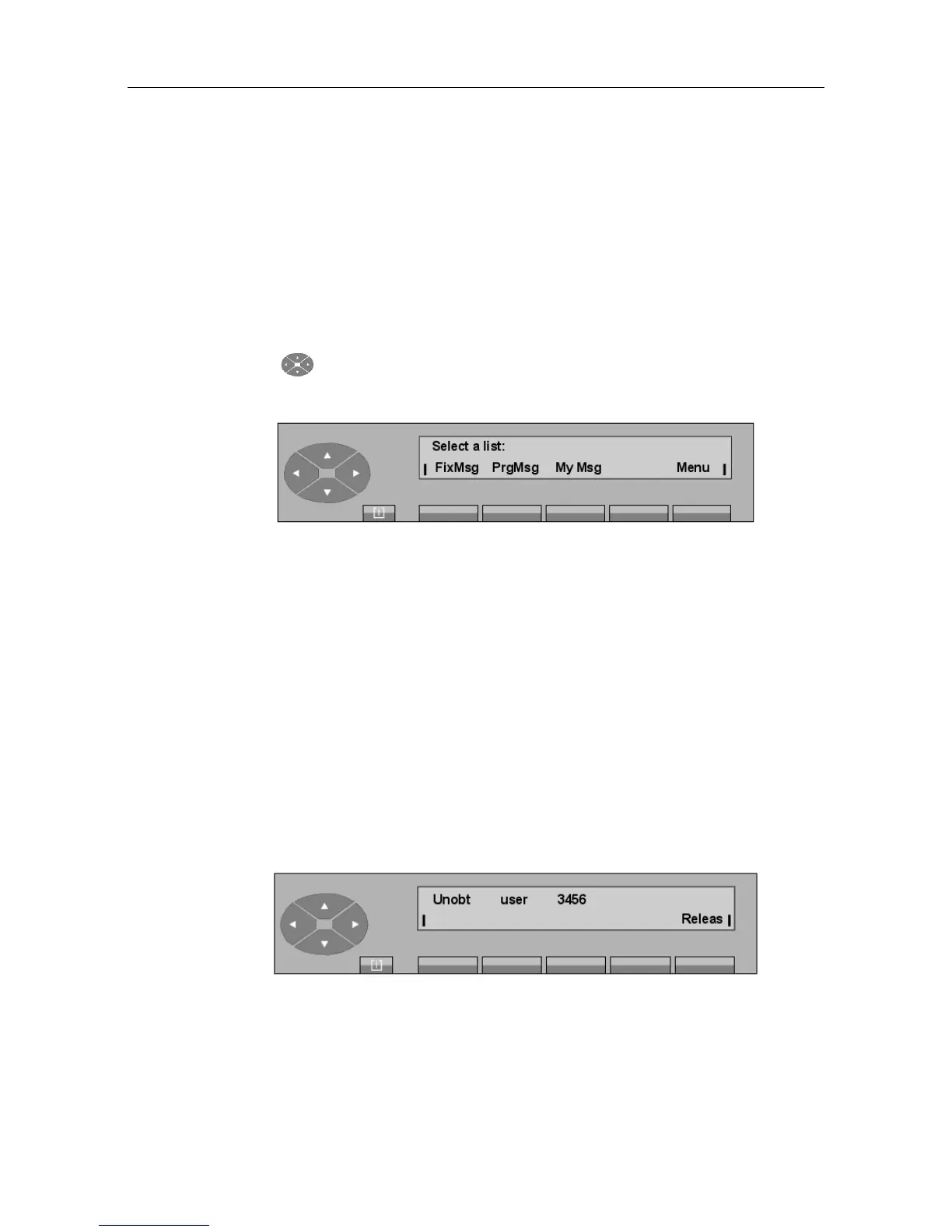
In all cases, pressing the Disply key displays the following:
Figure 2.25: Outgoing message screen
The Disply feature has the same menu items as the Text feature (see the Alcatel 4035
attendant set - Attendant set operation 2 - Text messages).
On attendant confirmation, the message is immediately displayed on the screen of the called
set.
Note 2:
When the called party confirms that he has read the message displayed, the attendant set (that waits for
the reply) displays, Message has been read.
2.3.4 Special cases: Unreachable or Forwarded Sets
2.3.4.1 The set cannot be reached
After dialing the directory number of the called user (who is programming his set or dialing a
number), the display shows:
Press the Releas key to release the current call and return to the idle position.
2.3.4.2 The set does not exist
! &$
2-11














 To Next Page