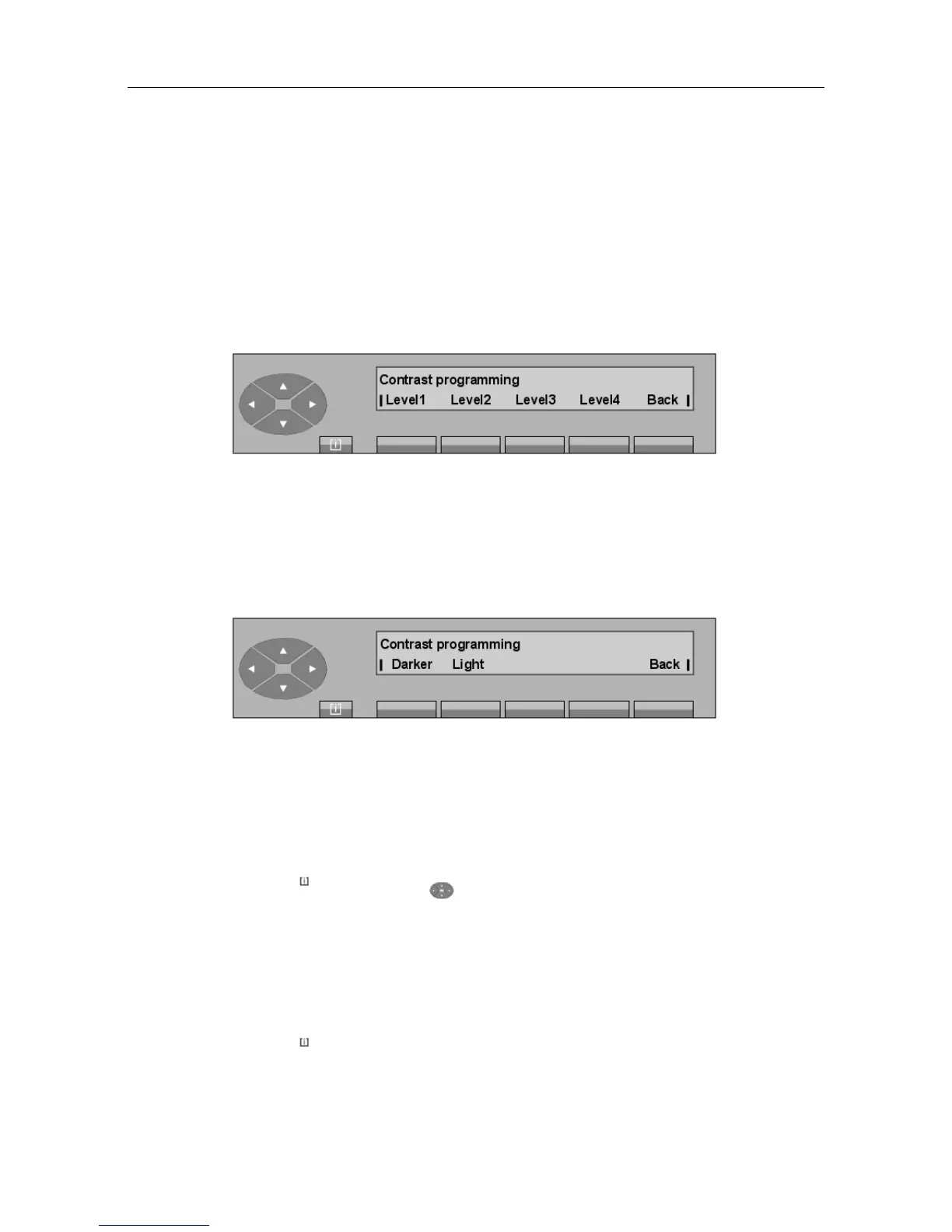
Displ. Used to adjust the display and the LCD blocks on the attendant set.
Extern Used to adjust the LCD blocks on the additional unit(s).
Note:
The screen above is displayed if the set possesses one or more additional unit(s). Otherwise, only the
following screen is displayed.
- Pressing the Displ. key displays the following screen:
Level 1 to
Level 4
Used to modify the contrast of the display and LCD blocks.
Pressing one of these keys will immediately adjust the contrast to the corres-
ponding value and the modification will be saved.
Back Used to return to the initial screen.
- Pressing the Extern key displays the following screen:
- and + allows the contrast of the LCD blocks on the additional unit(s) to be adjusted.
5.5 Checks
5.5.1 Autotest
Pressing the MENU key, the key and then the Test key displays: General test.
After a short wait, all the characters are displayed, all the LCDs flash, the programmed ringing
melody is played through the speaker and the LED lights.
After a timer, the test terminates on its own and the attendant set returns to the idle state.
5.5.2 Attendant set identity
Pressing the MENU fixed key and the Set? key displays the identity of the attendant set:
"() ') % !
5-9














 To Next Page