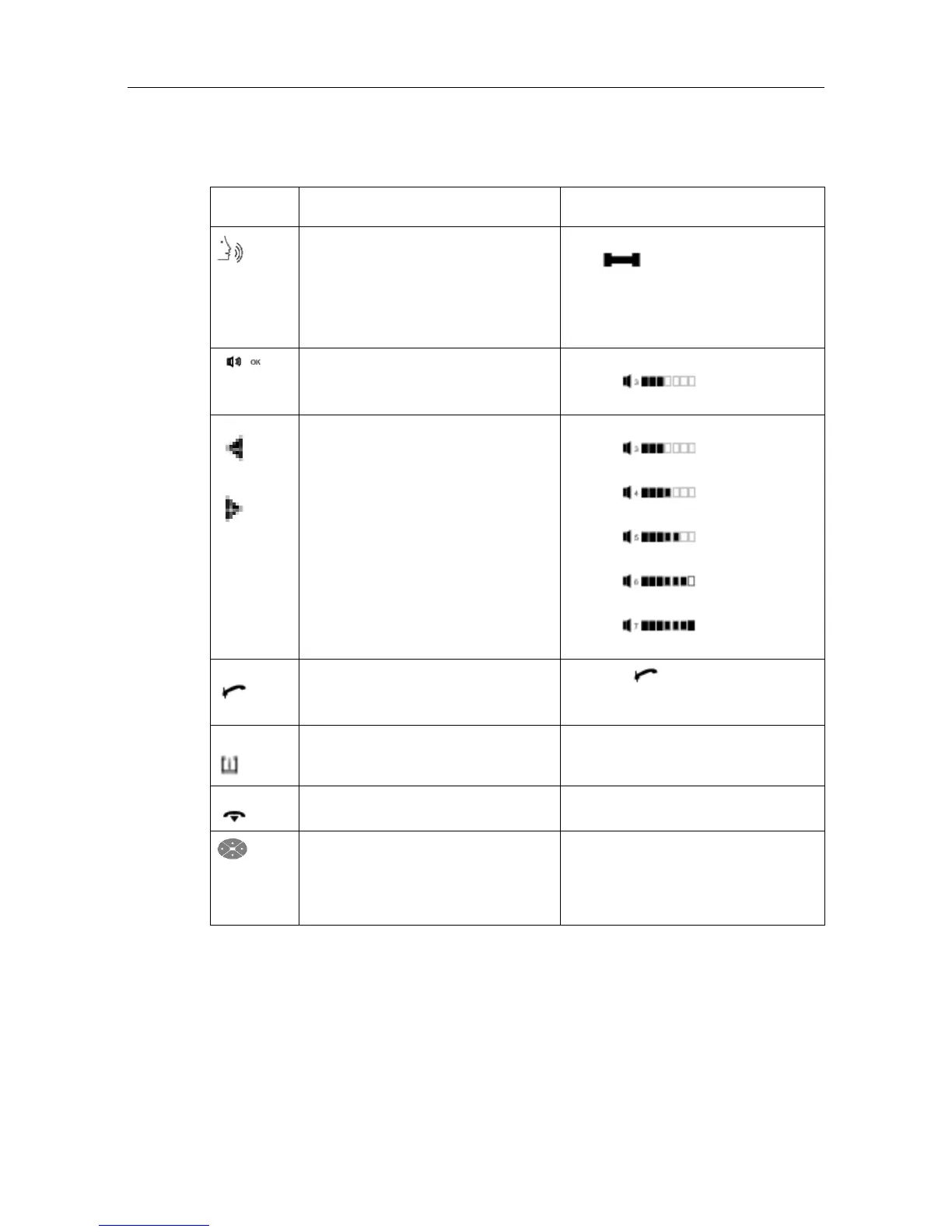
Key Function Associated LCD indicators (LCD
block)
(Hands-free
)
Used to:
- Make a call without picking up the
handset.
- Answer a call without picking up
the handset.
- Switch on the hands-free micro-
phone while in conversation.
- Off: Hands free inactive
- : (flashing red LED on
the key) Hands free on
Used to switch the station speaker on
or off.
On the display:
- : amplified re-
ception
Used to adjust station speaker volume On the display:
- : volume level
3
- : volume level
4
- : volume level
5
- : volume level
6
- : volume level
7
Mute or Used to switch the microphone on/off
while in conversation (when off, the
user cannot hear the attendant).
Key LED
- Off (unlit): Microphone ON
- On (lit): Microphone OFF
Menu or Used to access customization of the at-
tendant set.
END or Used to end a call or programming op-
eration.
Used to scroll through the pages or
lines of dynamic key labels.
Note:
With the set in idle mode, press the right ar-
row to access dynamic keys programmed
by the attendant (set directory)
1.3 Preprogrammed and programmable keys
#$ % !
1-3














 To Next Page