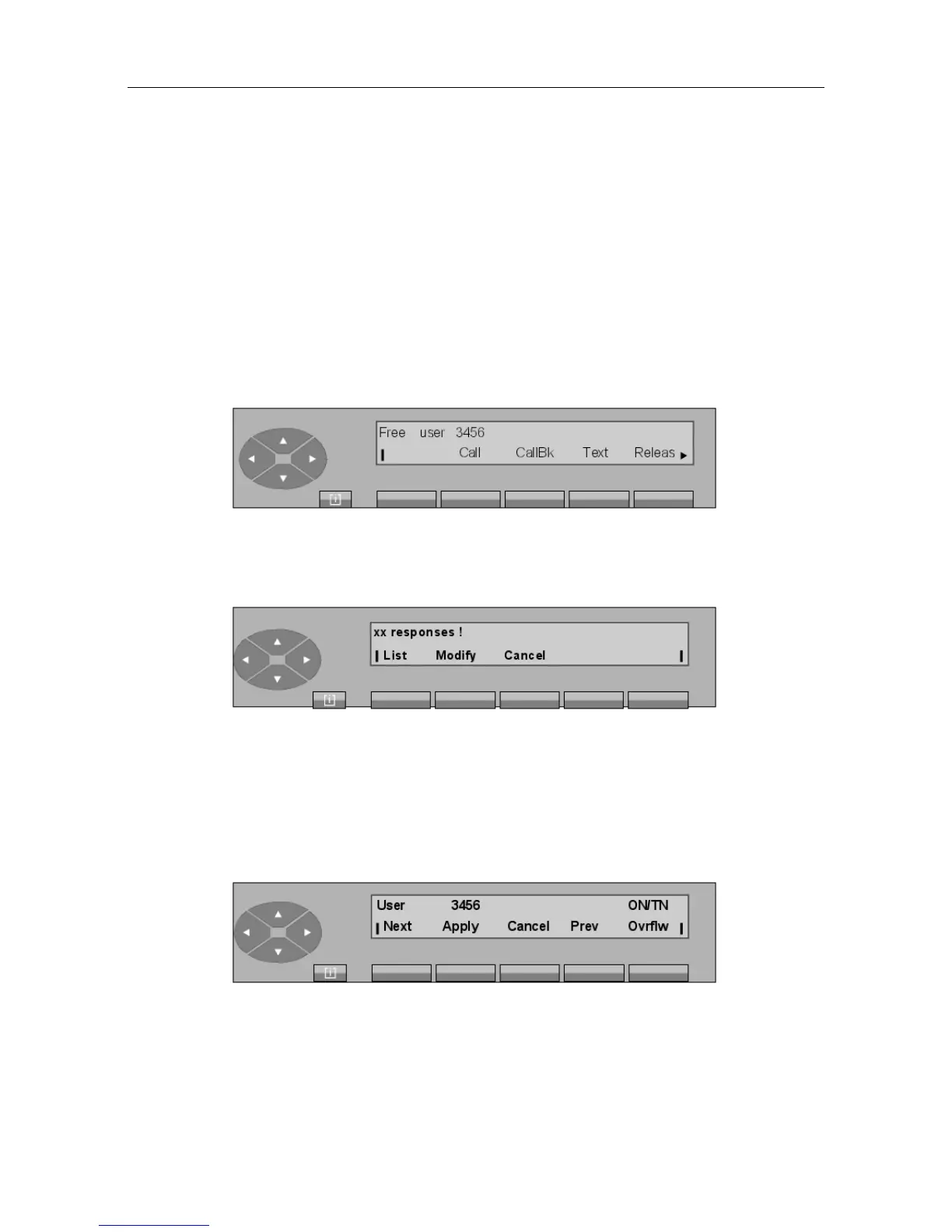
Next To display the next name in the list (blank if only one match).
Cancel To return to the start of the search procedure.
Prev To display the previous name in the list.
Ovrflw For immediate search of the user in the LDAP directory (instead of
the internal directory).
ON Order Number (i.e. sequence number) of the user in the list being
searched.
TN Total Number of users in the list being searched.
If the display shows the user being searched for, press the Apply key to activate the dialing
phase. The display then shows:
From this screen, the procedure is the same as for a free internal user call.
Note:
If there are more than 24 names in the list, the screen shows:
xx This indicates a number between 25 and 48. Beyond this, the follow-
ing message is displayed: You have more than 48 matches! .
Modify To modify the search string by correcting the series of letters entered.
Cancel To return to the start of the procedure.
Press the List key to display the first of the xx names in the list (48 names maximum) matching
the search string entered:
From this screen, the procedure is the same as the procedure for "Dial by name" via selection of
user name (see above). Press the Cancel key to return to the idle screen.
• If there is no name in the list, the screen shows:
! &$
2-5














 To Next Page