The information fixed key represented by: MENU. This information fixed key activates the
guide for customizing the attendant set environment. This operation can be used to find out the
identity of the attendant set and proposes programming assistance in, for example, the
following situations:
- Modifying the call melody
- Modifying the language used
- Adjusting the display contrast
- Modifying the date and time of the installation
- Checking correct operation of the attendant set by an autotest
Pressing the END fixed key terminates the operation in progress and returns to the idle
state.
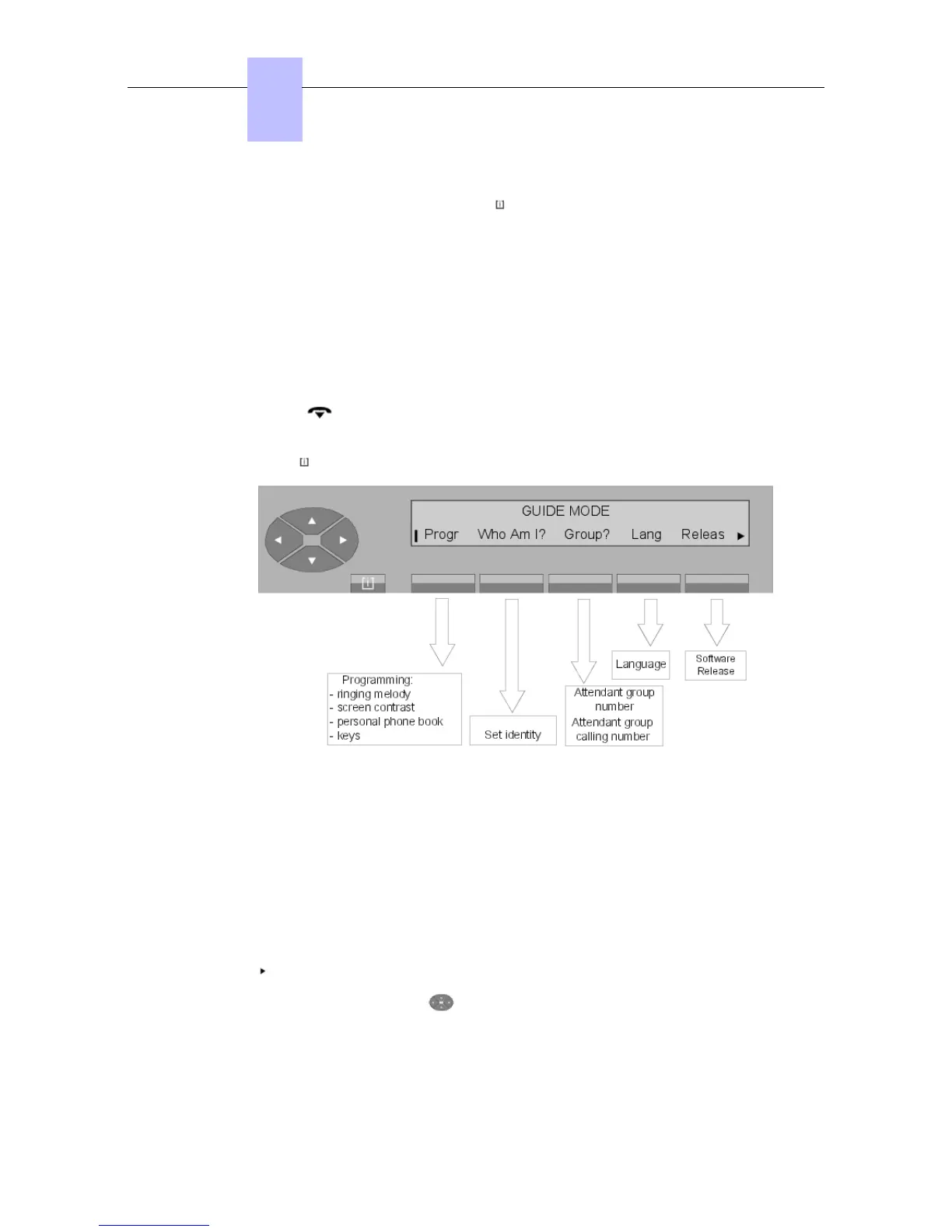
Pressing the MENU fixed key displays the initial menu:
Figure 5.1: Initial menu
Progr Is used to customizing the environment of the attendant set.
Who am I? Displays the identity of the attendant set.
Group? Displays the number of the attendant group and the attendant group call
number.
Lang Is used to select the display language on the attendant set.
Releas Displays the software version supporting the OmniPCX.
If the symbol can be seen on the right hand side of the screen, this means that other
options are available. Press the key to display:
Chapter
5
"() ') % !
5-2














 To Next Page