REF: LE5 Alcohol Tester User Manual V16.docx Page 37 © Alcolizer Technology
Uncontrolled when printed
6.9 Enable Show Last Record
Enable Show Last Record allows Show Last Record to be a selectable function in the User Menu. Use
the Test Key to toggle this feature Yes or No. When Yes is selected Last Test Result will show in the
User Menu, when this is highlighted in the User Menu the last test result will show in the panel at
the top of the screen.
Figure 61 – Enable Last Record Display
6.10.1 Accessing Records
Records are retained in the instrument and can be downloaded via the AlcoCONNECT Toolbox software
(Refer Section 20). It is recommended that records are periodically downloaded and erased form the
instrument. Access the records as follows:
Switch the instrument on (Refer paragraph 3.5.)
With the screen displaying press to test, press the up and down
buttons simultaneously. The User Menu will be displayed.
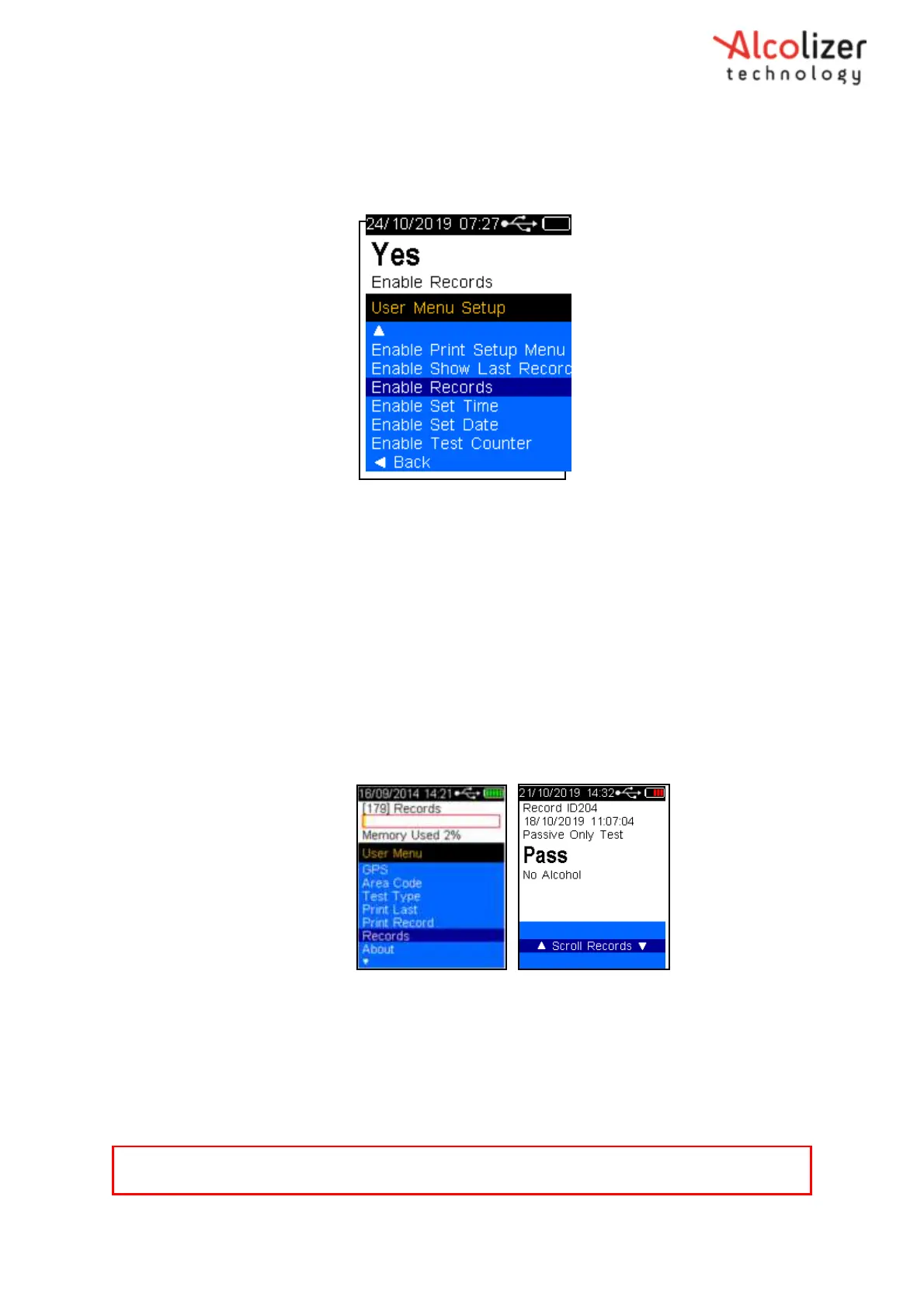
Using the down button, scroll down to Records (Refer Figure 62).
Figure 62 - Records Displayed
Press the test key to activate records
Press the up/down buttons to navigate through the records as required
Press the up and downs simultaneously to return to the User Menu.
Note
For information about printing records, refer to section 8.6.2.



 To Next Page