REF: LE5 Alcohol Tester User Manual V16.docx Page 38 © Alcolizer Technology
Uncontrolled when printed
6.10.2 Clearing Records
As the instrument automatically stores records, the memory will eventually reach capacity and
unless the data is downloaded, the storage of records will cease.
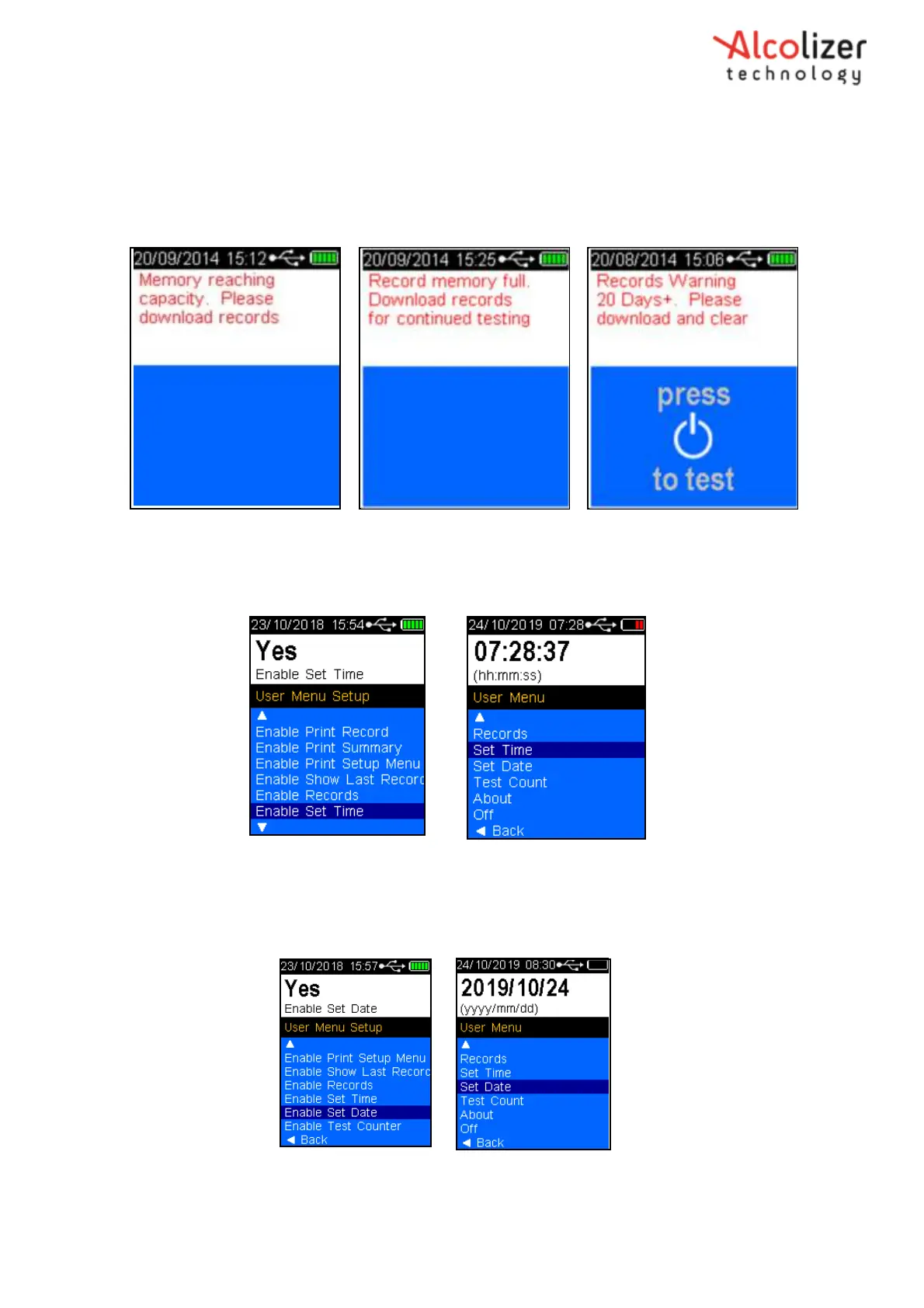
The instrument provides a series of warnings regarding memory capacity including memory
reaching capacity, memory full and days since the memory has been full (Refer Figure 63).
6.11 Enable Set Time
Figure 63 - Memory Capacity Warnings
Enable Set Time allows the Set Time feature to be available in the User Menu. Use the Test Key to
toggle between Yes and no.
Figure 64 – Enable Set Time
6.12 Enable Set Date
Enable Set Date allows the Set Date feature to be available in the User Menu. Use the Test Key to
toggle between Yes and No.
Figure 65 – Enable Set Time



 To Next Page