REF: LE5 Alcohol Tester User Manual V16.docx Page 45 © Alcolizer Technology
Uncontrolled when printed
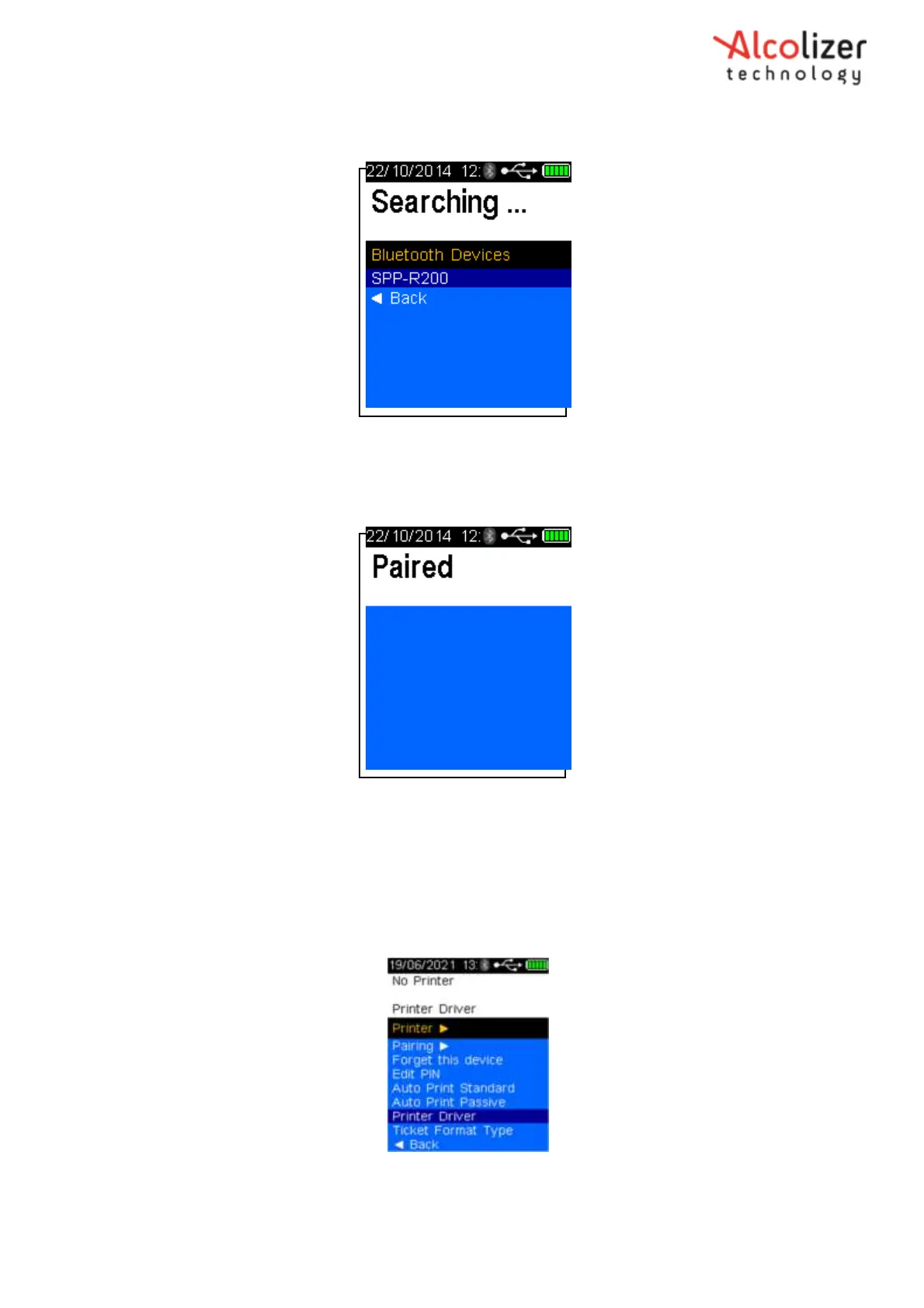
When the LE5 identifies the printer, the printer type will be displayed, e.g.
“’SPP- R200’ (Refer 78).
Figure 78 - Printer Identified
Press the test key to accept the selected printer. The instrument will display
the Paired message on successful pairing (Refer 79).
Figure 79 - Printer Paired
8.3 Printer Driver
8.3.1 Installing the Printer Driver
To install the printer driver, proceed as follows:
Access the printer menu as described in paragraph 8.2.
Press the down button to scroll down to Printer Driver (Refer 80).
Figure 80 - Printer Driver Displayed
Press the test key



 To Next Page