REF: LE5 Alcohol Tester User Manual V16.docx Page 39 © Alcolizer Technology
Uncontrolled when printed
6.13 Enable Test Counter
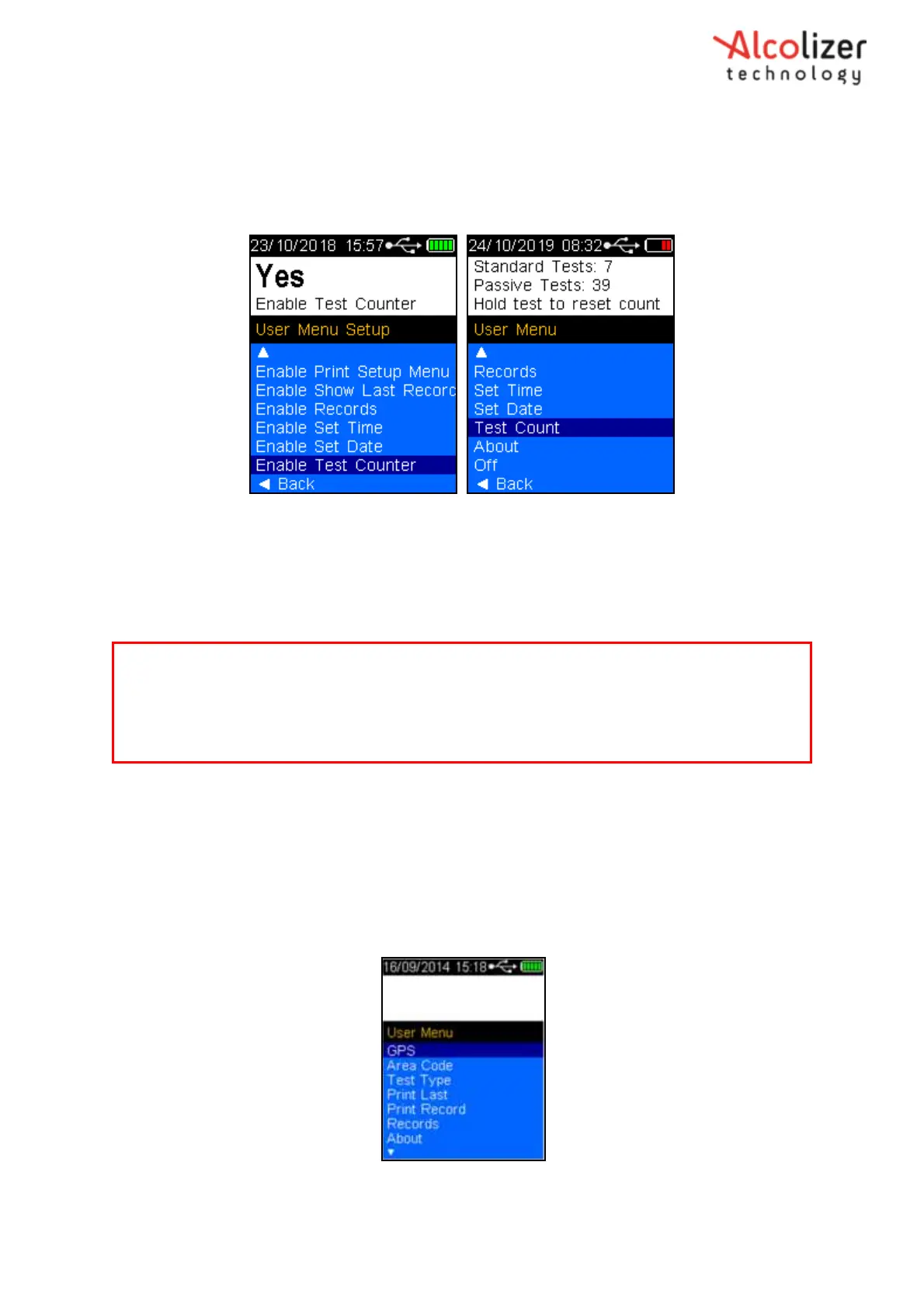
Enable Test Counter activates the Test Counter feature in the User Menu. Use the Test Key to toggle
between Yes and No. The Test Counter feature shows the number of tests and test types conducted.
Figure 66 – Enable Test Counter
7 GPS
The Global Positioning System (GPS) function (if installed) enables the exact location of the
instrument to be known and under certain circumstances, the location of testing to be recorded.
Two GPS mode functions are available: Mobile and Static.
7.1 Acquiring GPS Satellites
To acquire GPS satellites, perform the following steps:
With the screen displaying press to test, Press the Up and Down
buttons simultaneously. The User Menu will be displayed.
Press the Down button to highlight GPS (Refer
Figure 67
).
Figure 67 - GPS Displayed
Press the test key, the GPS acquisition screen will be displayed.
Note
Depending on the specific configuration of the instrument, the GPS functions are either enabled
or disabled. These functions are generally enabled as a Customer requirement by Alcolizer
Technology. Should the instrument require the enabling of certain GPS functionality, contact
Alcolizer Technology for further advice.



 To Next Page