REF: LE5 Alcohol Tester User Manual V16.docx Page 6 © Alcolizer Technology
Uncontrolled when printed
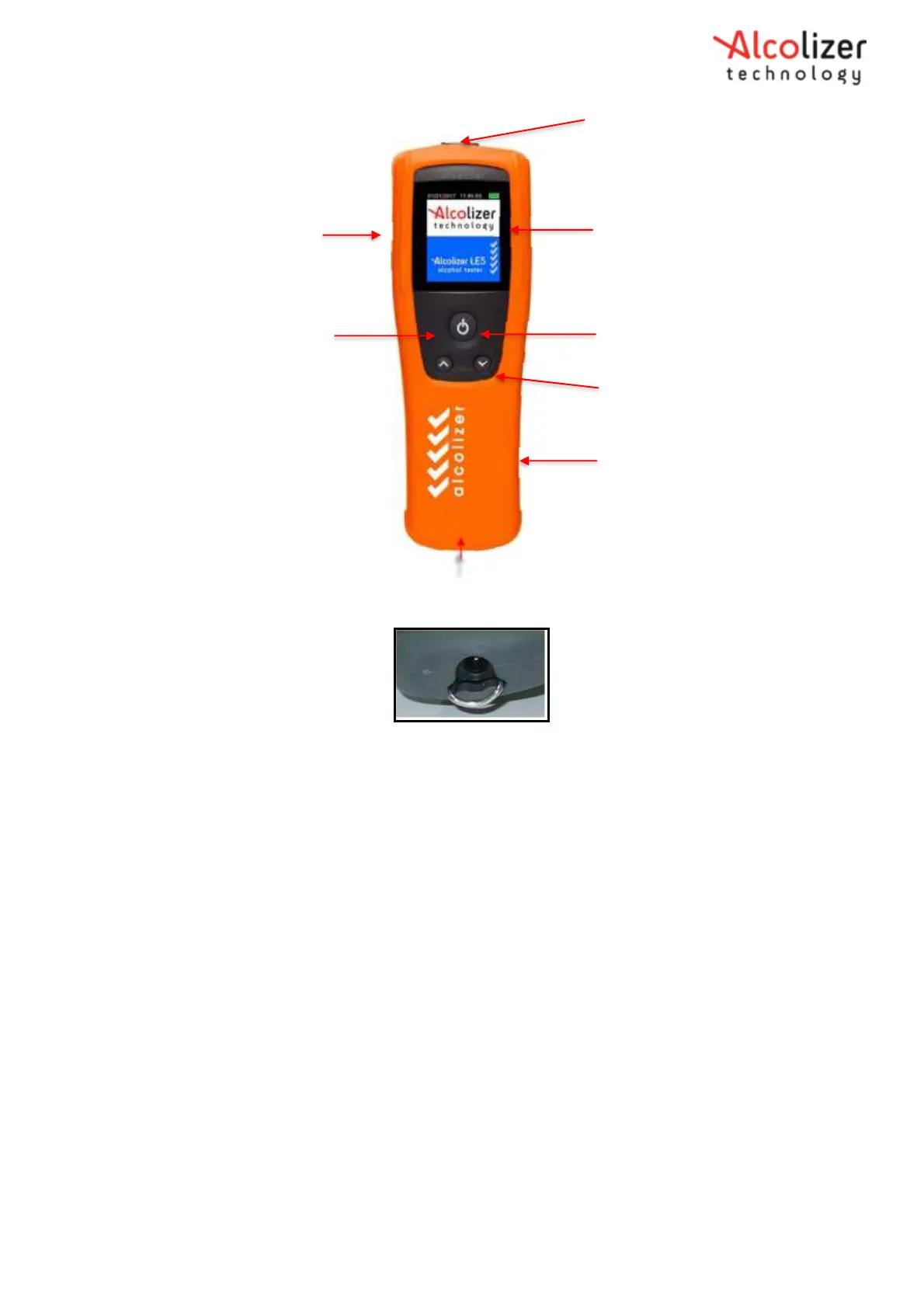
Mouthpiece Spigot Locator (c)
USB Port (e)
Up Button (d)
LCD Colour Graphics Display (b)
Test Key (a) Down
Button (d)
Silicon Cover
Battery Charging Port
Figure 1 – User Display, Buttons and Adapter Sockets
Figure 2 – Charging Port
2.2.1
LCD Colour Graphics Display
Displays the various functions of the instrument including:
Welcome screen which includes days remaining until next calibration
Various test modes (Mouthpiece, Passive Standard, and Passive Only)
Extensive menus and options
Ready notification
Blow notification including progress bar
BrAC levels in various formats
GPS acquisition data
Printer setup
Records information
These and other displays are explained in the Operating Instructions section.



 To Next Page