REF: LE5 Alcohol Tester User Manual V16.docx Page 67 © Alcolizer Technology
Uncontrolled when printed
5 Sample Serial Number The serial number of the sample module.
6 Location Code Used for Police Configuration
7 Result Qualitative Pass or Fail results are displayed for
passive testing.
9 Test # Displays the number of the test.
10 Date and Time The date and time of the event
11 Event Type The type of test performed or event, i.e.
breath test type (passive, standard), test
timeout or refusal etc.
12 Record Number The number of each record.
20.2.2 Set Log Settings (Filtering Data)
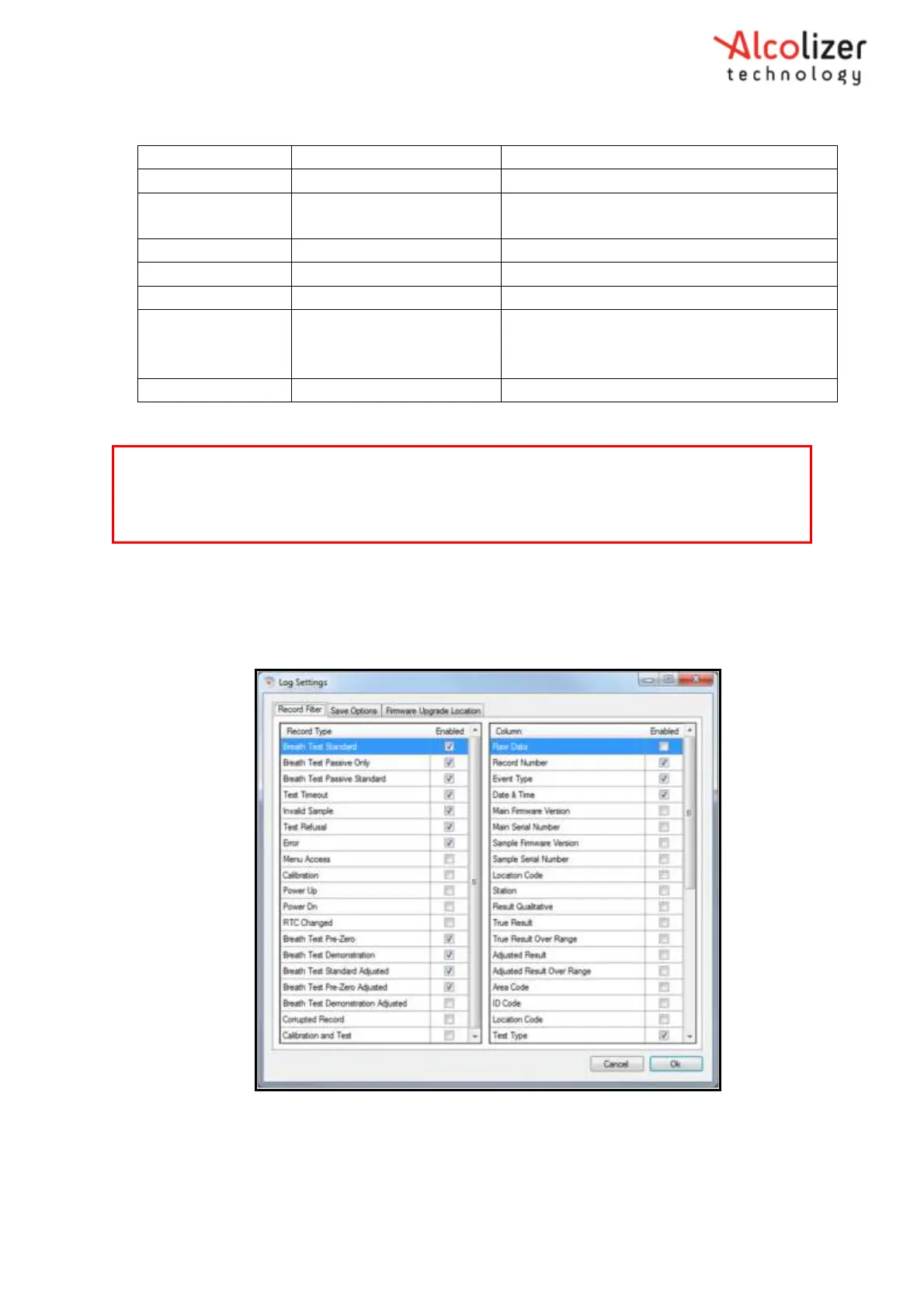
To filter the data, access the Log Settings by clicking on File, then Options. The Log
Settings window will appear (Refer Figure 117). The required criteria can be made by
enabling/ dis- enabling the record types.
Figure 117 - Log Settings Window
20.2.3 Saving Logs
Event Logs can be saved for future analysis. The data can then be saved to the required location on
NOTE
Firmware version display is now displayed in a new format X.Y.0 this is the equivalent to previous
format X.Y



 To Next Page