REF: LE5 Alcohol Tester User Manual V16.docx Page 43 © Alcolizer Technology
Uncontrolled when printed
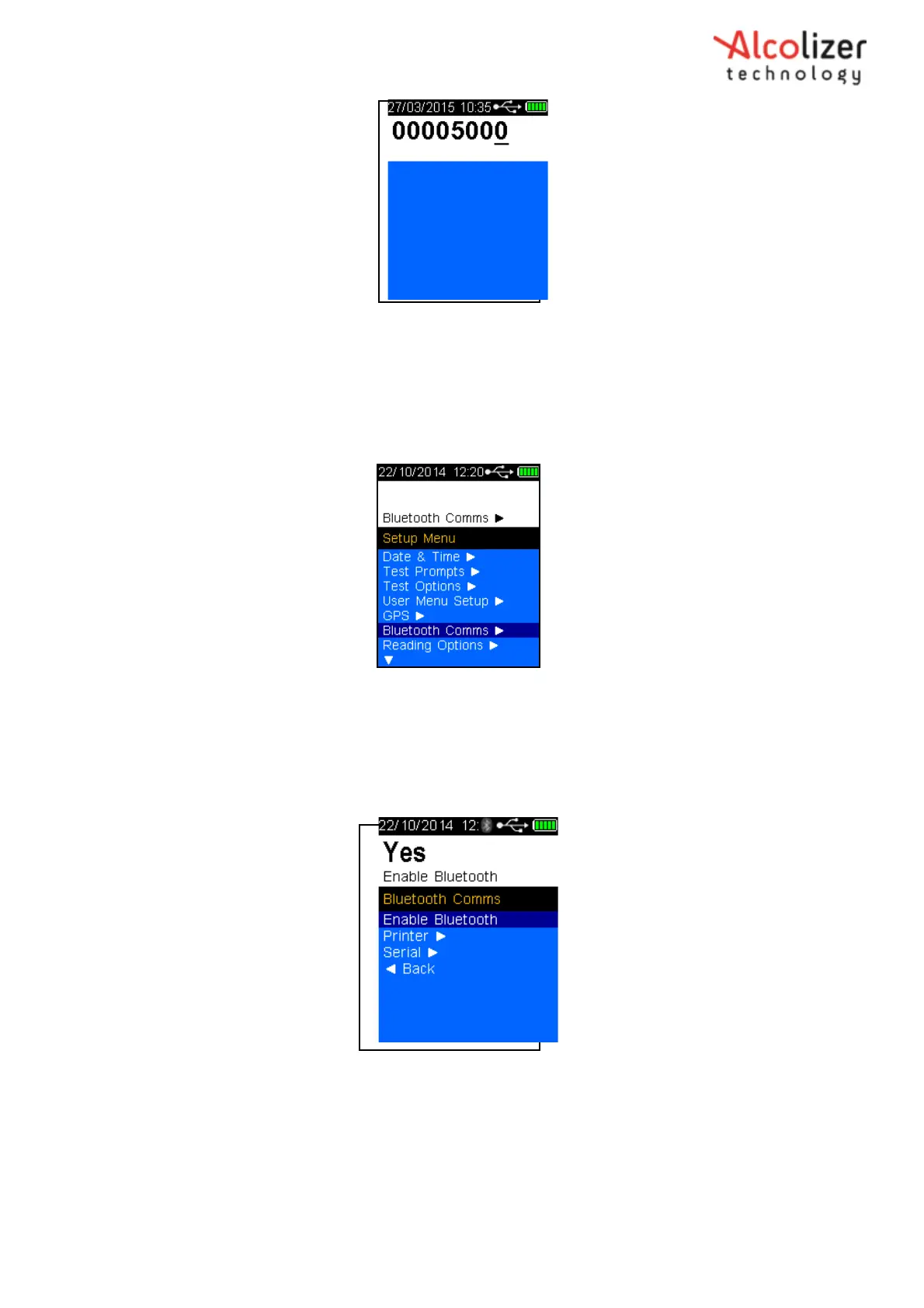
Figure 72b - Password Set-up Code 00005000
Press the test key until the Set-up menu is displayed.
Press the Down button until Bluetooth Comms is highlighted (Refer to figure 73).
Figure 73 - Bluetooth Comms
Press the test key, Bluetooth Comms Screen is displayed
Press the test key to enable Bluetooth. The Bluetooth logo should appear on
the screen (Refer Figure 74).
Figure 74- Enable Bluetooth
8.2 Printer
To connect the instrument to the printer via Bluetooth, proceed as follows:
Access the Bluetooth Comms menu as described in section 8.
Press the down button until Printer is highlighted (Refer 75).



 To Next Page