REF: LE5 Alcohol Tester User Manual V16.docx Page 44 © Alcolizer Technology
Uncontrolled when printed
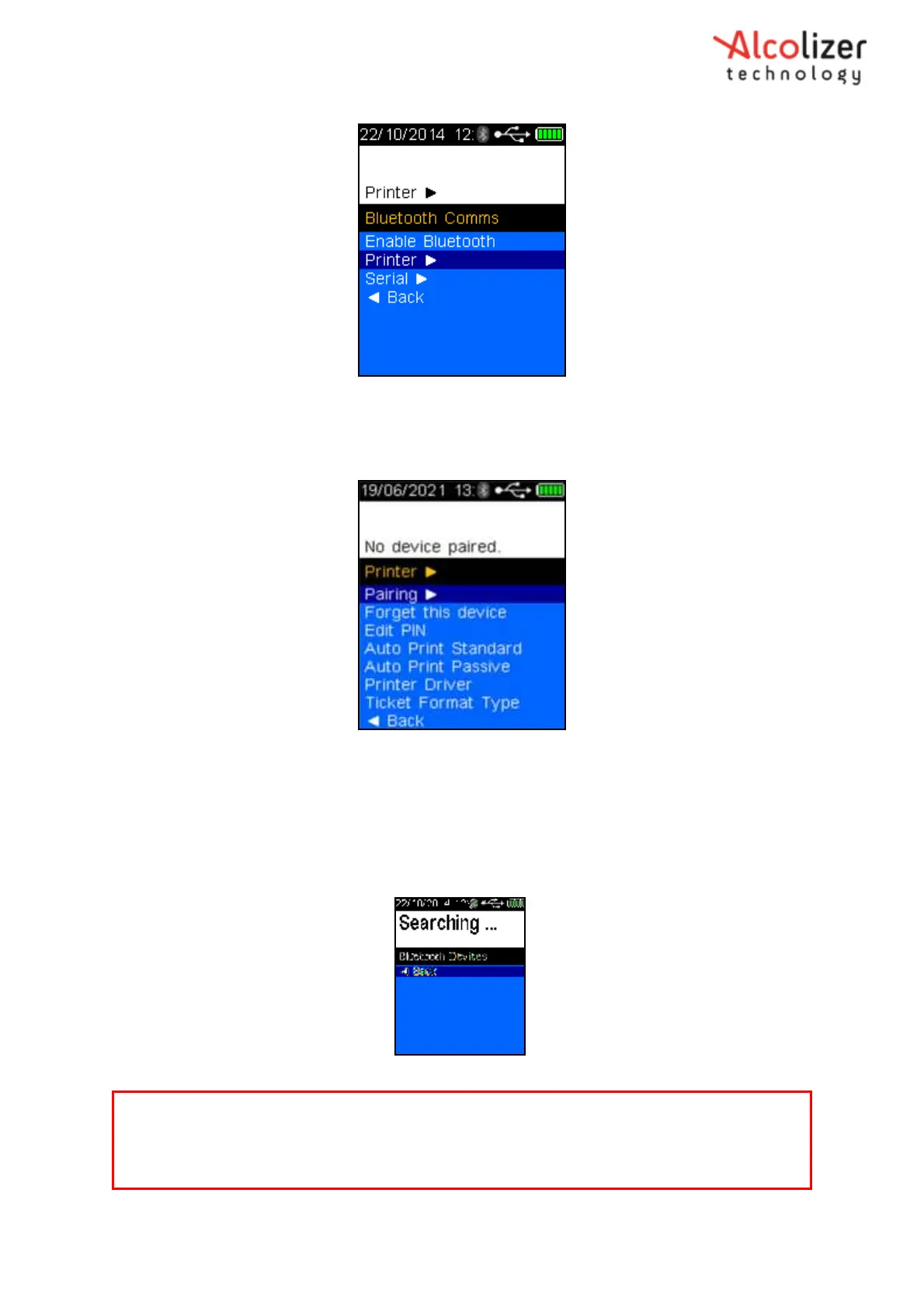
Figure 75 - Printer
Press the test key, the printer screen will be displayed (Refer 76)
Figure 76 - Printer Menu
Place the LE5 instrument next to the Bluetooth printer and then switch the
printer on.
Press the test key, the LE5 will search for the printer and display Searching…
(Refer Figure 77).
Figure 77 - Searching Displayed
Note
The LE5 will search and display all Bluetooth instruments in range. To avoid attempting to connect
to an instrument other than the intended printer, move other Bluetooth items away.



 To Next Page