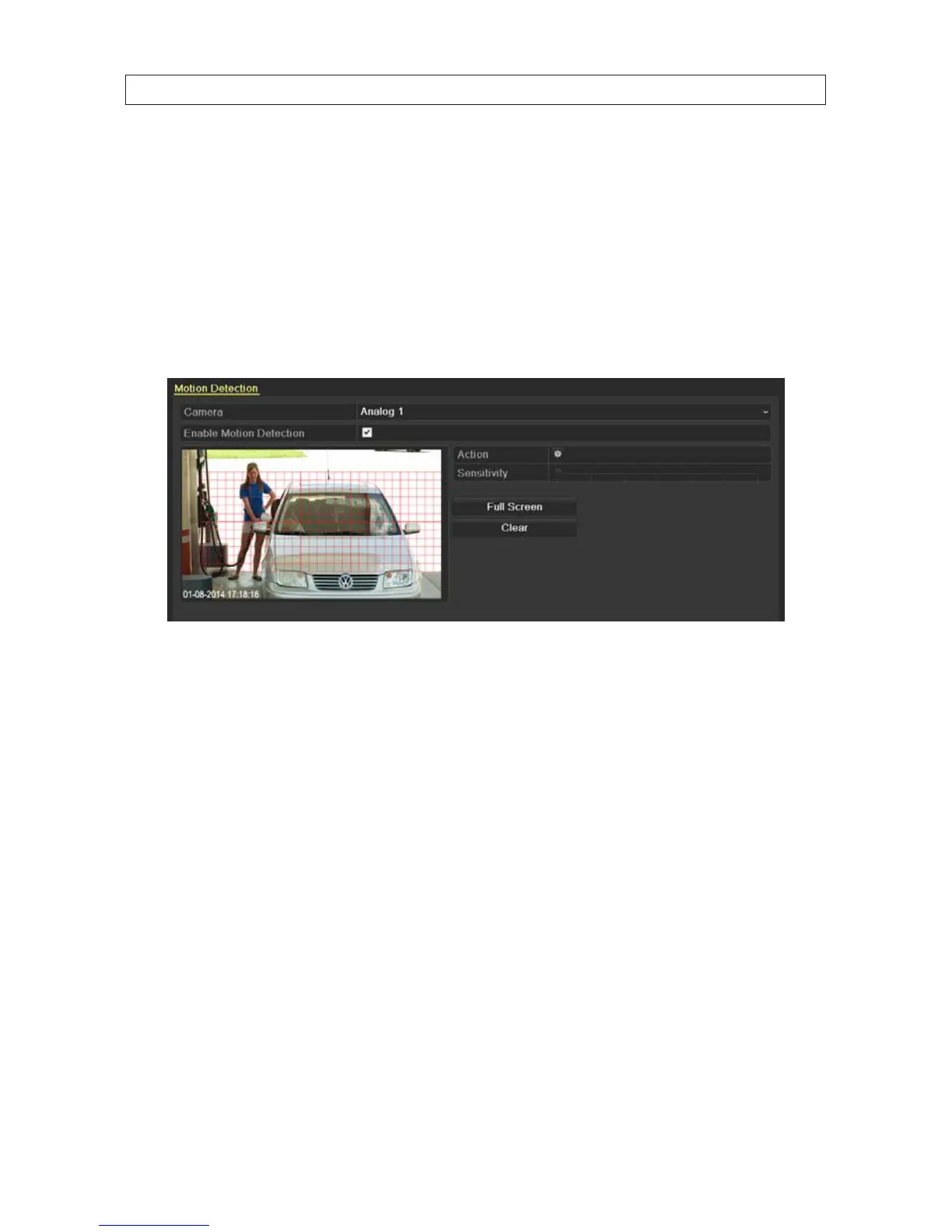
2. To congure Motion Detection:
a. Choose camera you want to congure.
b. Check the Enable Motion Detection box.
c. Use the mouse to drag a rectangle across the area where you want to detect motion. If you want to sense for motion
detection in all areas of the video, drag a rectangle across the entire video screen or click Full Screen. You can select to
multiple areas (rectangles on the screen) where motion will be detected.
To clear the motion detect zone you dened, click the Clear.
d. Click Apply to save your settings.
e. Test the eectiveness of your settings by passing objects through the motion detect zone to trigger recording. Adjust the
Sensitivity slider to rene the
f. Click copy your settings to other cameras, click Copy, then select the cameras you want to copy the settings to. Click OK
to save your conguration and close the window.
g. Click the Action icon.
SECTION 5: RECORD, PLAYBACK AND VIDEO BACKUP











 To Next Page