4
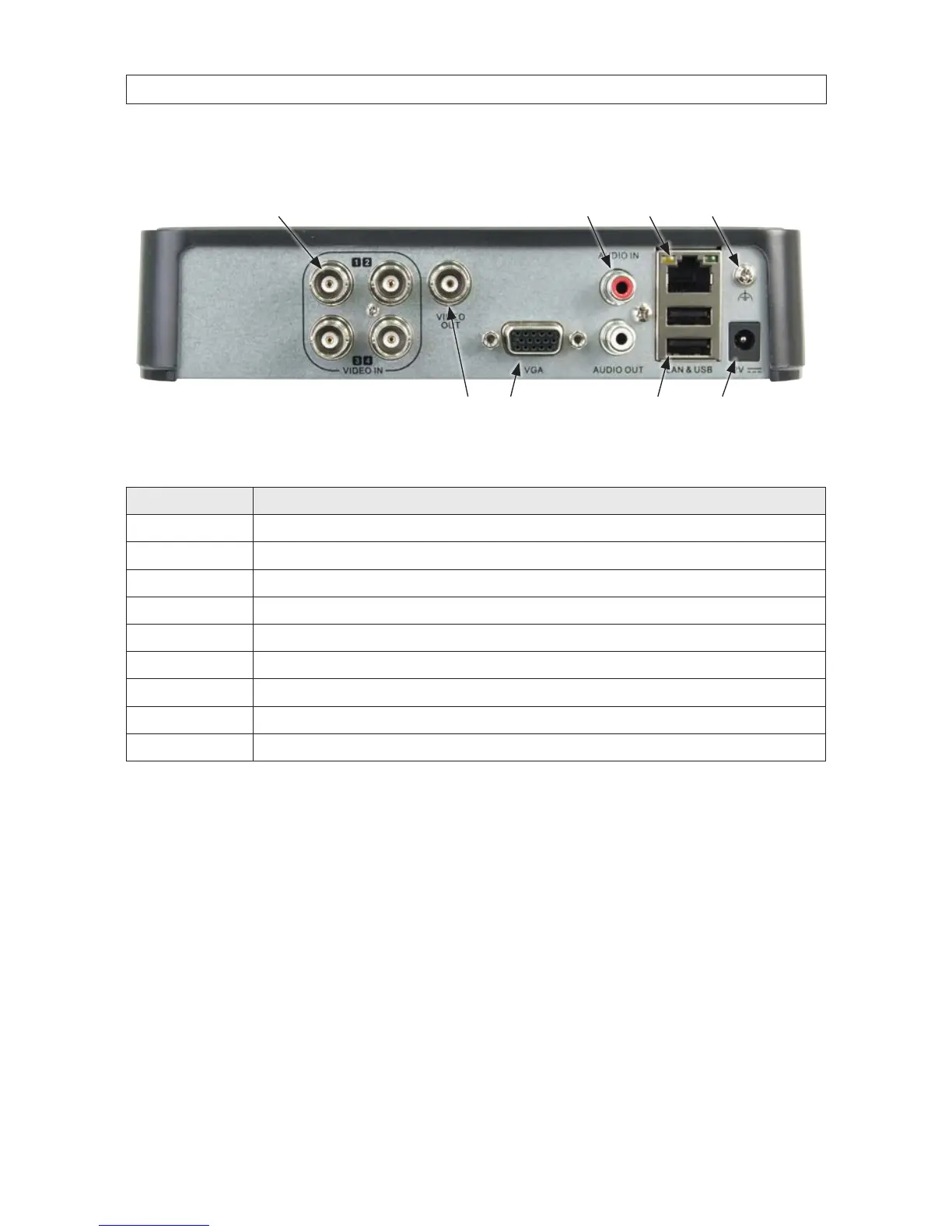
DVR Backpanel
Camera video input (4)
LAN
Power adapter
connector
Chassis ground
terminal
Monitor out (CVBS, VGA)
Audio IN / OUT
USB (2)
ALI-DVR1004E backpanel
Item Description
VIDEO IN BNC connector for analog video input (4)
VIDEO OUT BNC connector for CVBS (composite video) video output.
VGA DB15 connector for VGA output. Display local video output and menus.
AUDIO IN RCA connector for audio line input.
AUDIO OUT RCA connector for audio line output.
LAN Interface RJ-45 connector 10/100BASE-T Ethernet interface.
USB Interface Connects USB mouse or USB ash memory devices (2).
12V 12 Vdc power input connector.
Chassis ground terminal Ground (must be connected when the DVR starts).
1.1.1 Mousecontrol
A standard 3-button (left/right/scroll-wheel) USB mouse can also be used with this DVR. To use a USB mouse:
1. Plug USB mouse into the either the front panel or backpanel USB connector of the DVR.
2. The mouse will be automatically detected. If the mouse is not detected, the mouse may not be compatible with the DVR.
Please refer to the recommended device list from your provider.
The operation of the mouse:
SECTION 1: SYSTEM OVERVIEW











 To Next Page