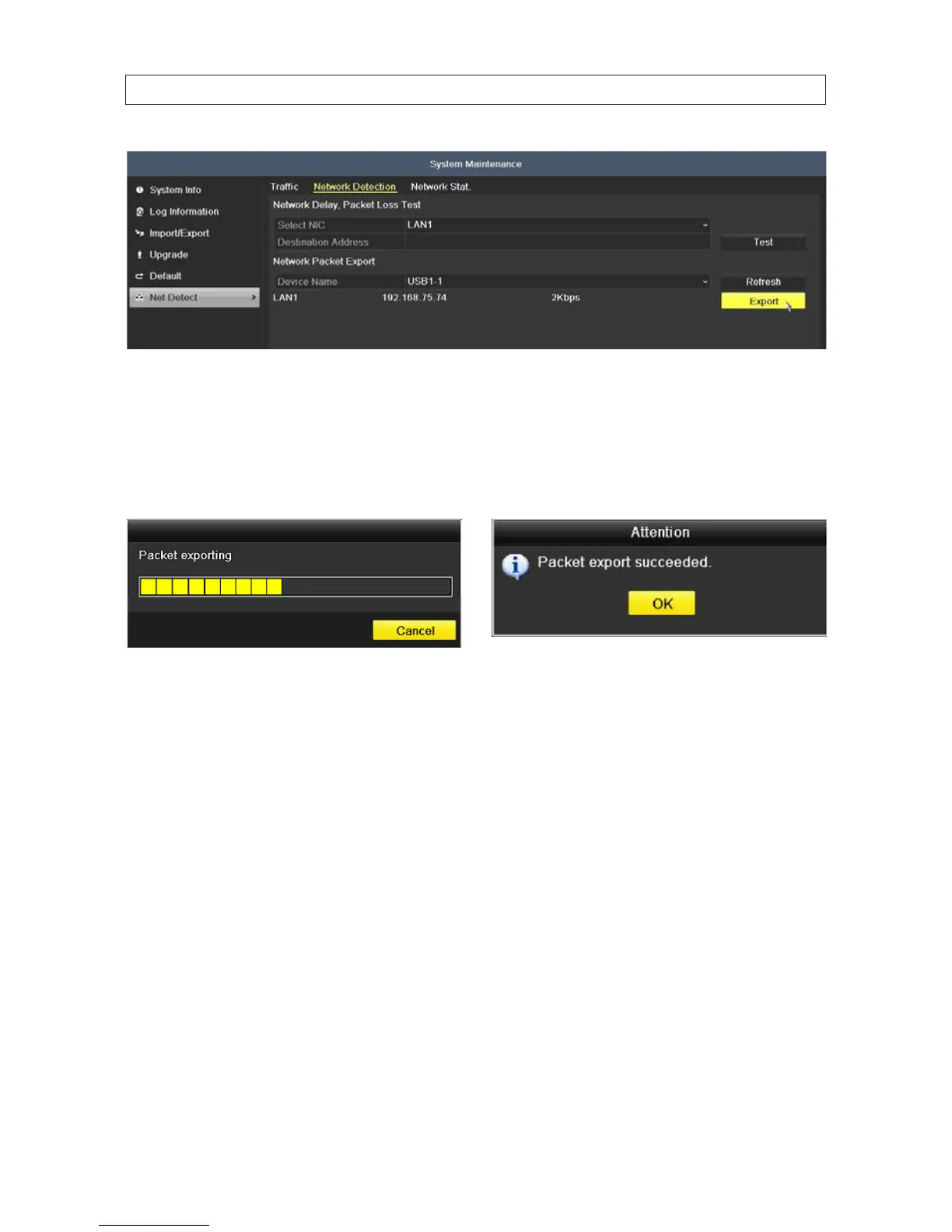
Note: Click the Refresh button if the connected local backup device cannot be displayed. When it fails to detect the backup device,
verify that it is compatible with the DVR. Format the backup device if the format is incorrect.
7. Click the Export button to start the export.
8. When the export is complete, click OK. Up to 1 M data can be exported during one operation.
8.6.4 Checkingthenetworkstatus
You can also check the network status and quickly set the network parameters.
1. Open the Network Trac menu. Go to Menu | Maintenance | Net Detect.
2. Click the Network Detection tab to open the Network Detection menu.
SECTION 8: SYSTEM MAINTENANCE











 To Next Page