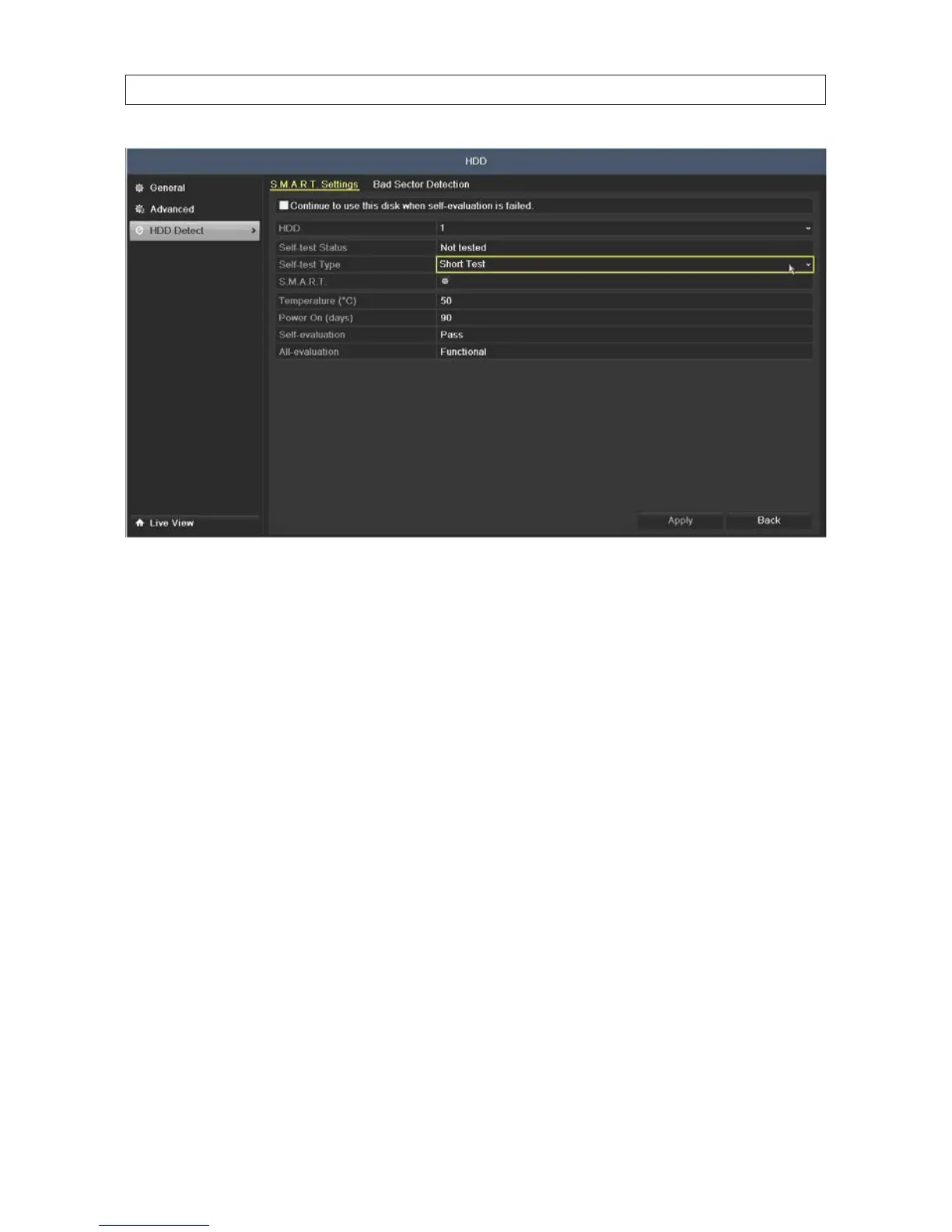
2. To execute a self-evaluation test on an HDD:
a. On the Self-test Type line, open the drop down list to select the type of test to execute. You can choose either Short
Test, Expanded Test or Conveyance Test.
b. Click the icon on the S.M.A.R.T. line to execute the test. Allow the test to complete before continuing. The result of the test
is shown on the Self-test Status line.
Bad Sector Detection
1. Open the Bad Sector Detection menu. Go to Menu | HDD | HDD Detect | Bad Sector Detection
2. On the HDD No. line, open the drop down list and select the number of the HDD you want to test.
3. Click the Detect button to start the detection. Bad sectors are identied in the array as red colored cells.
SECTION 2: INSTALLING THE SYSTEM











 To Next Page