80
8.2.2 LogExport
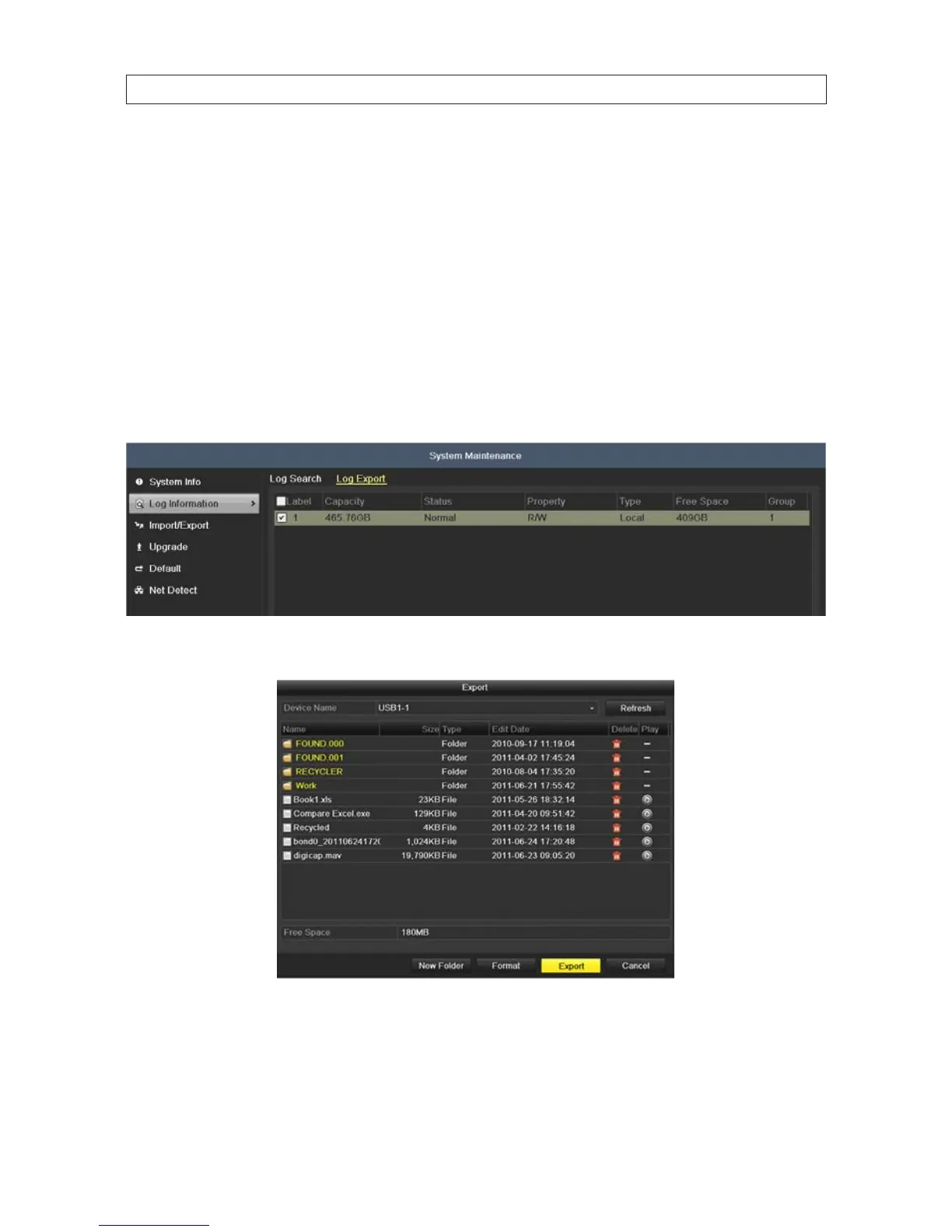
Log information can be exported to a backup device such as a USB storage device. The exported log le is in .txt format and readable
with an ASCII text viewer such as Microsoft® Windows® Notepad or Wordpad. The lename, prexed with the date and timestamp,
in the format YYYYMMDDHHMMSSlogBack.txt. To export the log le:
1. Attach an USB storage device, such as a USB ash drive or USB disk drive, to the DVR USB port.
2. Open the Log Information menu. Go to Menu | Maintenance | Log Information
3. Click the Log Export tab to display the DVR storage devices.
4. Check the select box for the storage devices that contain log information.
5. Click the Export button at the bottom of the screen.
6. On the Device Name line, open the drop down list and select the destination for the le export.
7. Select the directory where you want to copy the les, or create a New Folder.
8. Click the Export button to start the Export. Allow the operation to nish before continuing.
SECTION 8: SYSTEM MAINTENANCE











 To Next Page