74
NOTE
The Server Port number must be in the range 2000 .. 65535. it is used for remote client software access.
The HTTP port is used for remote IE access.
4. Click Apply to save your settings and close the menu.
7.1.6 ConguringEmail
The system can be congured to send an Email notication to all designated users if an alarm event is detected, etc., an alarm or
motion event is detected or the administrator password is changed.
Before conguring the Email settings, the DVR must be connected to a local area network (LAN) that maintains an SMTP mail
server. The network must also be connected to either an intranet or the Internet depending on the location of the e-mail accounts to
which you want to send notication.
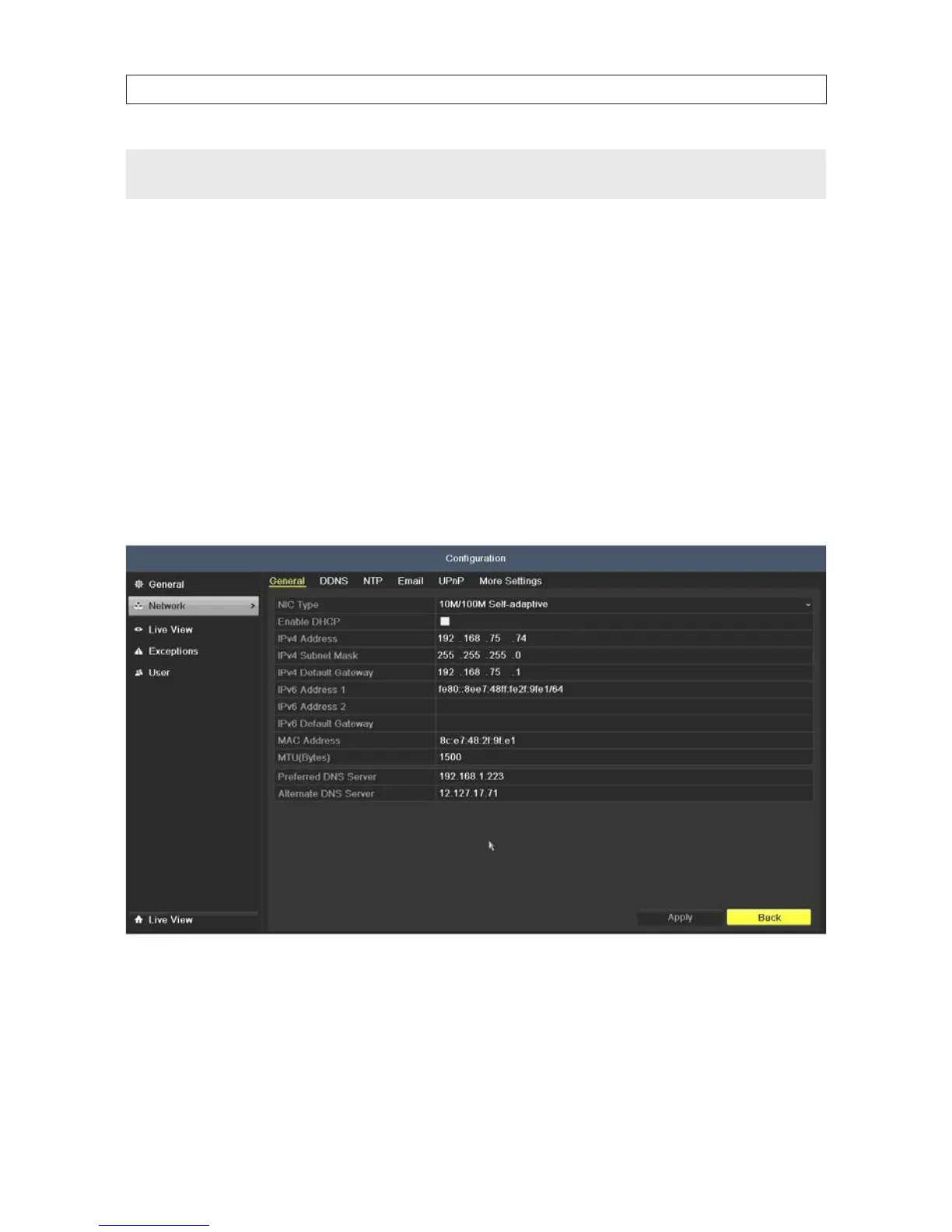
1. Open the Network Settings menu. Go to Menu | Conguration | Network
2. Set the IPv4 Address, IPv4 Subnet Mask, IPv4 Gateway and the Preferred DNS Server in the Network Settings menu.
3. Click Apply to save your settings and close the menu.
4. Click the Email tab to open the email settings men.
SECTION 7: NETWORK SETTINGS











 To Next Page