3. Click Playback to play back the record les, then click the reverse control icon to play the les in reverse.
5.2.7 DigitalZoom
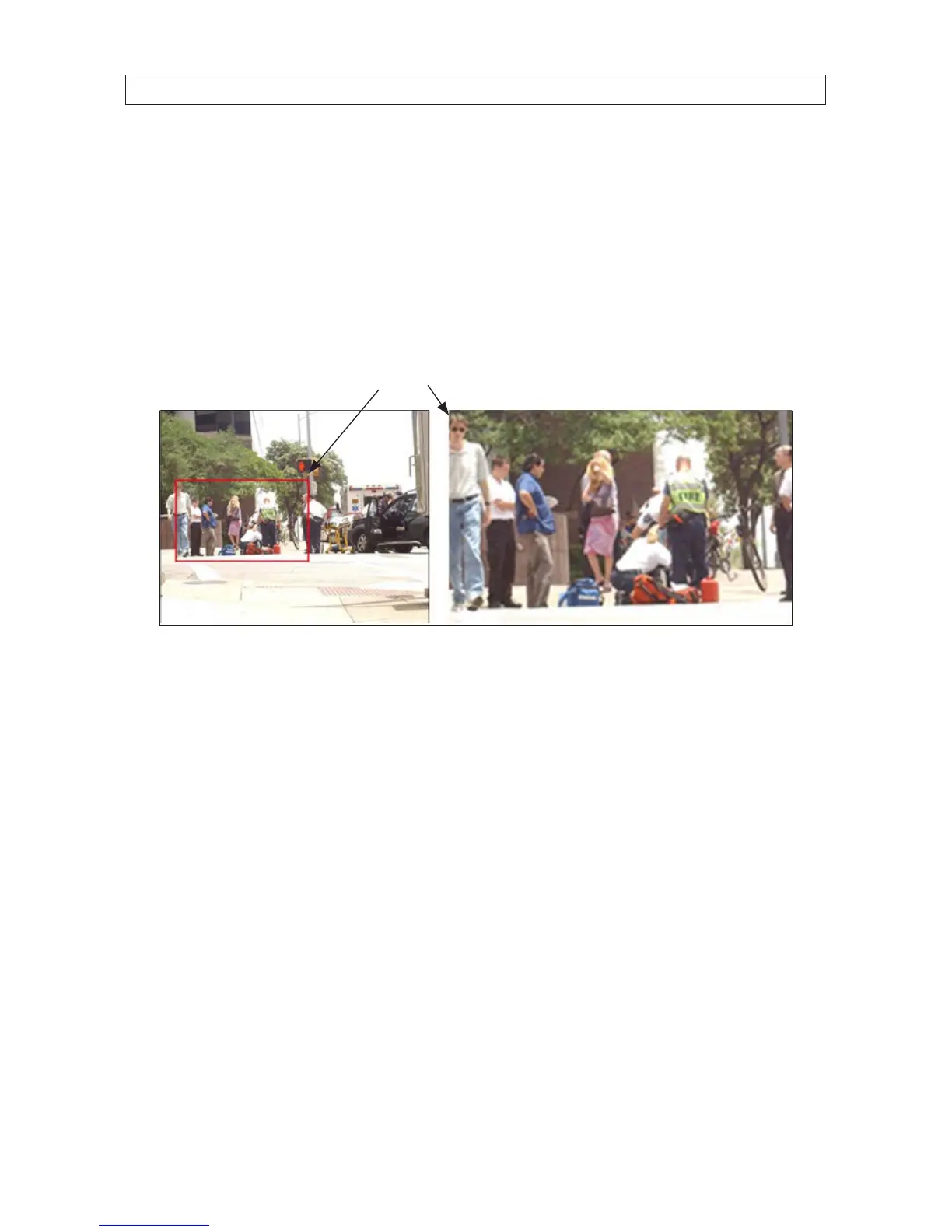
1. Click the magnier button on the playback control bar to enter Digital Zoom screen.
2. Use the mouse to draw a rectangle over the area you want to zoom in on. The area can be enlarged up to 16 times the original
size on the screen.
Zoom selection area
3. Right-click on the image to exit the digital zoom mode.
5.3 Backing up Record Files - Export
5.3.1 QuickExport
The Quick Export feature allows you to easily export (backup to an external device) video clips recorded over a 24 hours period from
up to four selected camera channels.
1. Attach an USB storage device, such as a USB ash drive or USB disk drive, to the DVR USB port.
2. Open the Export menu. Go to: Menu | Export | Normal
3. heck the boxes for the camera channels you want to back up.
4. Select the Start Time and End Time of the period when the video clips of interest were recorded. To change the time, click
on the eld, then select the target date or time from the pop-up menu. The time span cannot exceed 24 hours.
SECTION 5: RECORD, PLAYBACK AND VIDEO BACKUP











 To Next Page