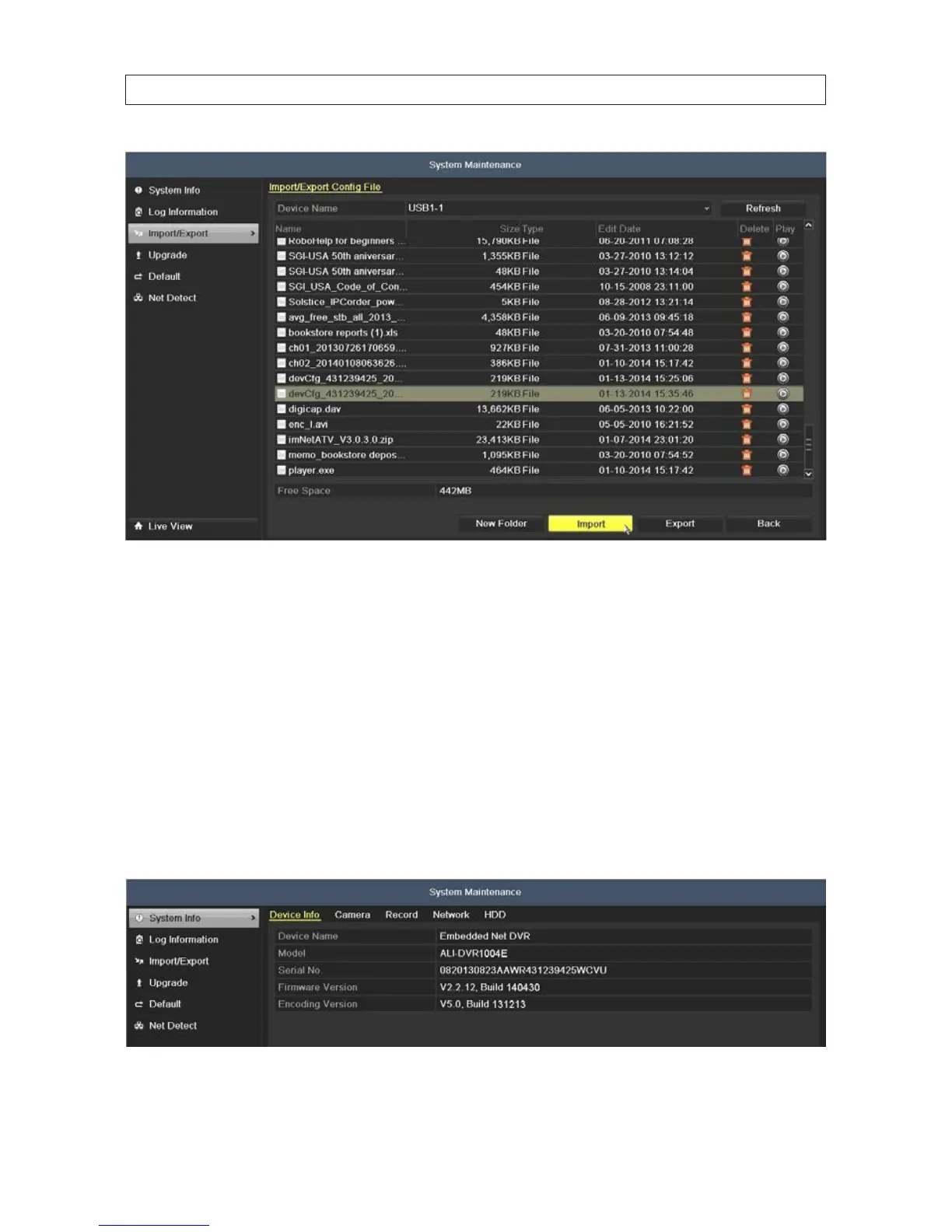
2. In the le list of the USB device, highlight the DVR conguration le you want to load, and then click Import.
3. Allow the DVR to fully reboot, then use it normally.
8.4 Upgrade Firmware
You can upgrade the rmware through a local device or remote FTP server. You should check the current Firmware version
before upgrading your DVR rmware. Firmware upgrade should only be performed when recommended by your DVR support
organization.
1. To check the current rmware version, open the System information display. Go to Menu | Maintenance | System
Information
2. If the rmware needs to be upgraded, click the Upgrade tab on the left.
SECTION 8: SYSTEM MAINTENANCE











 To Next Page