82
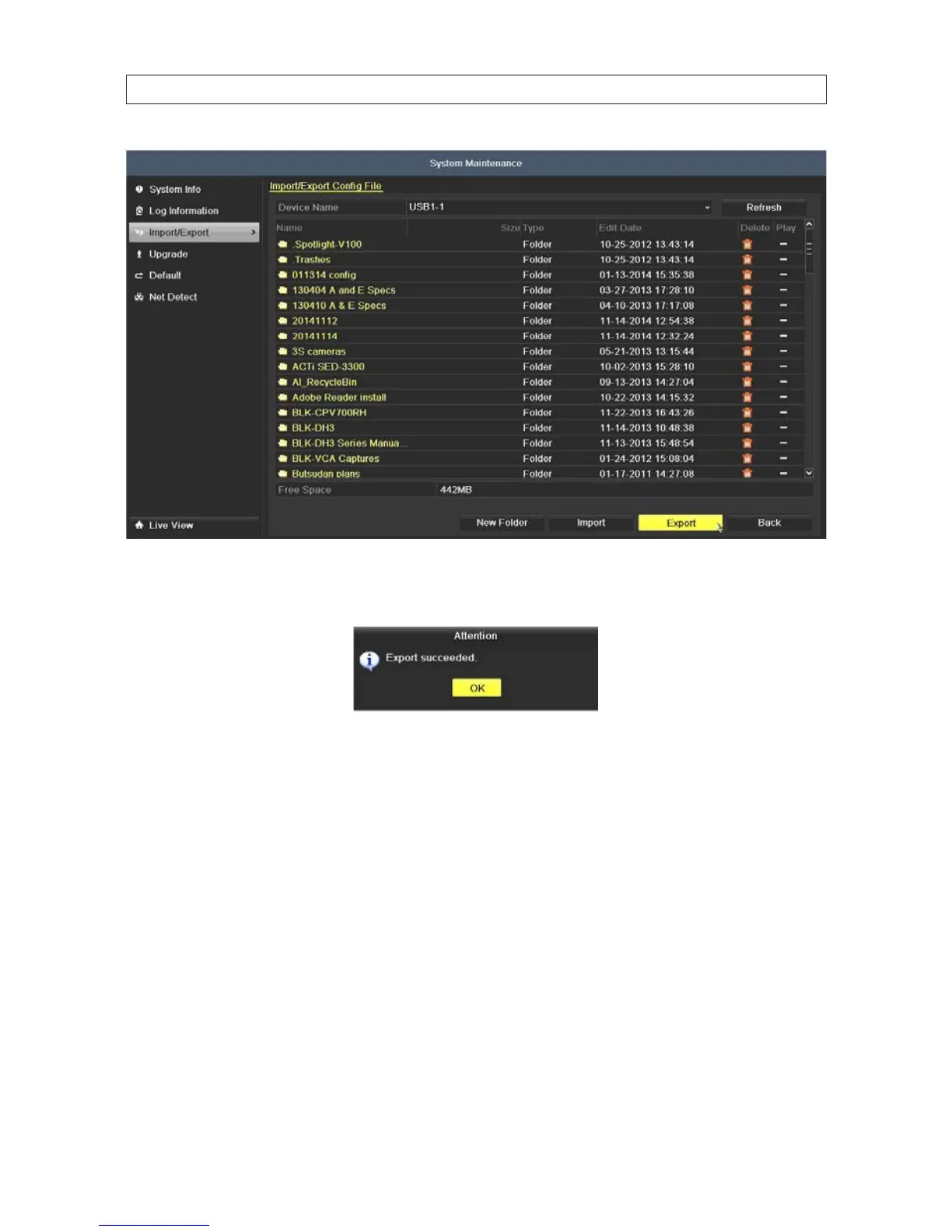
4. Click the Export button to start the export. Allow the operation to nish before continuing. When the export operation is
successful, an “Attention” “Export succeeded” pop-up window will open.
5. Click OK to close the pop-up window.
NOTE: The conguration backup le a binary le with a timestamp in the format devCfg_<code>_YYYYMMDDHHMMSS.bin
6. Record the name of the exported le for future reference.
Import conguration le
1. On the Device Name line, open the drop down list and select the destination of the exported conguration le. The
conguration backup le is a binary le with a timestamp in the format devCfg_<code>_YYYYMMDDHHMMSS.bin
SECTION 8: SYSTEM MAINTENANCE











 To Next Page