52
5.2.5 AuxiliaryFunctions-Playbackframebyframe
Play video les frame by frame, in case of checking image details of the video when abnormal events happen.
Using a Mouse:
Go to Menu | Playback
Playback a le. During playback, click the button tt until the speed changes to Single. One click on the playback screen
advances playback to the next frame forward. Click uu to increase the playback speed in forward.
During reverse playback click the button tt until the speed changes to Single. One click on the playback screen advances
playback to the next frame in reverse. Click uu to increase the playback speed in reverse.
5.2.6 AuxiliaryFunctions-ReversePlaybackofMulti-channel
You can play back record les of multi-channel reversely. Up to 4-ch (with 1920*1080p resolution) simultaneous reverse playback is
supported and up to 1-ch (with 2560*1920 resolution) reverse playback is supported.
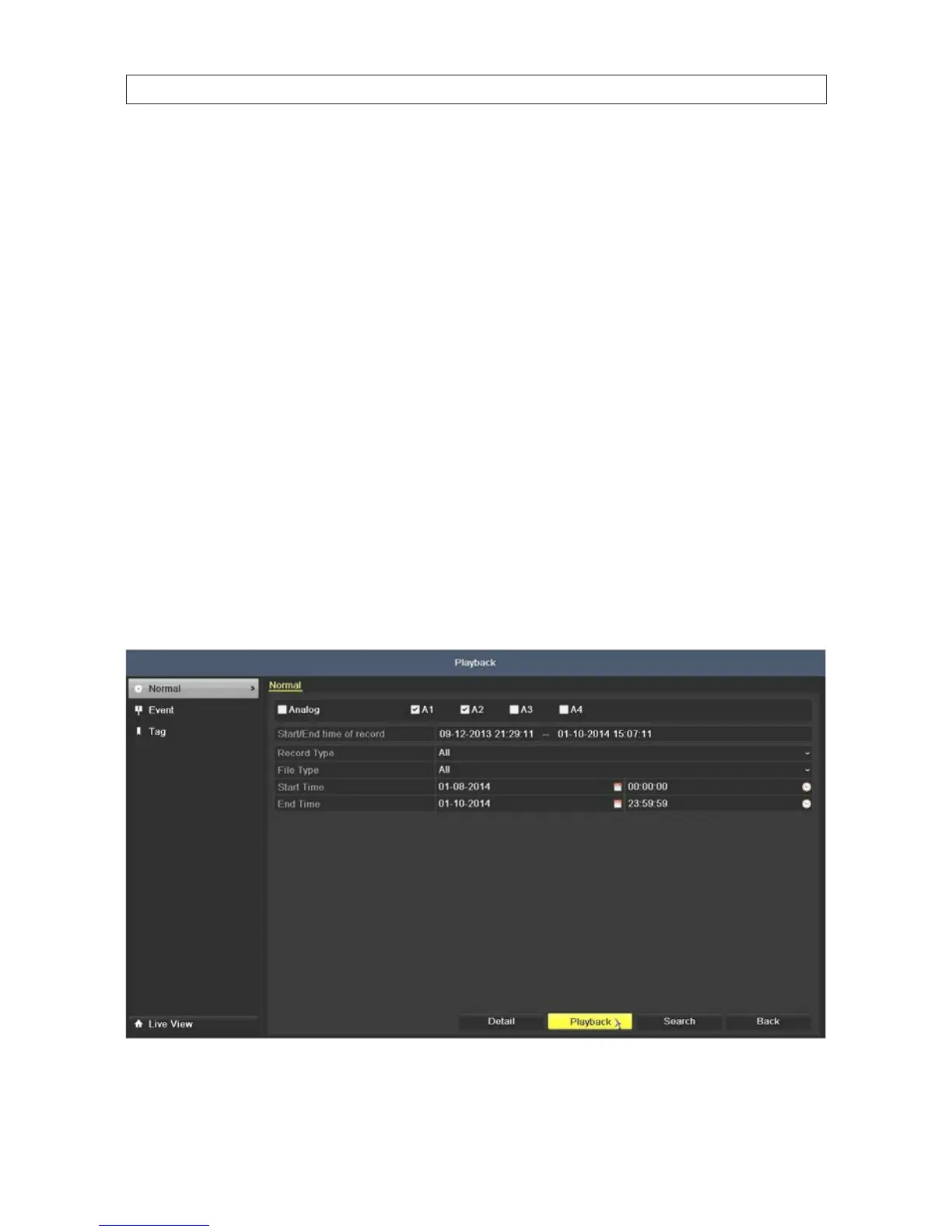
1. Open the Playback menu. Go to Menu | Playback
2. On the Analog line, select multiple camera channels by checking the boxes associated with them.
SECTION 5: RECORD, PLAYBACK AND VIDEO BACKUP











 To Next Page