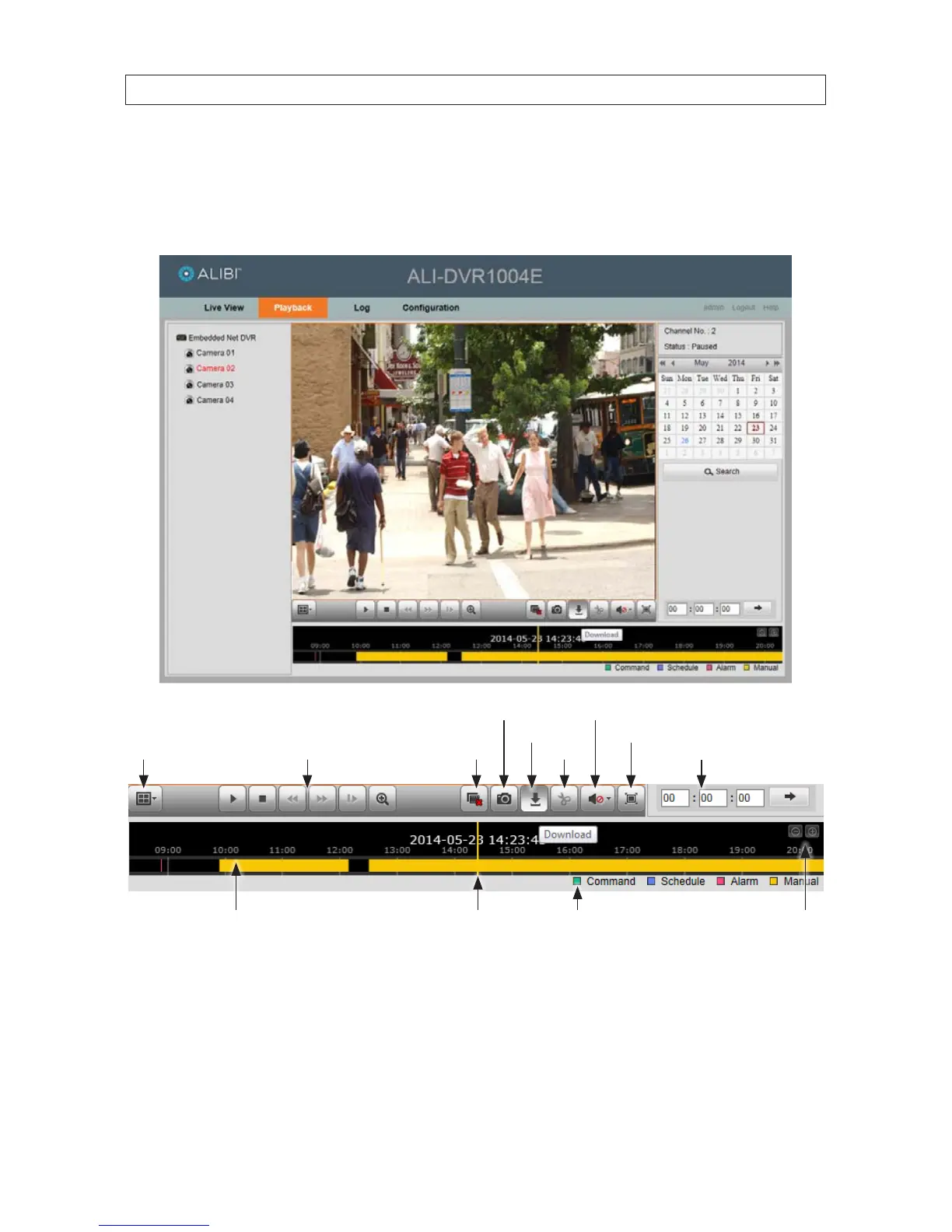
9.3 Remote Playback screen
Open the Playback screen by clicking Playback in the screen header. The Playback screen allows you to review video recorded from
one camera or several cameras concurrently. Also, video can be downloaded to your local computer.
Expand / contract timelineRecord legendPlayback timestampTimeline (drag to reposition)
Stop
playback
Download Full screen
Play motion controls
Capture Audio play / mute
Set playback time
Multi-screen
mode select
Snip
To playback recorded video:
1. Click the multi-screen mode button to select the number of viewing frames you need to display. You can select either a 1 or
2*2 frame pattern.
2. In the left frame, click the camera channel you want to play recorded video from. In the example above, Camera 02 was
selected.
SECTION 9: REMOTE ACCESS











 To Next Page