SECTION 1: SYSTEM OVERVIEW
Action Eect
Right click
Live view: Show menu.
Menu: Exit current menu to upper level menu.
Left click
Single click: Live view: Select channel and show the quick set menu.
Menu: Select and enter.
Double click: Live view: Switch between single-screen and multi-screen.
Tamper-proof, privacy mask and motion detection: Select target area.
Digital zoom-in: Drag and select target area.
Live view: Drag channel/time bar
Scroll wheel
Scroll up: Live view: Previous screen.
Menu: Previous item.
Scroll down: Live view: Next screen.
Menu: Next item.
1.1.2 Softkeyboard
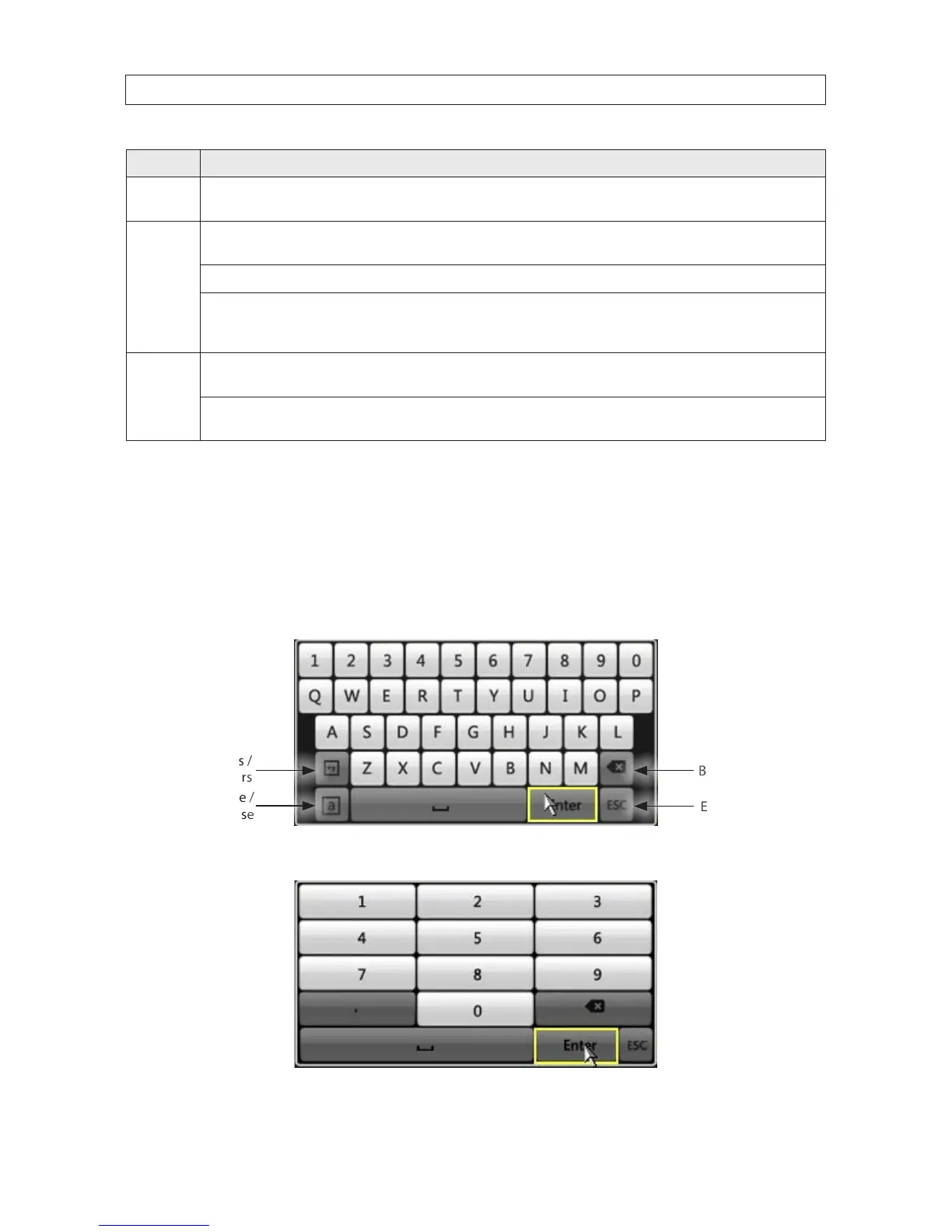
One of two on-screen keyboards appears when you click in a eld that accepts a entry, such as a password or name or a numerical
value. The QWERTY keyboard, for alphanumeric entries, is shown in the following picture. Some control keys toggle their function
when they are clicked. A numerical keyboard, shown beneath, appears for numerical entries such as an IP address.
Uppercase /
Lowercase
Backspace
Symbols /
Numbers
Escape / Exit
Soft keyboard - alphanumeric
Soft keyboard - numeric











 To Next Page