SECTION5
Record, Playback and Video Backup
After the initial setup of your DVR using the Wizard, the Menus interface enables you to rene your conguration settings and
expand the functionality of the system. To use most menus, the user must log into the DVR system, either locally or remotely, with
administrative privileges.
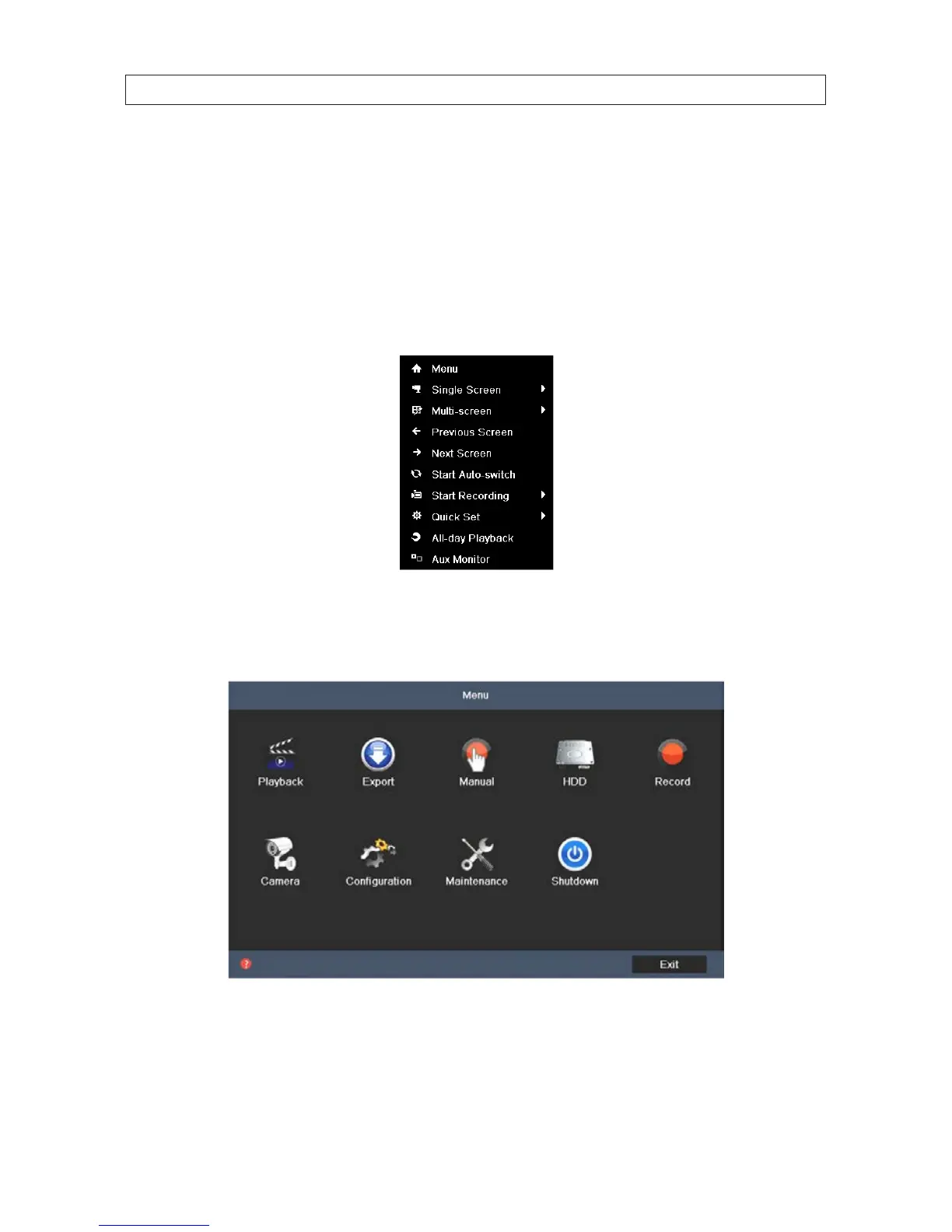
To open the Menu system from the Live View screen, right click anywhere in the screen, then select Menu.
After selecting Menu, a login window will open. In the Login window, select a User Name with administrative privileges, enter
its password, then click OK. A window of Menu icons will open. NOTE: When the system option Enable ID Authentication is
disabled (see the Conguration - General settings submenu), the Login window to open the Menu does not appear.
SECTION 5: RECORD, PLAYBACK AND VIDEO BACKUP











 To Next Page