38
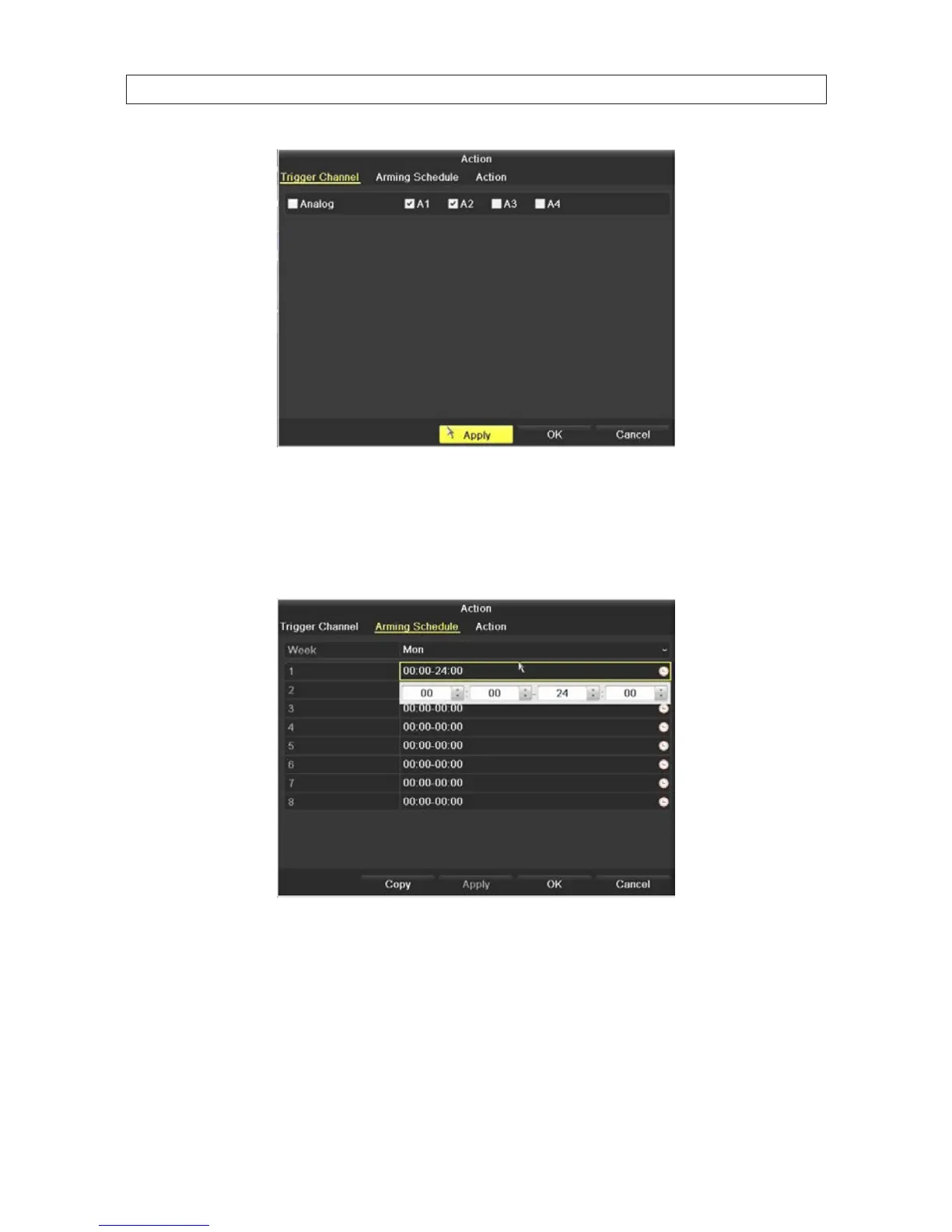
h. In the Action Trigger Channel window, select the other channels that should trigger recording on this channel, then
click Apply to save your settings.
i. Click the Arming Schedule tab. With the Arming Schedule, you can dene a schedule for each day of eight weeks (56
days) when motion detection is monitored. Time periods cannot overlap.
j. Click Apply to save the settings. You can also click Copy to copy the Arming Schedule setup in the window to other days
of the week.
k. Click the Handling tab. In the Handling tab, you can cause certain actions to occur when motion triggered recording
occurs.
SECTION 5: RECORD, PLAYBACK AND VIDEO BACKUP











 To Next Page