-3
2 P
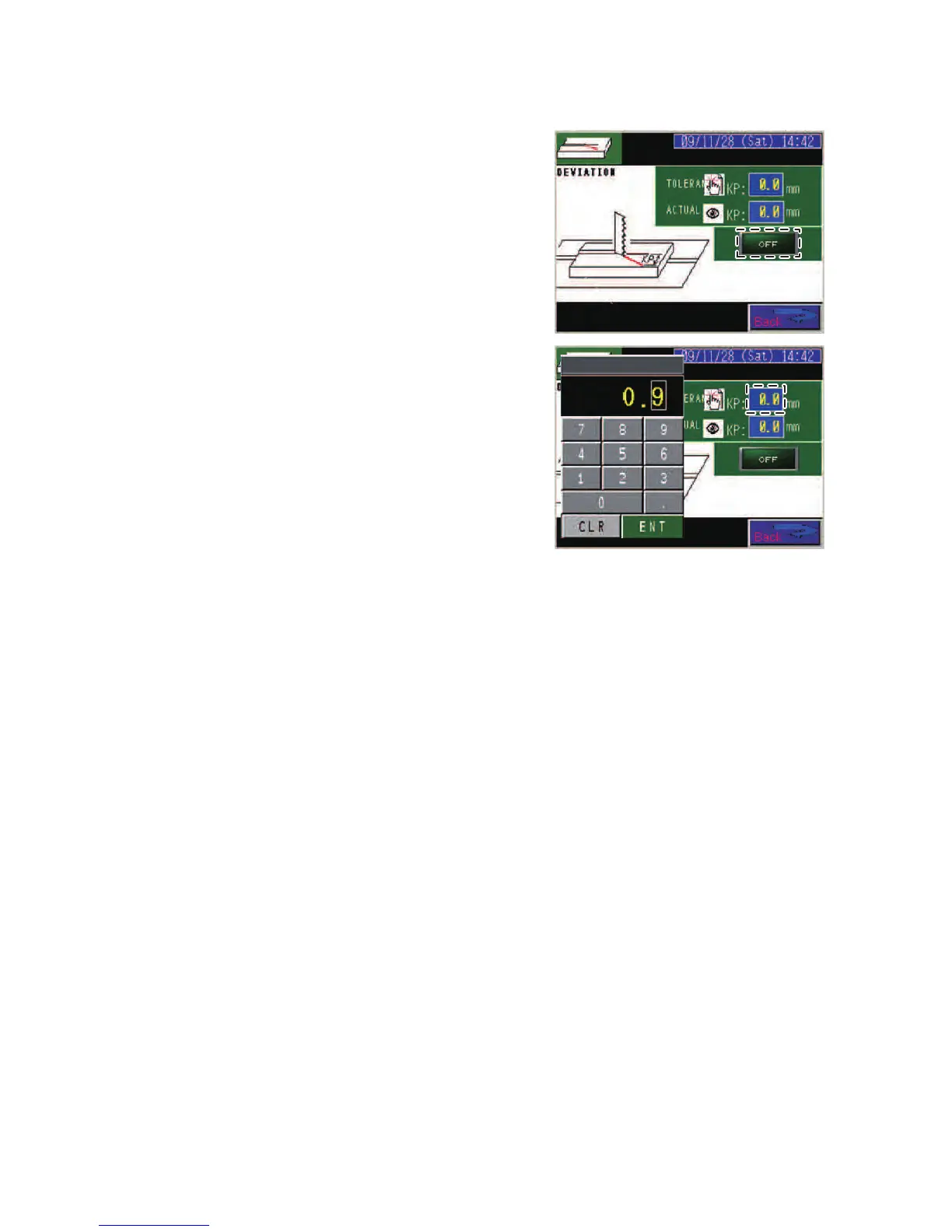
ress the RUNOUT
DETECTOR ON/OFF
button to show ON on
the button.
(The ON/OFF field at
the right of the
DEVIATION button on
the CNC INPUT or
MANUAL INPUT
display shows ON.)
3 Press the
TOLERANCE field to
open the numeric
keypad.
4 Press the CLR key on
the numeric keypad to
reset the
TOLERANCE field to
zero.
5 Press the 0 to 9 and x keys to enter the runout tolerance.
(If the entered value is incorrect, press the CLR key to delete it,
and enter the correct value.)
6 After checking its value, press the ENT key to register the runout
tolerance in the control unit.



 To Next Page