IV-16
OPERATION
S
tarting cutting
After setting the work and cutting conditions, start cutting the work as
described below.
1 Press and hold the
TABLE FORWARD
button to bring the
work close to the saw
blade.
NOTICE
O Take care not to bring
the work into contact
with the saw blade.
It is safe to move the
table forward at low
speed by pressing
and illuminating the
TABLE SPEED
CHANGE button.
BLADE START
TABLE
FORWARD
TABLE
CUTTING FEED
TABLE
SPEED
CHANGE
2 Press the BLADE START button to start the saw blade and turn on
the cutting fluid.
3 Press the TABLE CUTTING FEED button to start the table feeding
the work for cutting.
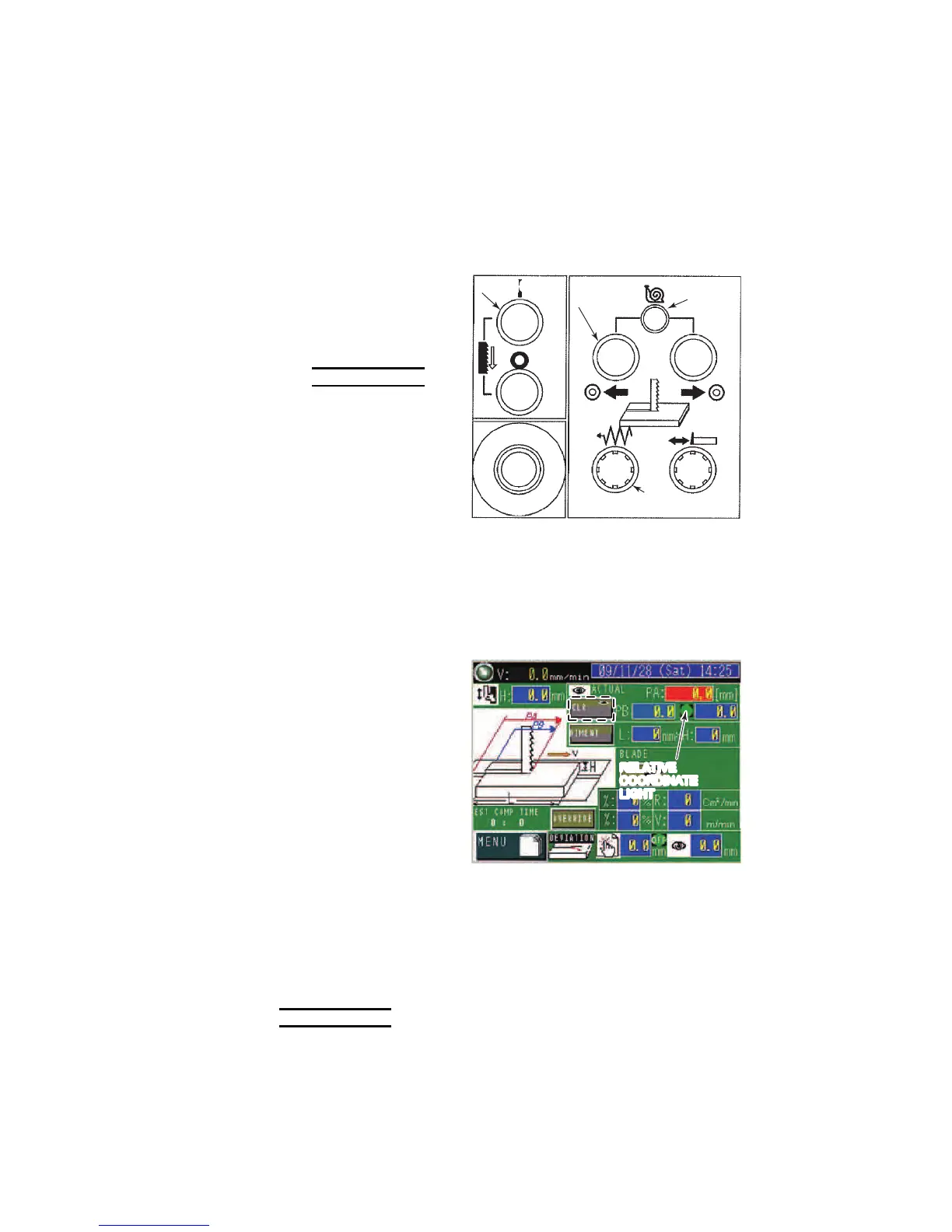
Relative coordinate
system
Press the CLR button
to illuminate the
RELATIVE
COORDINATE light
when the work
contacts the saw
blade.
The field at the right
of the PB field shows
zero and then shows
the table move
distance.
RELATIVE
COORDINATE
LIGHT
Absolute coordinate system
After the start of cutting feed, the cutting feed stops when the table
move distance reaches the work length (L) shown in the L field.
NOTICE
O If the saw blade vibrates, the cutting rate and saw blade running speed may
be improperly set. Adjust the cutting rate and saw blade running speed as
described in “Operation during cutting” on the next page.



 To Next Page