III-8
[20] BLADE TENSION keyswitch
U
sed when changing the saw blade.
Turned to the “
” position to
tension the saw blade and to the
“ ” position to slacken the saw
blade.
[20]
NOTE
O The BLADE TENSION keyswitch is disabled when the saw blade is running.
[21] ZERO-RETURN button (with white light)
Used to zero-return the upper saw
blade guide and backgauge (option).
The button flashes when the
hydraulic motor is started for the first
time after power-on of the machine.
Pressed to start the zero-return of
the upper saw blade guide and
backgauge (option). The button
illuminates when the zero-return of
the upper saw blade guide and
backgauge (option) is completed.
[21]
[22] Touch screen
Shows cutting data, error messages, and other data.
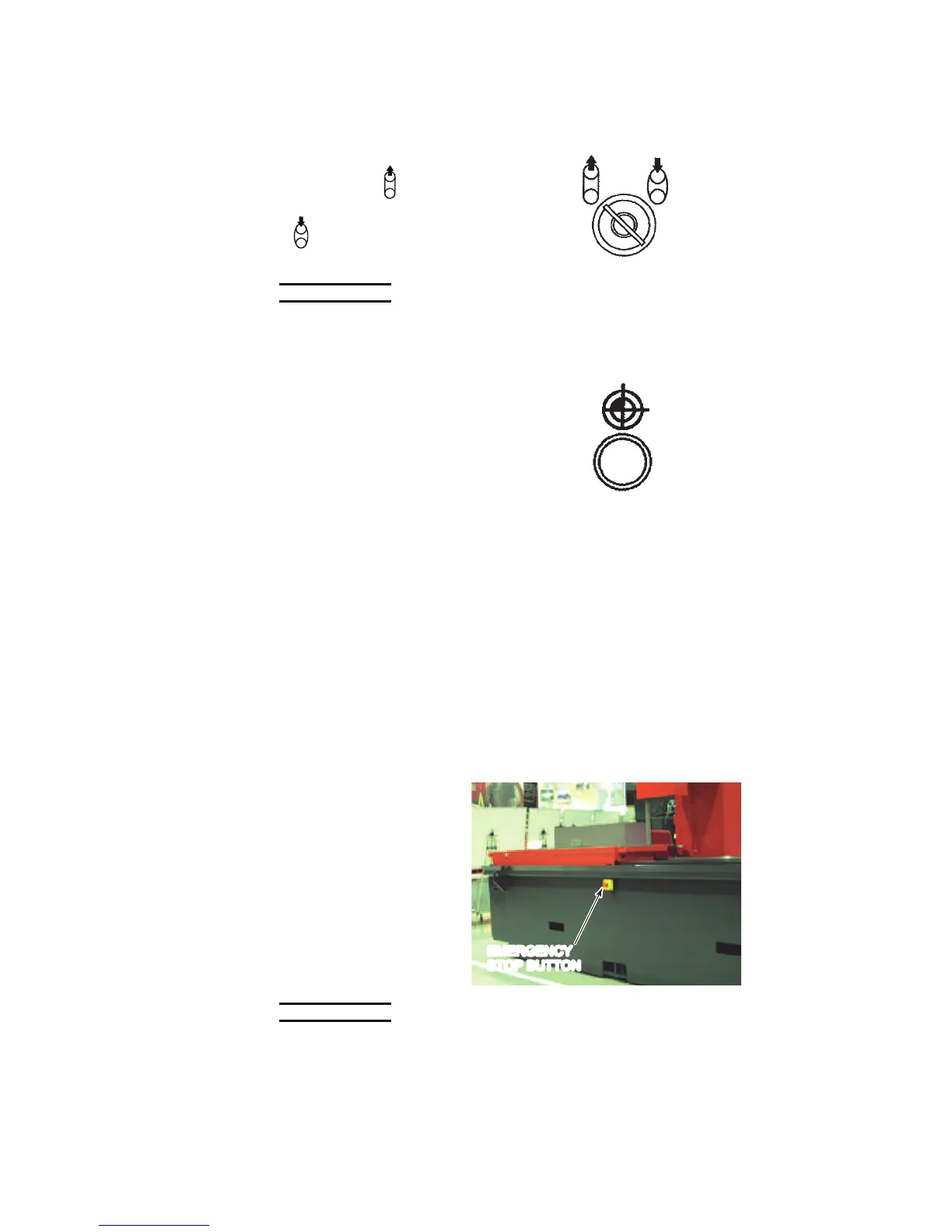
MACHINE BASE REAR
EMERGENCY STOP BUTTON
The EMERGENCY button
located at the rear of the
machine base has the
same function as the
EMERGENCY STOP
button on the control panel.
Pressed to stop the
machine immediately and
totally. (The hydraulic
pump motor stops, but the
machine does not power
off.)
EMERGENCY
STOP BUTTON
NOTE
O An EMERGENCY STOP button is of the push-to-lock type so that once
pressed, it is locked in the pressed condition. To clear the emergency stop
condition, pull it out. Unless the emergency stop condition is cleared, the
hydraulic pump motor does not start even when the HYDRAULIC ON button
on the control panel is pressed.



 To Next Page