Advanced settings
- 138 -
♦ You can select (for when you reply to email) whether the original message is to be
included in your reply.
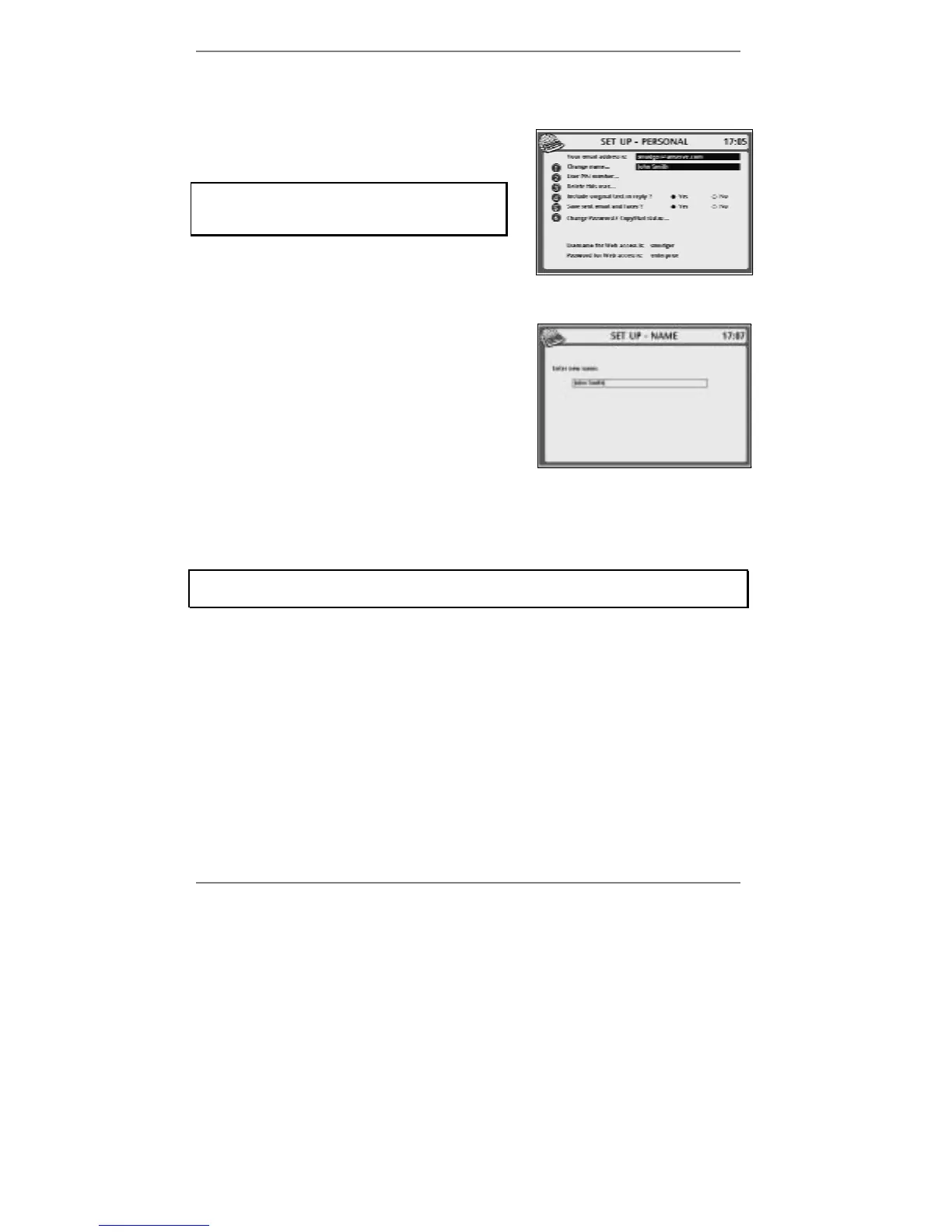
1. Press SETUP, 6 so that display top line reads
SET UP - PERSONAL:
If you've set up two or more email users,
then before you receive this display you'll be
asked to select a user.
2. If you wish to change the name, continue to step 3. If not, go straight to step 6.
3. Press 1 so that top line reads SET UP -
NAME:
4. Press !DEL to delete the existing name, then
type in the new name.
5. Press STORE.
6. If you wish to change whether sent messages are saved, continue to step 7. If not,
go straight to step 8.
7. Press 5 to select whether to save: Yes or No.
Note that email and faxes are filed together. If you choose not to save sent email,
then sent faxes won't be saved either.
8. If you wish to change whether each email reply includes the original message,
continue to step 9. If not, go straight to step 10.
9. Press 4 to select whether to include original message: Yes or No.
10. Press STORE.
11. Press STOP to return to standby display.



 To Next Page