Programming the Address Book
- 46 -
& If you type one of the yellow accent symbols (such as ´), it won't be
displayed until the letter that follows is also typed. For example, if SYMBOL
and A is pressed and e is then typed, é will be displayed.
& If you want the symbol ° or ~ or ^ or ` displayed on its own, simply type a
space after it. For example, to get the degree symbol ° press SYMBOL and
R then type a space.
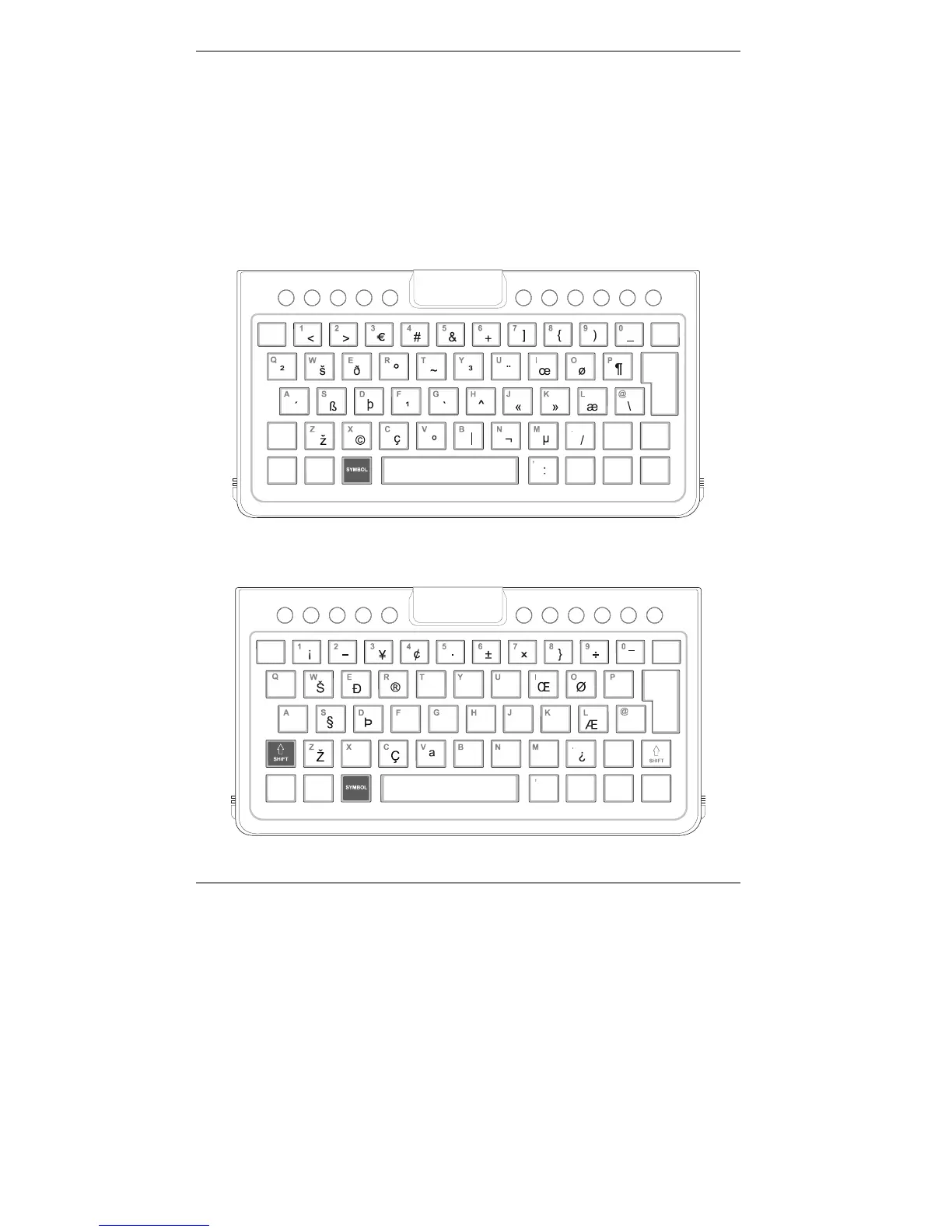
♦ The yellow symbols show only some of the characters available by holding down
SYMBOL and pressing a key. The full set of characters is:
♦ There is a further set of characters (see diagram below). These are available by
holding down both SYMBOL and "SHIFT while pressing the required key.



 To Next Page