A3 PLUS - A5 - A6 PLUS - L6
SURGICAL SINGLE CART
4.2. MOVEMENT LOCK DEVICES
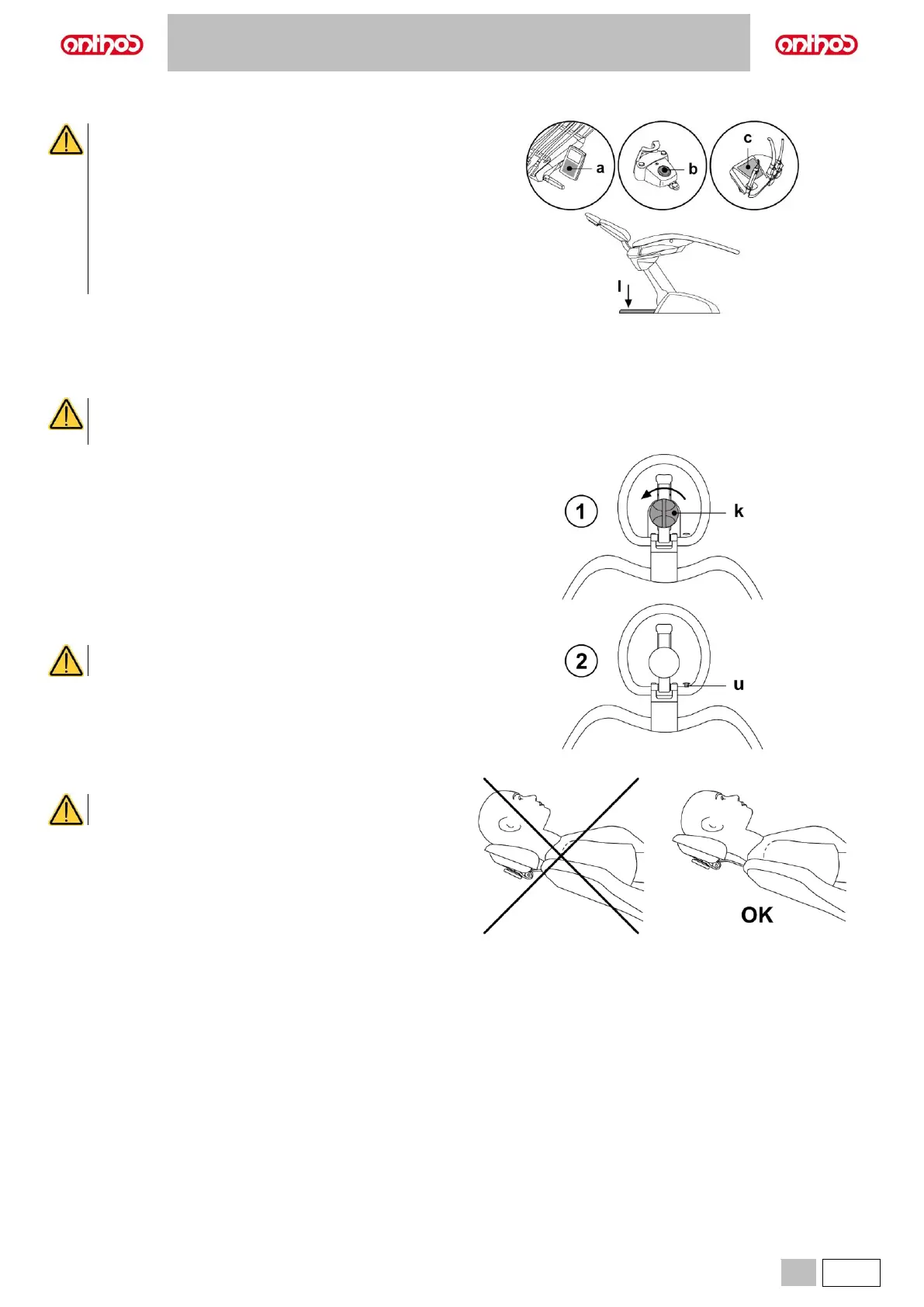
Use the devices below when movement of the equipment
needs to be blocked:
• Dental chair control buttons (a) or (c).
By pressing any of the dental chair control buttons all
movements will be stopped.
• Foot control (b).
When the foot control is actuated, all movements of the
equipment are blocked.
• Stop foot board (l).
When the floor board is actuated, all movements of the
equipment susceptible to cause squashing are blocked.
4.3. ADJUSTABLE HEADREST
Warnings for use.
• Do not attempt to move headrest while patient is resting against it.
• Do not attempt to modify the position of the cushion without first releasing the lock mechanism.
• The pneumatic locking device is active only when the air circuit is pressurised and the dental unit is on.
Headrest models
Available models are:
1 with manual cushion retainer
2 with air-operated cushion retainer
Adjusting the manual headrest
• Lift or lower the headrest to the desired position.
• Unlock the cushion by turning the lock knob (k) counter-clockwise.
• Aim the cushion as desired.
• Lock the cushion again by turning the knob (k) clockwise.
Adjusting the air-operated headrest
Only when the dental unit is on.
• Raise or lower the headrest while holding down button (u).
• Aim the cushion as desired while holding down button (u).
Proper positioning of the headrest.
For correct use of the headrest, position the patient's head
as shown in the figure.



 To Next Page