A3 PLUS - A5 - A6 PLUS - L6
SURGICAL SINGLE CART
• The instrument is supplied NOT STERILE and must be sterilized before use (see paragraph 1.6.).
Carefully read the operating instructions supplied with the instrument before attempting to sterilize.
• For American and Canadian markets only: instruments must be FDA approved.
• Make sure the threaded sections of the insert and handpiece are perfectly clean.
• Do not change the shape of the insert.
• Check wear and tear of the insert on a regular basis, replacing it in the following cases:
- obvious wear,
- drop in performance,
- deformation or impact,
Notes for Sc-a3 scalers:
- class 1 LED apparatus;
- do not direct the light beam in anyone's eyes when cleaning or servicing the device (it is recommended to keep the fibre optics
switched off).
• To avoid hazards or malfunctions when connecting the board, do not reverse the positions of the hoses for scalers of different
brands.
• The inserts fitted on the handpiece must be in compliance with Biocompatibility Standard ISO 10993.
5.6.1. SCALER (SINGLE WATER UNIT models)
The instrument is supplied NON-sterile.
Carefully read the operating instructions supplied with
the instrument before attempting to sterilize.
Operating times: see operating instructions supplied with the handpiece.
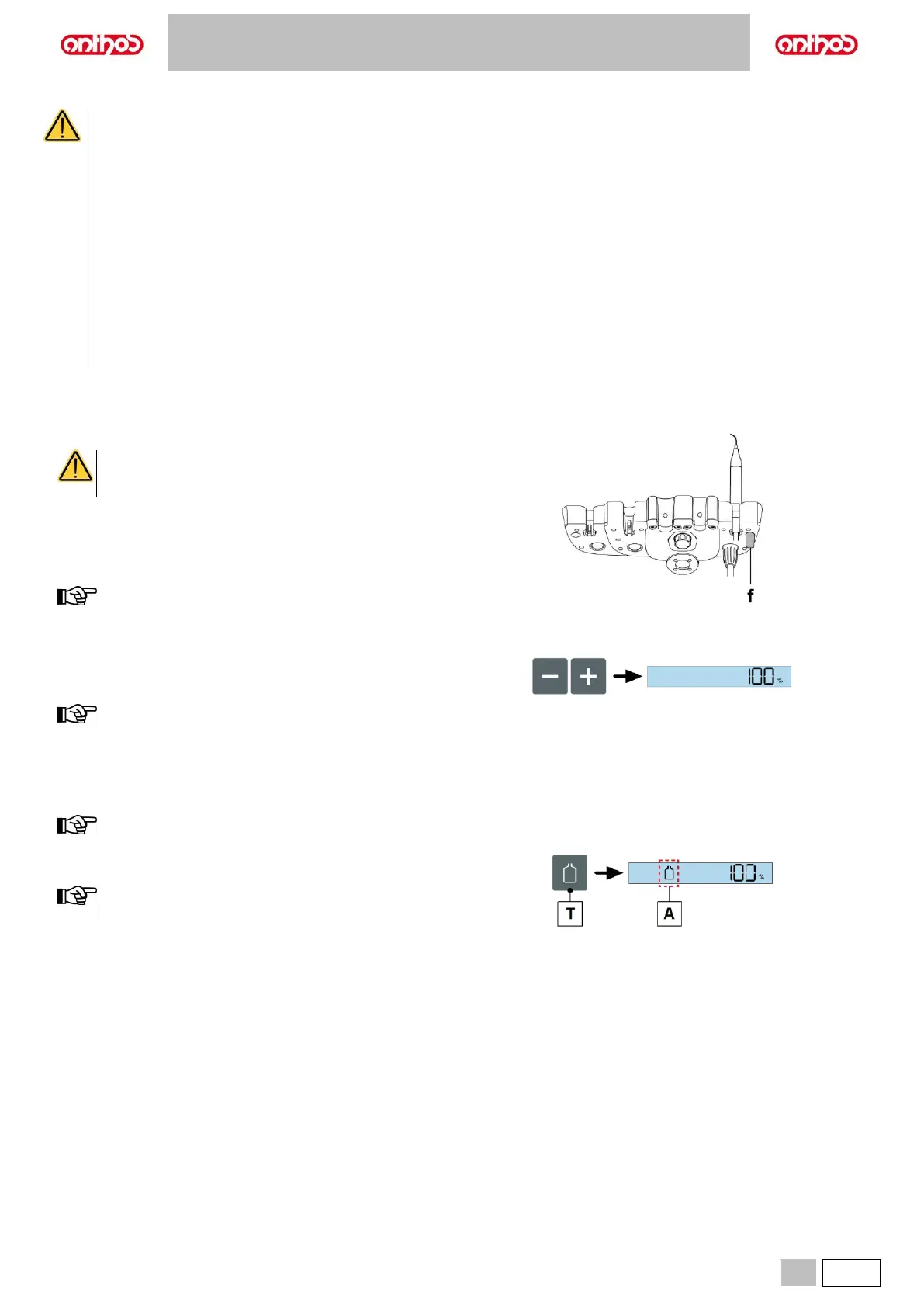
f Cock that regulates the amount of cooling water.
• Place the instrument in its work position.
Instrument activation is highlighted by the relevant managing
screen appearing on the display.
• Use the foot control lever to start the instrument (see paragraph 5.2.).
Adjusting the scaler power output.
• Adjust the scaler power output by pressing “increase” or “decrease“
buttons.
The data set are automatically saved.
Turning on the fibre optics.
• Place the instrument in its work position.
Fibre optics (if provided) are always on.
Activation/deactivation of independent water supply.
• Press button (T) to activate/deactivate the independent water supply:
Independent water supply active status is highlighted by icon
(A) appearing on the console display.
Cleaning and maintenance.
See paragraph 5.6.
Safety standards.
See paragraph 5.6.



 To Next Page