A3 PLUS - A5 - A6 PLUS - L6
SURGICAL SINGLE CART
5.6. SCALER
Connecting the handpiece and insert.
Refer to the specific instructions provided with the handpiece.
• Before attempting to connect the handpiece, make sure the contacts are perfectly dry. Blow air from the syringe, if necessary, to
dry.
• Make sure the threaded sections of the insert and handpiece are perfectly clean.
Use.
Operating times: see operating instructions supplied with the
handpiece.
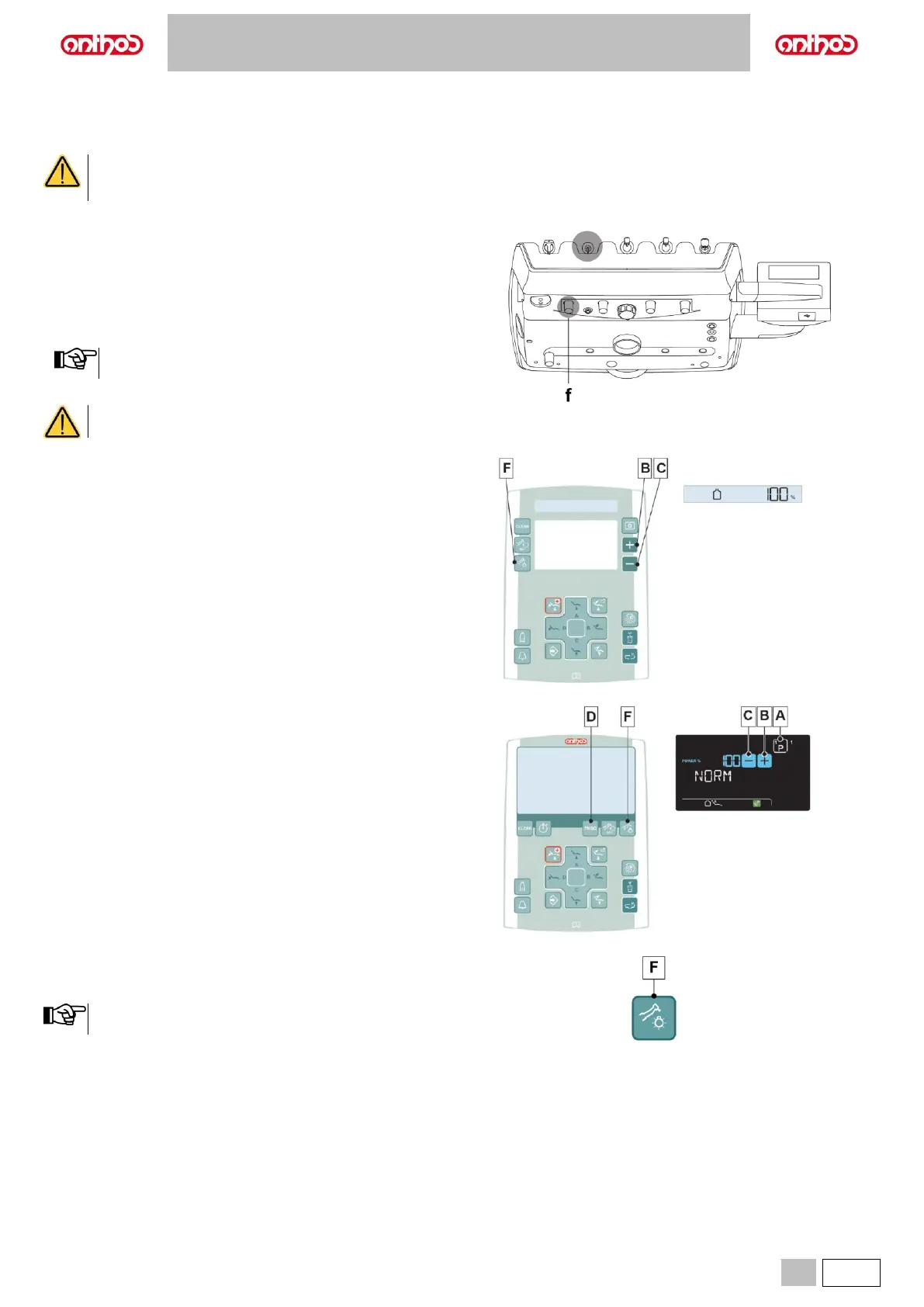
f Cock that regulates the amount of cooling water
(at the instrument).
• Place the instrument in its work position.
Instrument activation is highlighted by the relevant managing
screen appearing on the DISPLAY.
• Use the foot control lever to start the instrument (see paragraph 5.2.).
The instrument is supplied NON-sterile.
Description of the buttons:
A Scaler working programme selection.
(for LCD Touch DISPLAY only).
B Increase the scaler’s power output.
C Decrease the scaler’s power output.
D Scaler operating mode selection.
(NORMAL, ENDO or PARO, LCD Touch DISPLAY only)
F Fibre optics on/off.
Turning on the fibre optics.
• Place the instrument in its work position.
• Press the button to turn Fibre Optics on/off (F).
The Fibre Optics switch off when the instrument is not used for
30 seconds (rheostat lever disabled).



 To Next Page