A3 PLUS - A5 - A6 PLUS - L6
SURGICAL SINGLE CART
Multiple image mode operation.
• The "live" image appears on the monitor when the camera is set to
LIVE and multiple image mode.
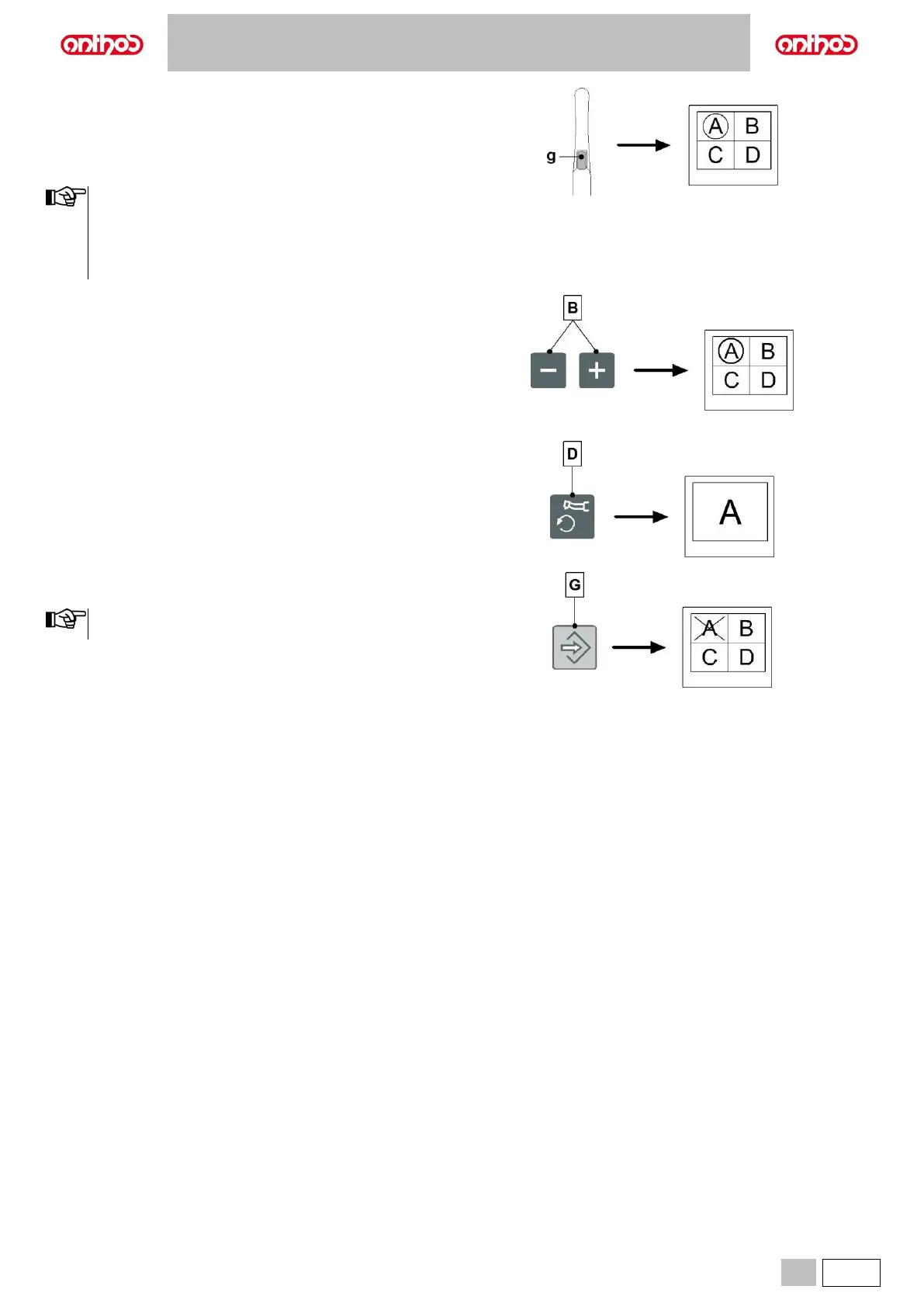
• Pressing the touch button (g) on the handpiece (or activating the foot
control), you can freeze the image, which is immediately shown on the
monitor.
The frozen image appears directly on the monitor in the first box
available on the page currently displayed. Any following frozen
image is then positioned in the following box in reading order.
Once the 4 available boxes have been filled, each following
frozen image will replace the existing ones appearing always in
reading order.
• With the camera in FREEZE mode, by pressing the button (B) or by
activating the CHIP-AIR command using the foot control (see
paragraph 5.2), you can select the stored images in rotation.
• With the camera in FREEZE mode, pressing the button (D) you can
enable/disable the full screen display of the selected image.
• With the camera in FREEZE mode, press the button (G) to delete the
selected image.
Press the button (G) for at least 3 seconds to delete all images
on the current page.



 To Next Page